
Support Forum
How can I change my time zone? - Wed - Oct 20, 2021 - 5:24pm
-
The default is Central Time (CST) or (CDT), but can be changed to any other time zone.
If your time zone is currently showing incorrectly from where you are located, you can change your time zone at any time.- From your top menu in the upper right corner, click the browser icon and click Edit Public Display.
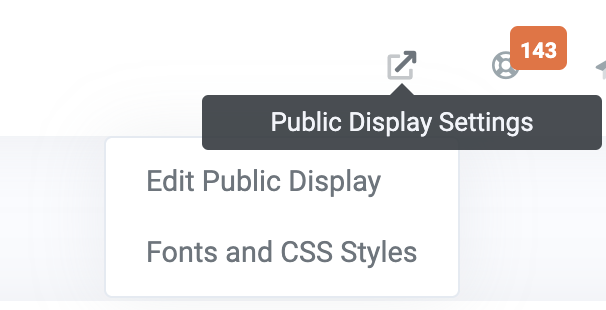
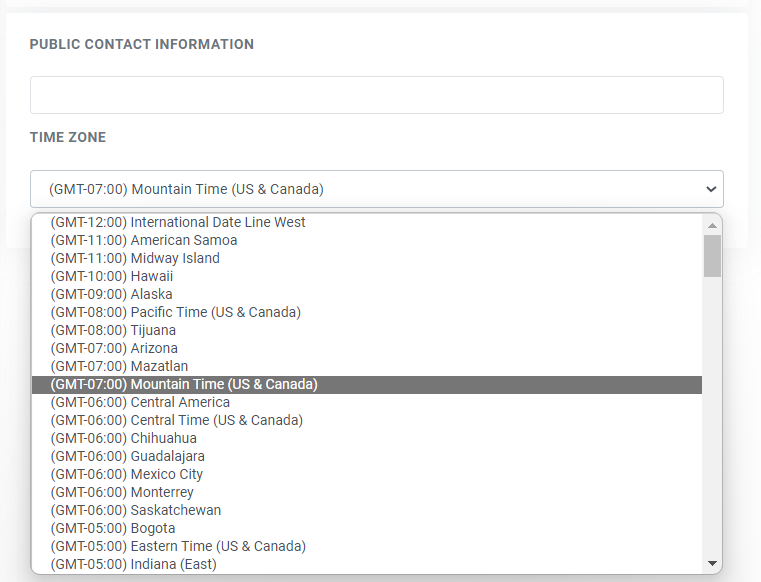
2. Click on the time zone and change it accordingly
3. Click the blue checkmark to save your new time zone
View our video tutorials
Where can I post a refund policy? (Terms and Conditions)
How can I change the address and phone number on the Ticket, thermal ticket and email?
Can I remove the billing address so our customer can skip it?
Can I add links to my Purchase Terms/Conditions
Getting Started with ThunderTix - A How To Guide
Can I add multiple tax rates?
How do I hide my event website from search engines?


