Sometimes you may want to add specific venue terms and conditions or policies such as age requirements for your customers to agree to finish purchasing tickets.
You can add these purchaser agreements by following the steps below:
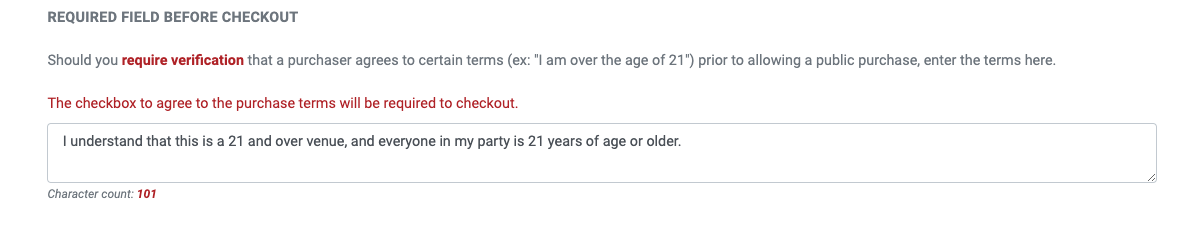
1. Head to Account Settings and click Checkout Options 2. Click Checkout Page Fields (you will be taken to this page by default) 3. Enter your terms and conditions under REQUIRED FIELD BEFORE CHECKOUT 4. Make sure you see the green Saved message to ensure your text is saved in the text field
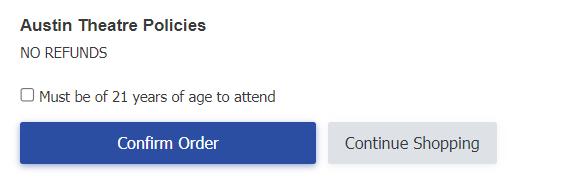
This field enabled a checkbox on your checkout page, right before the Confirm Order button, that must be checked for patrons to finish their purchase.
If you wish to add your venue terms and conditions without making it required to check before checking out, please see the Purchase Terms/Conditions under your Checkout Options tab.