
Support Forum
How can I make some fields on the checkout page required for administrators from the box office? - Mon - Apr 1, 2024 - 1:00pm
-
 Some organizations would like to require that their staff enter certain fields at checkout when processing orders. You can now choose from a list of fields to require be entered for all administrators logged into ThunderTix from the box office. This new set of required fields can help better complete your patron database and patron records.
Head to: Account Settings > Checkout Options.
You'll see a new section that looks like this: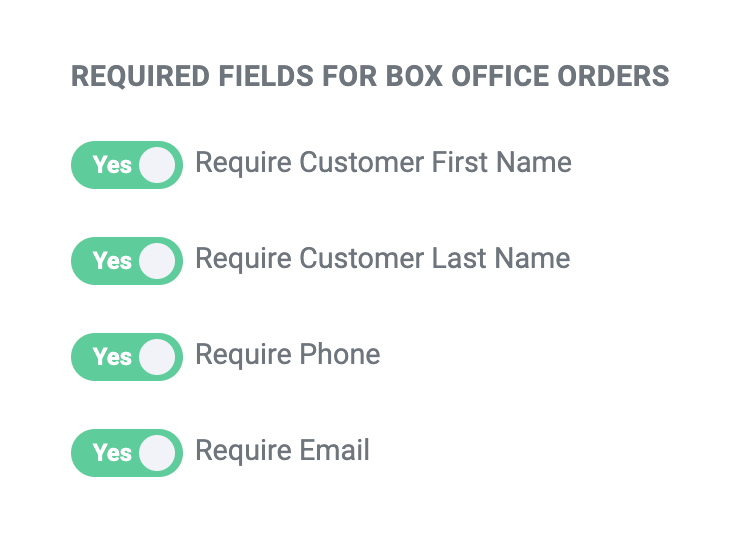 By default, none of the checkout fields are required for users that are logged into ThunderTix processing orders on behalf of customers to ensure that the checkout process is handled as quickly as possible – especially if there is a line at the box office on the night of an event. However, you may choose to require that your staff collect and enter some of the fields shown above on ALL orders for a more accurate and complete patron database for marketing purposes.
To do so, simply switch the toggle from "No" to "Yes" and make sure you see the green "Saved!" message to ensure the switch was saved.
View our video tutorials
Where can I post a refund policy? (Terms and Conditions)
How can I change the address and phone number on the Ticket, thermal ticket and email?
Can I remove the billing address so our customer can skip it?
Can I add links to my Purchase Terms/Conditions
Getting Started with ThunderTix - A How To Guide
Can I add multiple tax rates?
How do I hide my event website from search engines?
