Prepare in advance of your event by printing all of your "will call" orders, so they are available as customers arrive. Listed alphabetically by customer last name, you can quickly dispense tickets, so patrons can enjoy concessions before the show. You have the option to either print tickets on individual orders, or you can save time by using the Batch Print option on a performance to print all tickets for an entire performance at once.
Printing tickets in advance
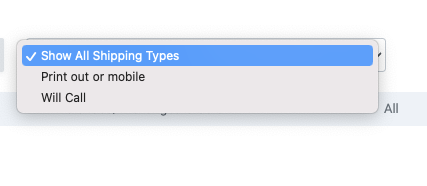
First, head to your guest list. If you have shipping options created for that event, you'll see an option to select the shipping option at the top of the Guest List. When you select "Will Call" for example as seen in the image below, we'll automatically update your guest list to show only orders where Will Call was chosen during the checkout process.Screen Shot 2023-11-14 at 8.36.05 AM.png 20.85 KB
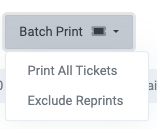
Then, once all desired orders are displaying, head to the Batch Print button. You'll see the option to print all tickets on screen. However, if you've already printed some tickets in the past, you can choose to exclude "Reprints" and instead print only the tickets that have not yet been printed. Screen Shot 2023-11-14 at 8.34.33 AM.png 12.56 KB
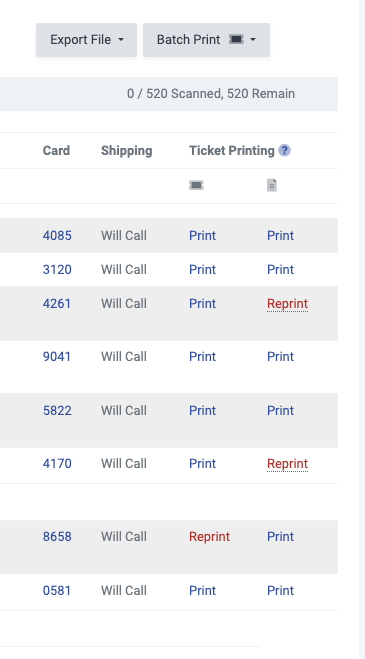
In the screenshot below, there are 2 columns under "Ticket Printing". The first column is for thermal tickets and the second column is for the eTickets. Note that tickets that have already been printed show as "Reprint". Screen Shot 2023-11-14 at 8.41.44 AM.png 41.7 KB If you're considering thermal ticket printing for your box office, you can learn more about it at the link below.