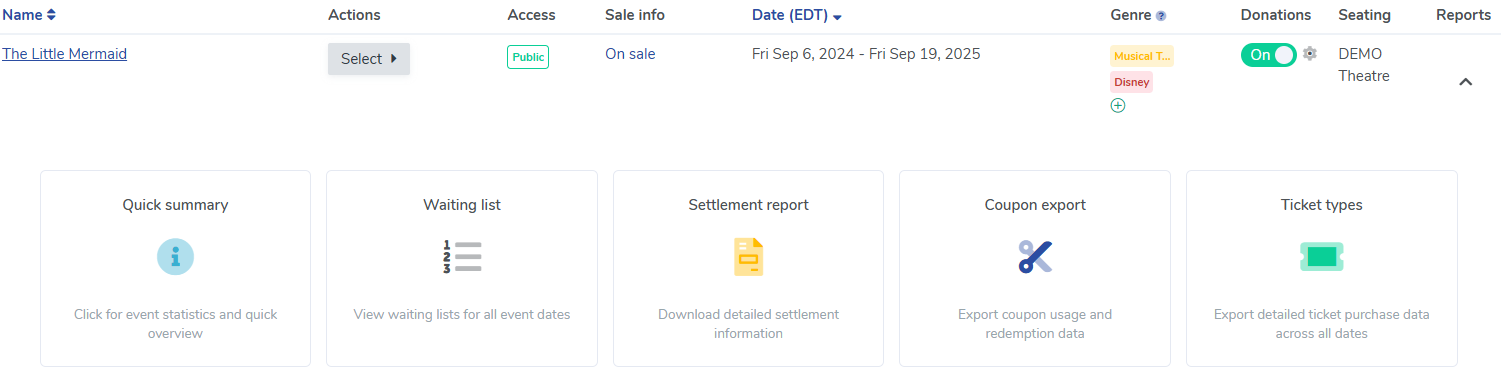
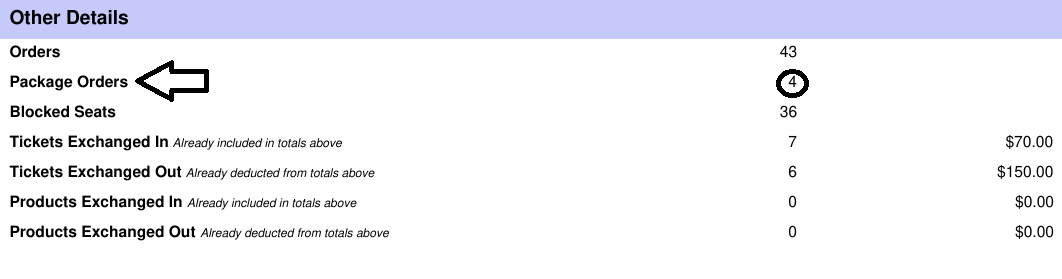
In order to find the number of packages that have been sold for a particular event, you'll want to download a Settlement Report for that event. Follow these steps to do so:
1. From your Event Manager page, find the event you are wanting the report for. 2. In the Reports column on the right, hover over the clipboard icon: Event Settlement ReportScreenshot 2025-07-09 133836.png51.57 KB 3. Follow the prompts in the pop-up modal 4. Click "Update and Generate Report" 5. Download the report 6. To find the number of packages sold, go to the Other Details section >> Package Orders