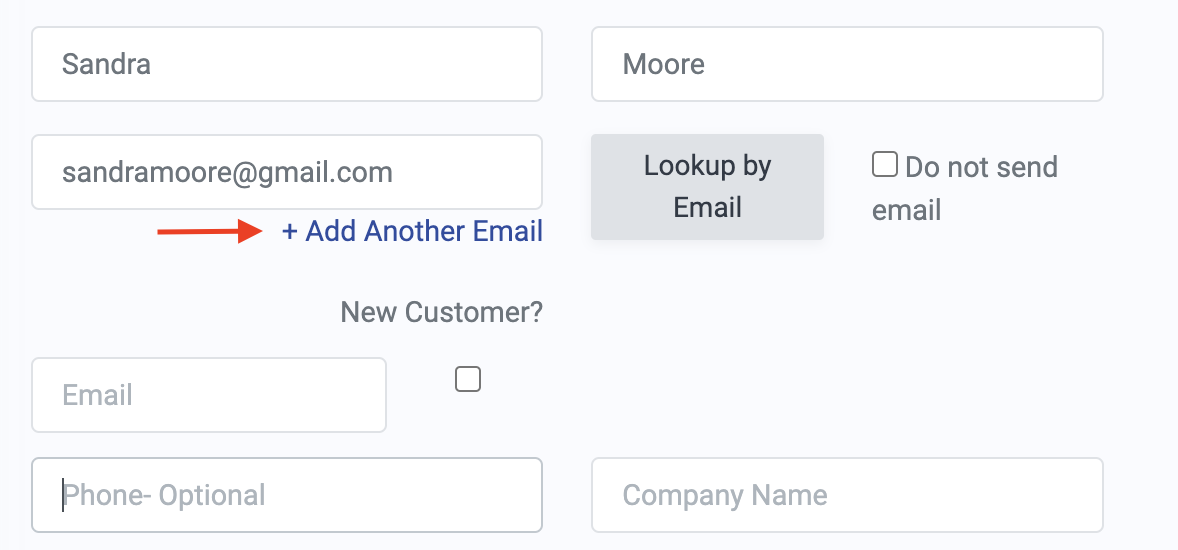
On occasion, you or your patrons may want to send tickets in an order to multiple email addresses. For example, if one patron purchases 4 tickets for themself and 3 friends or family members, they may choose to have the tickets emailed to all 4 people.
To add multiple email addresses, you or patrons will want to take the following steps:
1. On the checkout page, fill out the necessary information, including the purchasing customer's name and email address.
2. Click the "+Add Another Email" link.
3. Fill out the name and email address fields that populate for the additional customer. You can optionally check the "New Customer?" box.