
Support Forum
Can I use a QR code on my thermal ticket rather than a standard barcode? - Tue - Feb 18, 2025 - 4:55pm

If you'd prefer to use a QR code in place of a Standard Barcode, please follow the steps below.
- Head to Templates > Thermal Ticket
- Under the option for Barcode, select QR code from the drop down.
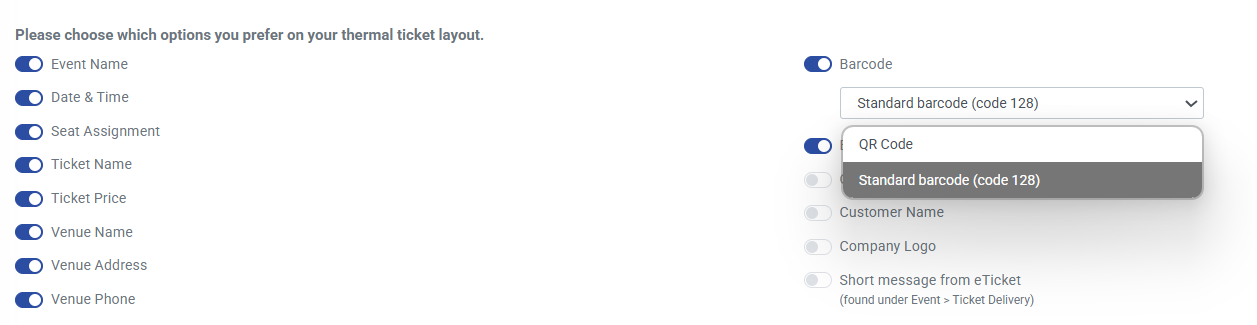
- Click the 'Update' button at the bottom of the screen to save your changes.
- The update will send a support request to the support team so that they can adjust your thermal ticket as needed. They will reach out as soon as they have made the adjustment to your ticket.
Happy scanning!
View our video tutorials
How do I print tickets for someone who already received their PDF ticket but forgot to bring them?
How do I center the Short Message displayed on the pdf ticket?
How do I set up my thermal ticket printer?
Options for printing event tickets from the Guest List
Can ThunderTix process orders of 300 tickets at once?
We had a typo in our event spelling which has now been changed but it doesn't reflect on the ticket.
Different Venues in One Season
