You have the ability to add a custom message to your thermal ticket on an event-by-event basis!
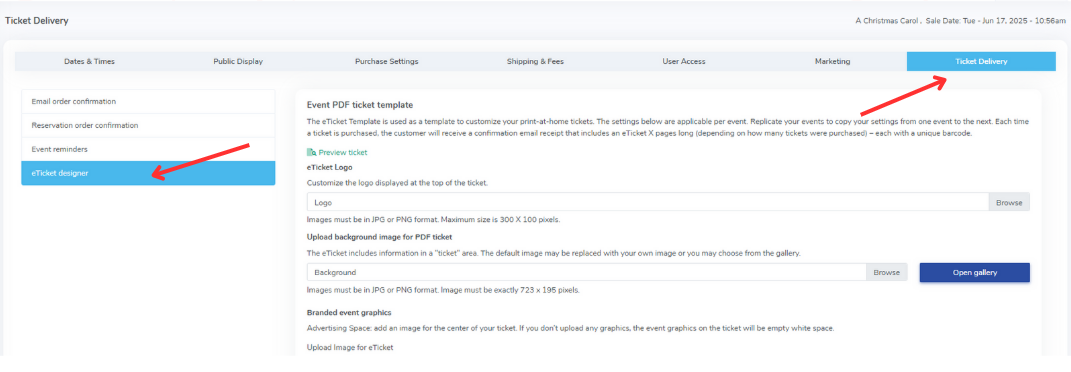
First, click into your event, click on the farthest tab that says "Ticket Delivery", and click on eTicket Designer. image.png127.67 KB
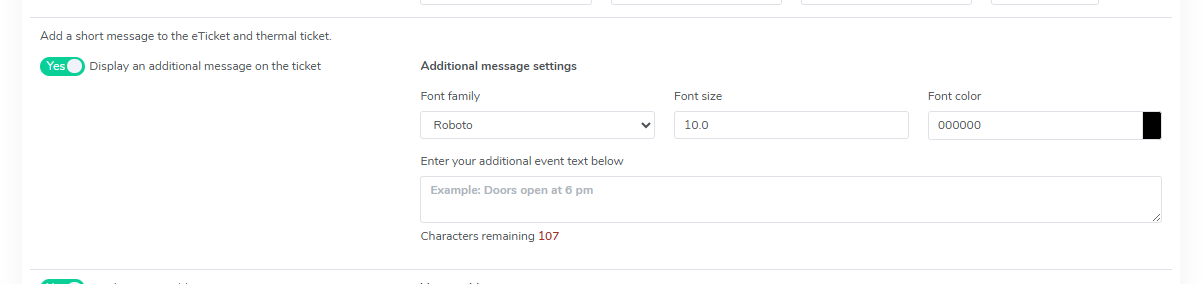
Then, scroll down the screen until you find "Display an additional message on the ticket". You can write any message you would like to display here. image.png24.1 KB
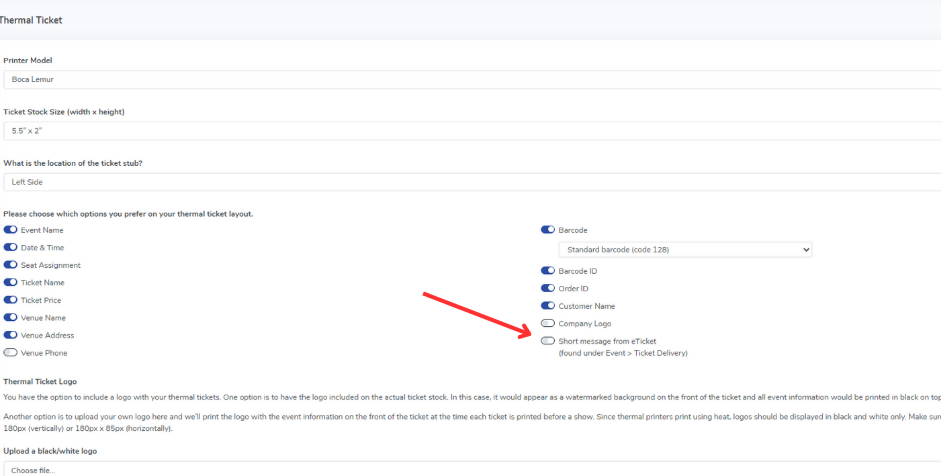
Then, you would go into "Template" > "Thermal Ticket" on the left side of your screen. In your thermal ticket template, you can turn on the part that says "Short message from eTicket" which will allow this to be added (on a per event basis). image.png100.17 KB
This will allow you to add a custom message to your thermal ticket for specific events!