
Support Forum
Limit Membership Benefit Coupons to Specific Events and Performances - Mon - Jun 22, 2026 - 5:37pm

Membership benefit coupons can be configured to apply only to selected events, performances, or ticket types. This gives you more flexibility when creating membership benefits and helps ensure discounts are only available where intended.
Creating a Membership Benefit Coupon:
- Go to Memberships and open the membership level you would like to edit.
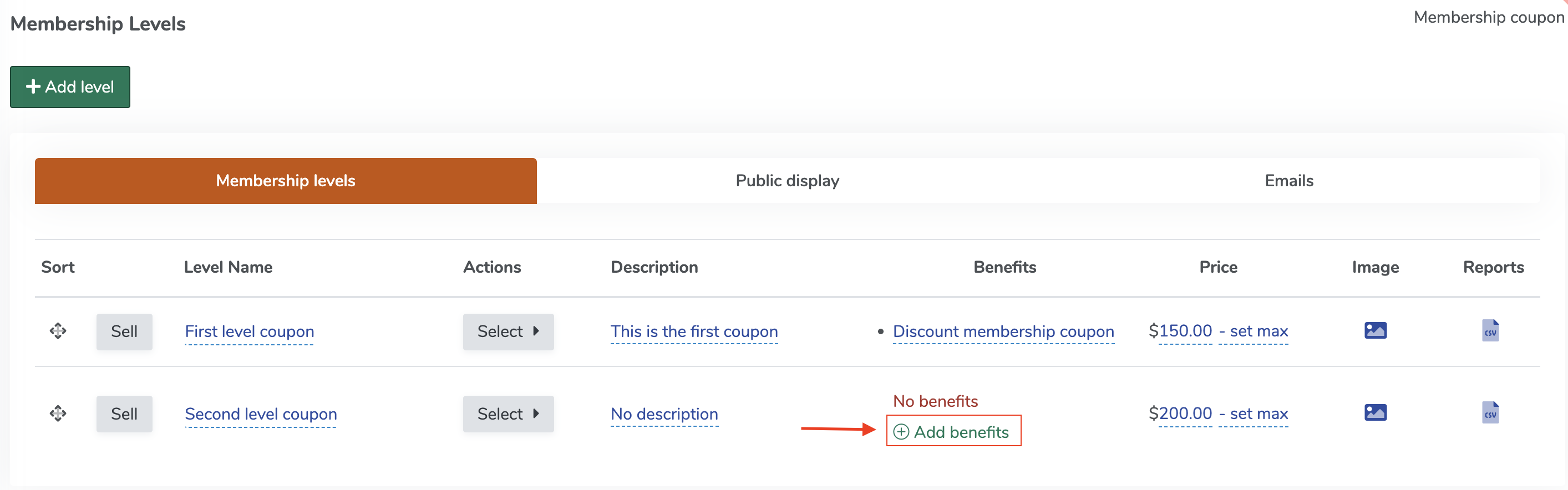
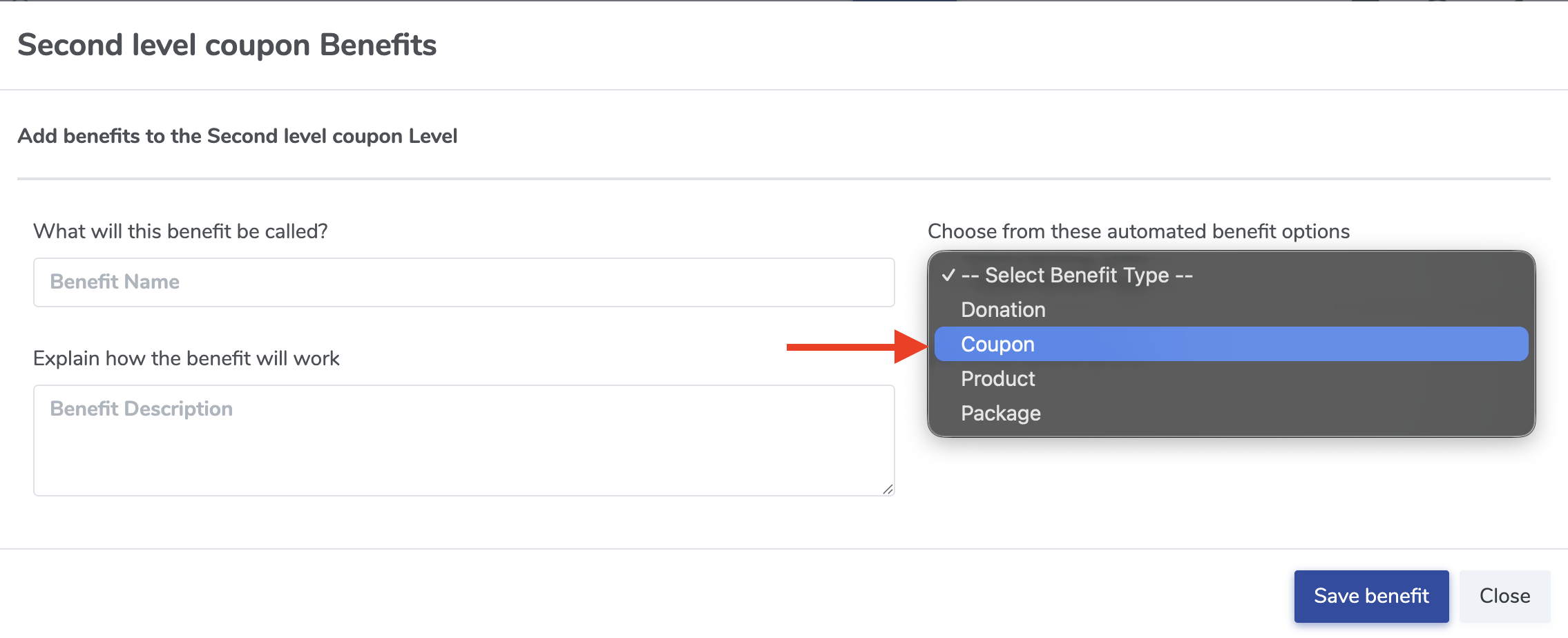
Membership level - Click Add Benefit and select Coupon as the benefit type.
cupon - Complete the coupon details, including the discount type and redemption settings.
- By default, the coupon will be valid for all events.
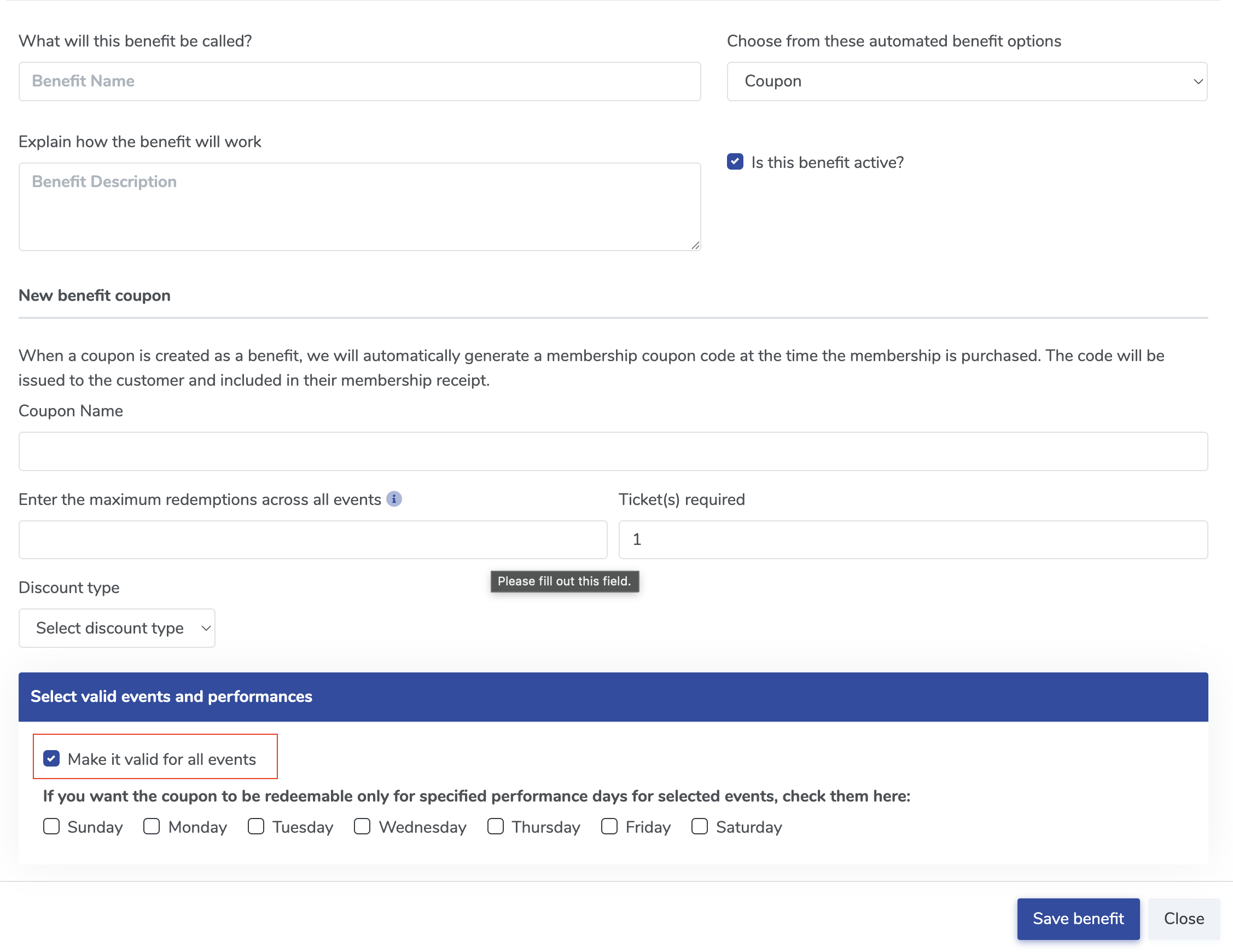
cupon - To limit the coupon, locate the Select valid events and performances section.
- Uncheck Make it valid for all events.
- Select the events, performances, or ticket types where the coupon should be accepted.
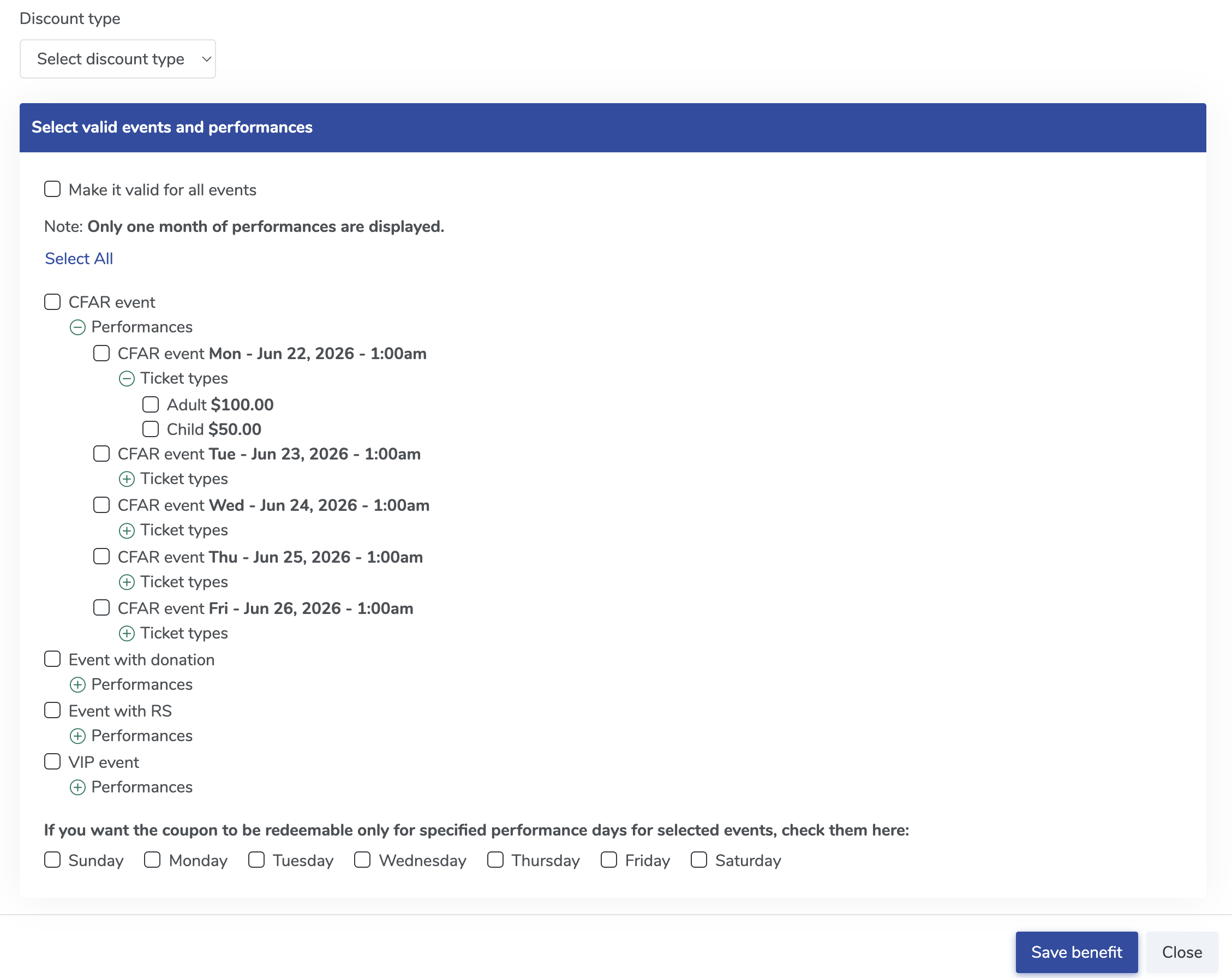
Select - Click Save Benefit.


Editing an Existing Membership Benefit Coupon:
- Open the membership that contains the coupon benefit.
- Edit the coupon benefit.
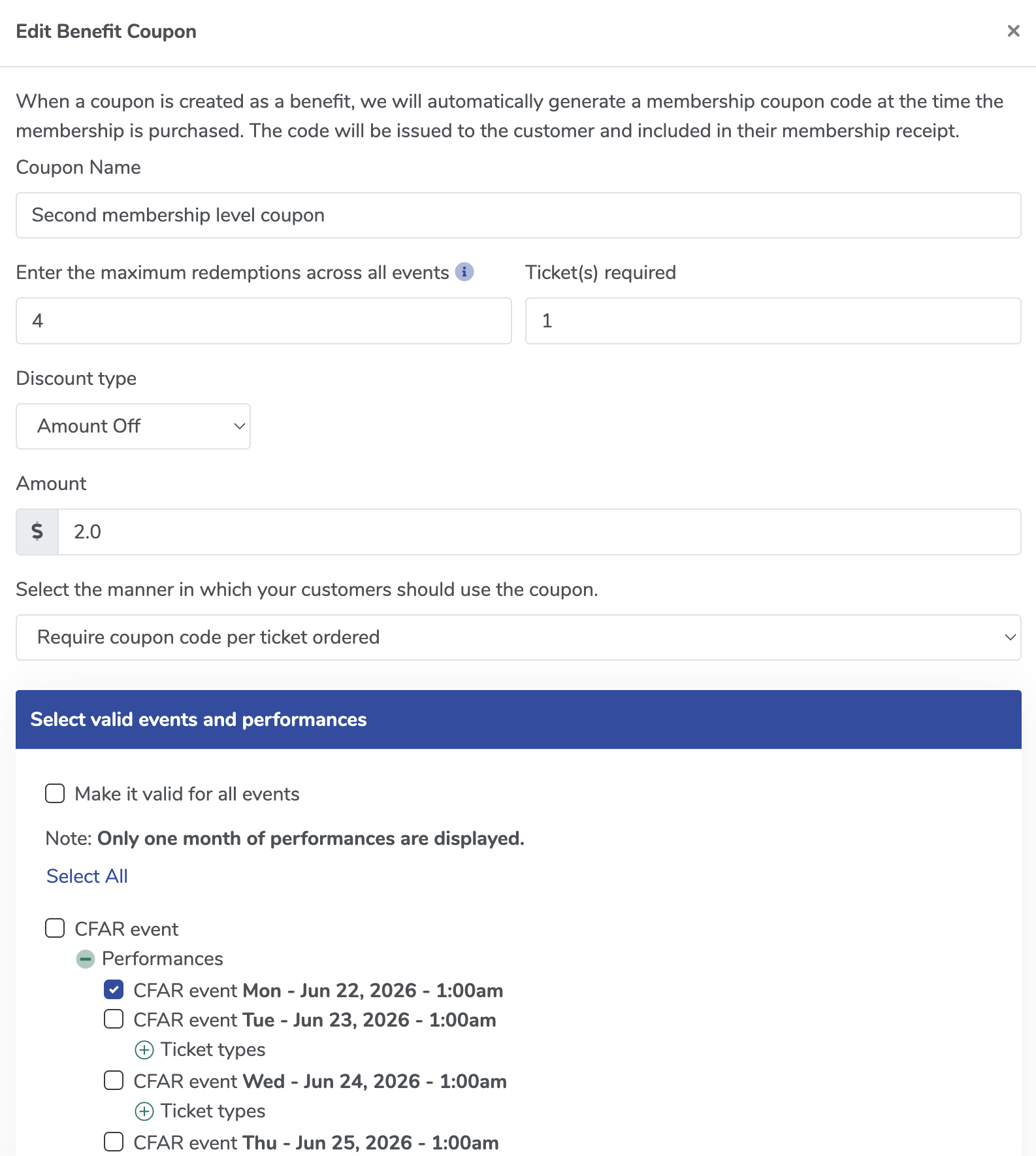
edit cupon - Update the selections in the Select valid events and performances section.
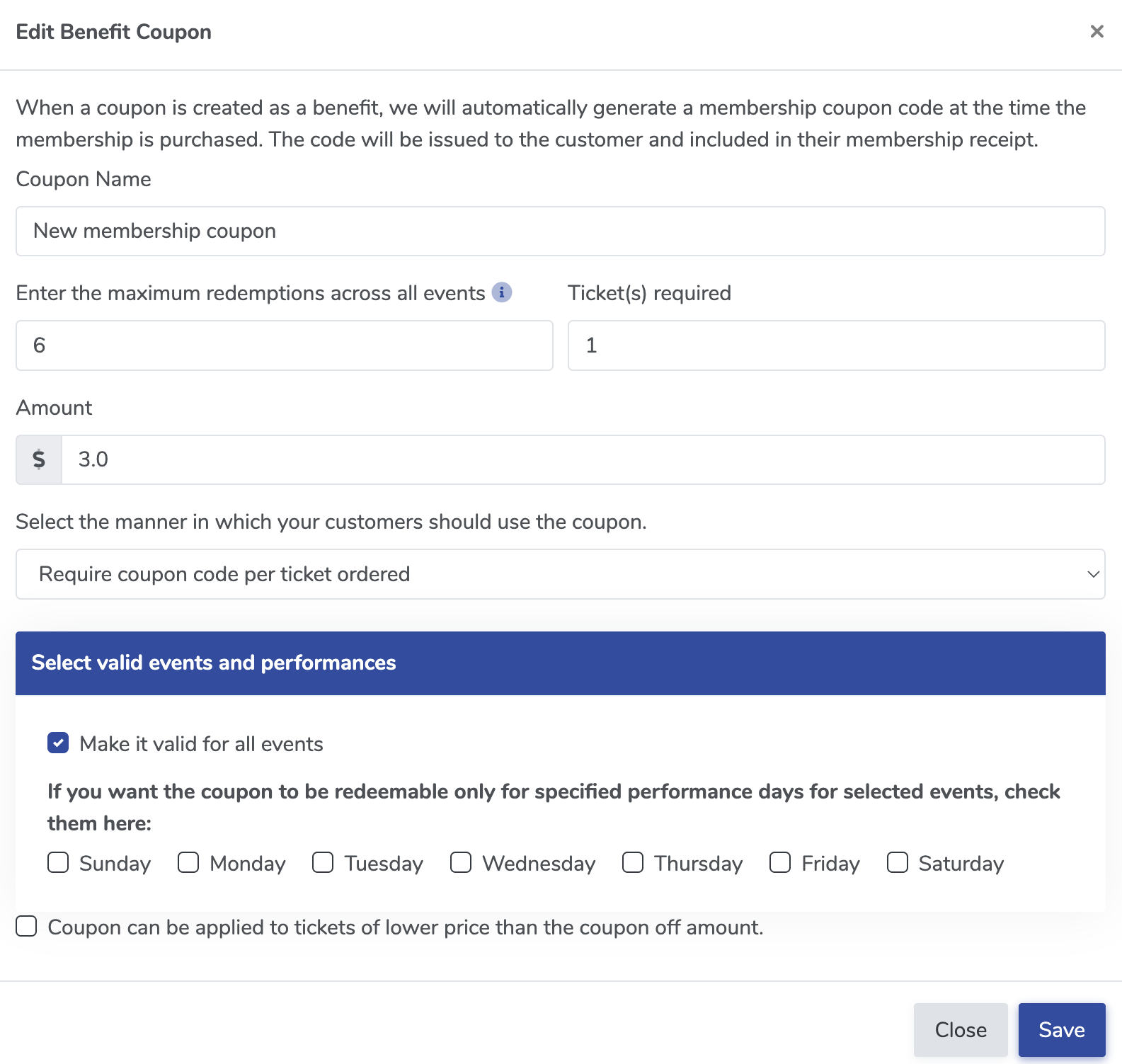
Select valid events - Save your changes.


How it works:
When a member redeems a coupon during checkout, ThunderTix checks the coupon's configuration and applies the discount only to eligible events, performances, or ticket types.
If the coupon is configured for all events, it will continue to behave as it always has. Existing membership benefit coupons remain valid for all events unless you choose to update their settings.
View our video tutorials
Can I sell memberships through ThunderTix?
What is a Membership?
How do I set up a new Membership?
Can I sell a Membership with a recurring payment if I don't have Square or Stripe?
How do I customize my Memberships button on our event website?
How do I set up Membership Levels?
How do I set up a membership benefit?