Support Forum
How can I create categories for my products? - Mon - Dec 12, 2022 - 10:26am
You may want to add categories to product items, such as sizing options for apparel or color options for merchandise like mugs or keychains.
To add categories to a new product item, please do the following:
To add categories to a new product item, please do the following:
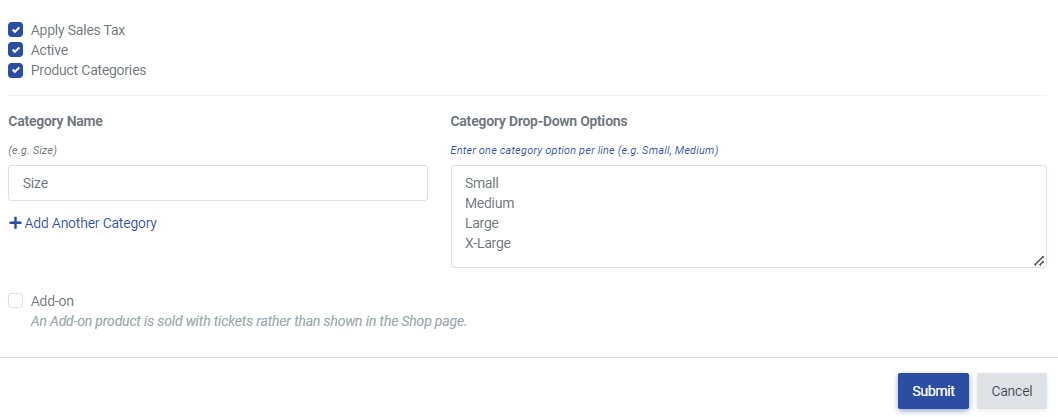
- Head to Revenue Builders >> Products
- Click Create Product
- Enter the necessary product info such as name and price
- Select the checkbox for Product Categories
- Enter your category name (i.e., size, color, etc.)
- Enter the options in the Drop-Down field for the category options. Each option should go on a new line (i.e., small, medium, large)
- Select +Add Another Category if needed
- Click Submit
To add categories to an existing product item, please do the following:
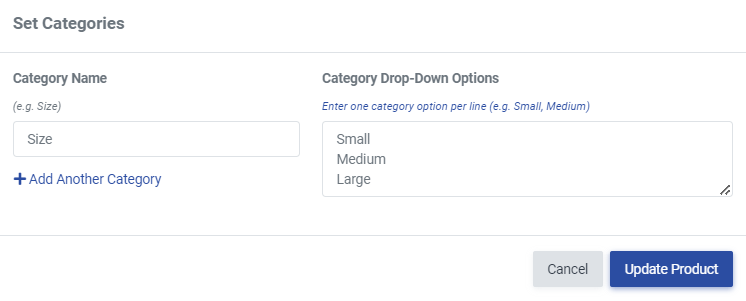
- Head to Revenue Builders >> Products
- Locate the product in your product listing
- Under the product name, select Manage Categories
- Select +Add Category
- Enter the category name (i.e., size, color, etc.)
- Enter the options in the Drop-Down field for the category options. Each option should go on a new line (i.e., small, medium, large)
- Click Update Product