To provide easier access to your shop page so that patrons can purchase shop items (products), you may consider adding a link in your event description. To do so, follow these steps:
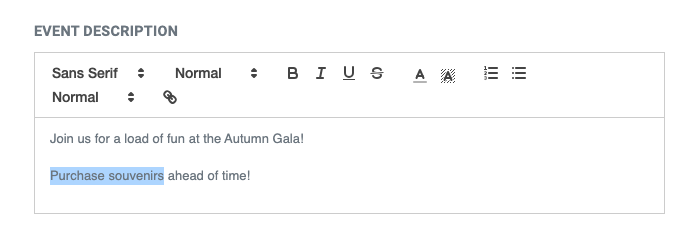
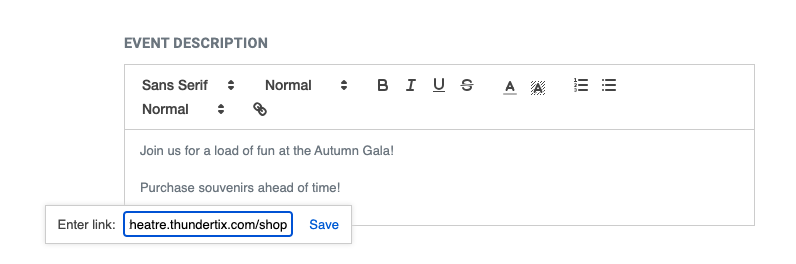
1. From your event, find the Public Display Tab >> Event Information >> EVENT DESCRIPTION 2. Highlight the words you want to make a link as seen below: Screen Shot 2023-08-03 at 2.05.34 PM.png 24.91 KB 3. Then, click the last icon on the event description menu that looks like a link. You'll see a pop-up appear asking you to enter the desired URL for that text. Paste your shop URL and click save: Screen Shot 2023-08-03 at 2.05.46 PM.png 30.34 KB 4. Voila! You've got a link to your shop in your event description: Screen Shot 2023-08-03 at 2.53.02 PM.png 24.84 KB You can add your shop URL wherever you'd like within your event description if you'd like to add more links or ways to connect to your products.