
Support Forum
How do I change a reservation? - Fri - Mar 15, 2024 - 1:26pm
-
 Changing a reservation or unpaid order is easy. Simply follow the steps from your order below using either an order with a balance due or a reservation:
1. Find the existing order by searching in Orders or via the Patron record. Then click "Process or Change".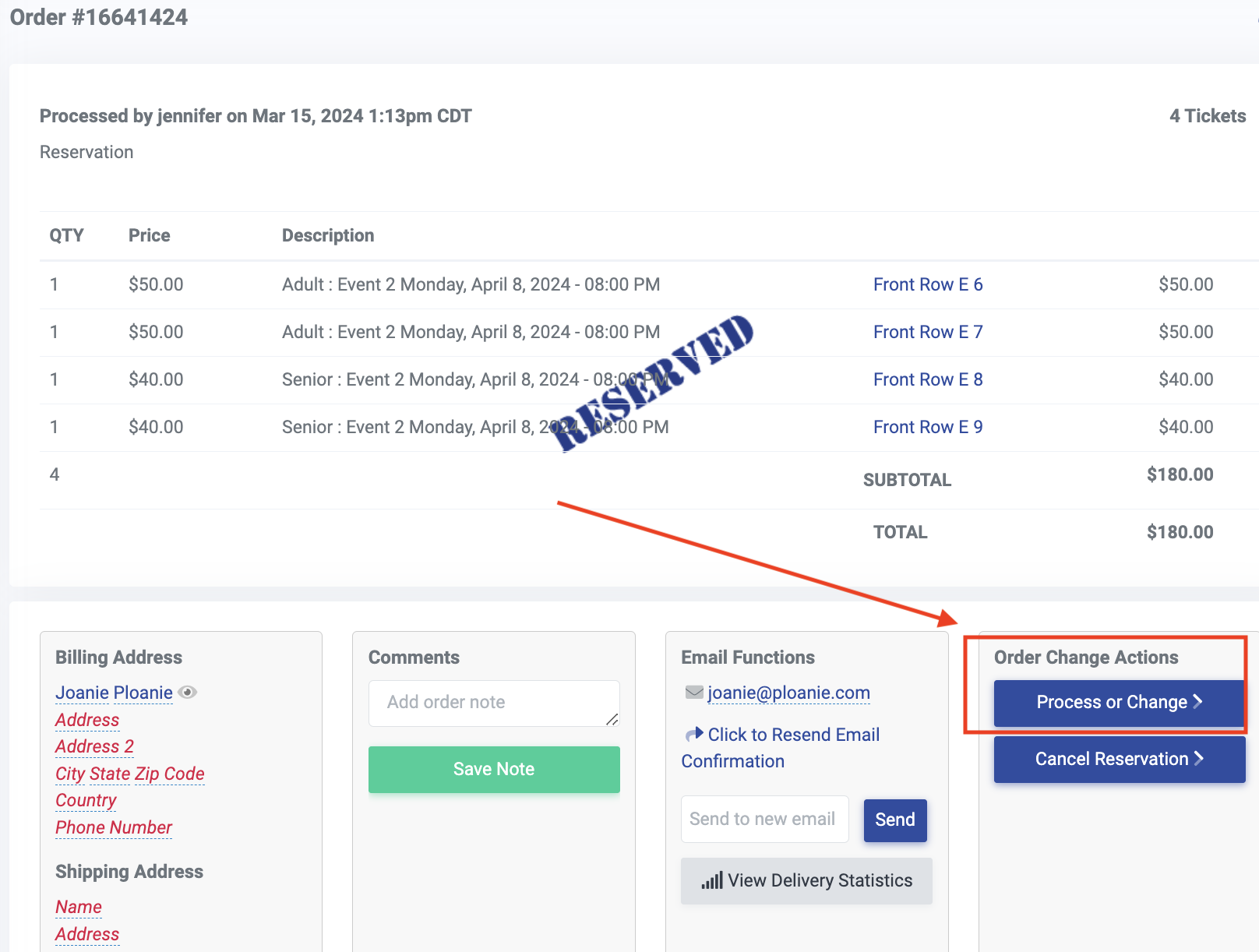
2. This brings you to the checkout page.
a. To remove tickets, click the trash can.
b. To add tickets, click the Continue shopping button.
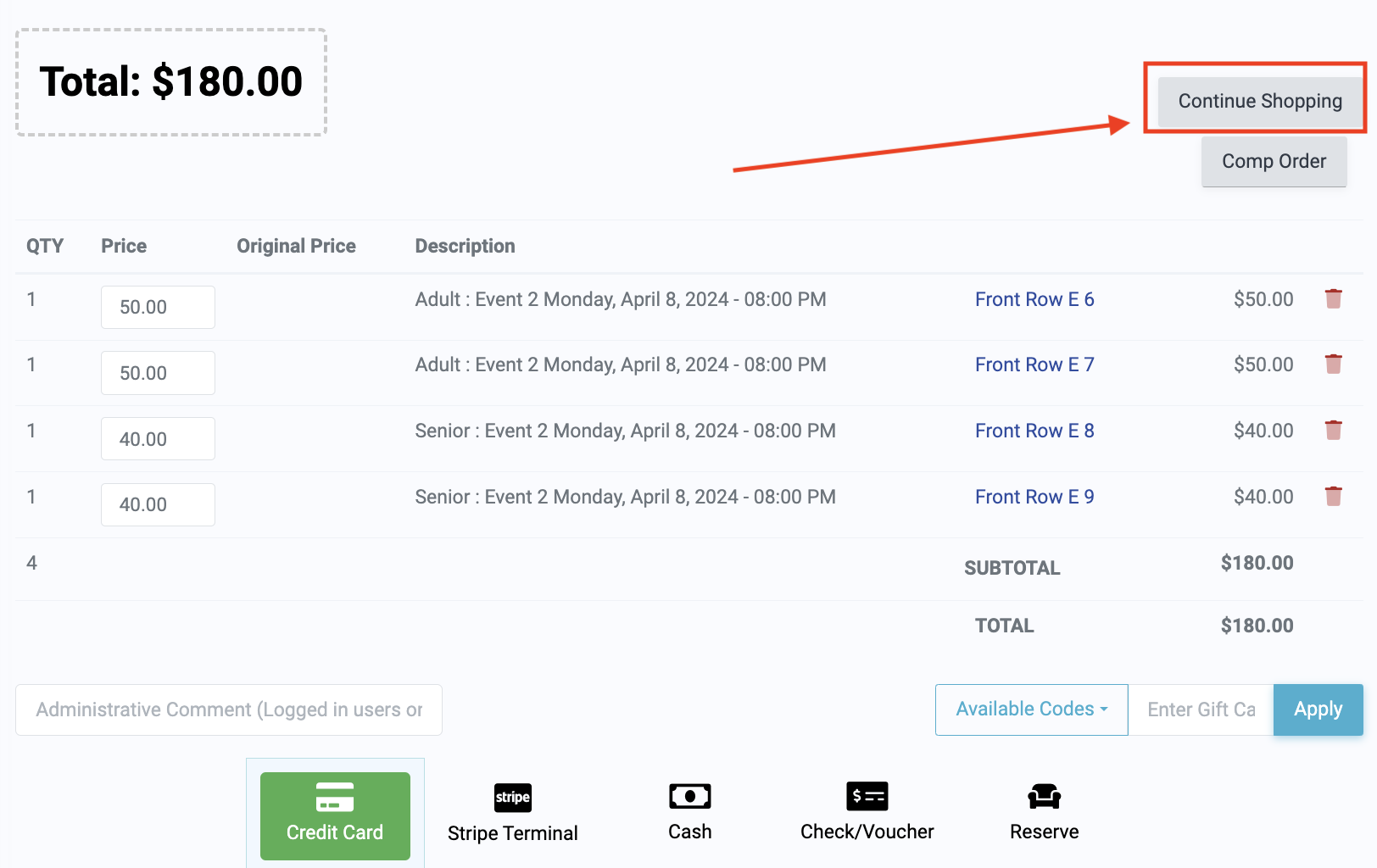
3. Select your next event, then select the desired tickets and follow the steps to reach the checkout page once again.
4. Take any of the three options to conclude the order:
a. Reserve the order once again
b. Add a partial payment
c. Collect the balance


View our video tutorials
How do I delete an Order?
Why are orders missing from the Orders tab?
What happens to sales tax on an exchange?
How do I comp a ticket or comp an order (make a ticket complimentary)?
How can I waive fees for some orders?
How can we charge a small fee to our patrons for a ticket exchange?
Our show was canceled -- how do we process refunds?
