
Support Forum
How can I tell which orders were comped using COMP versus a COUPON in the Orders Export? - Thu - Mar 28, 2024 - 4:10pm
-
 You can now easily differentiate between orders that were comped using the "COMP" function versus those comped using a "COUPON" in the Orders Export.
From the Orders Tab on your left-hand menu, if you click on the "Export Orders" button once you've chosen the desired timeframe and other parameters, make sure to keep the "Coupons" option selected, and the export will include this column: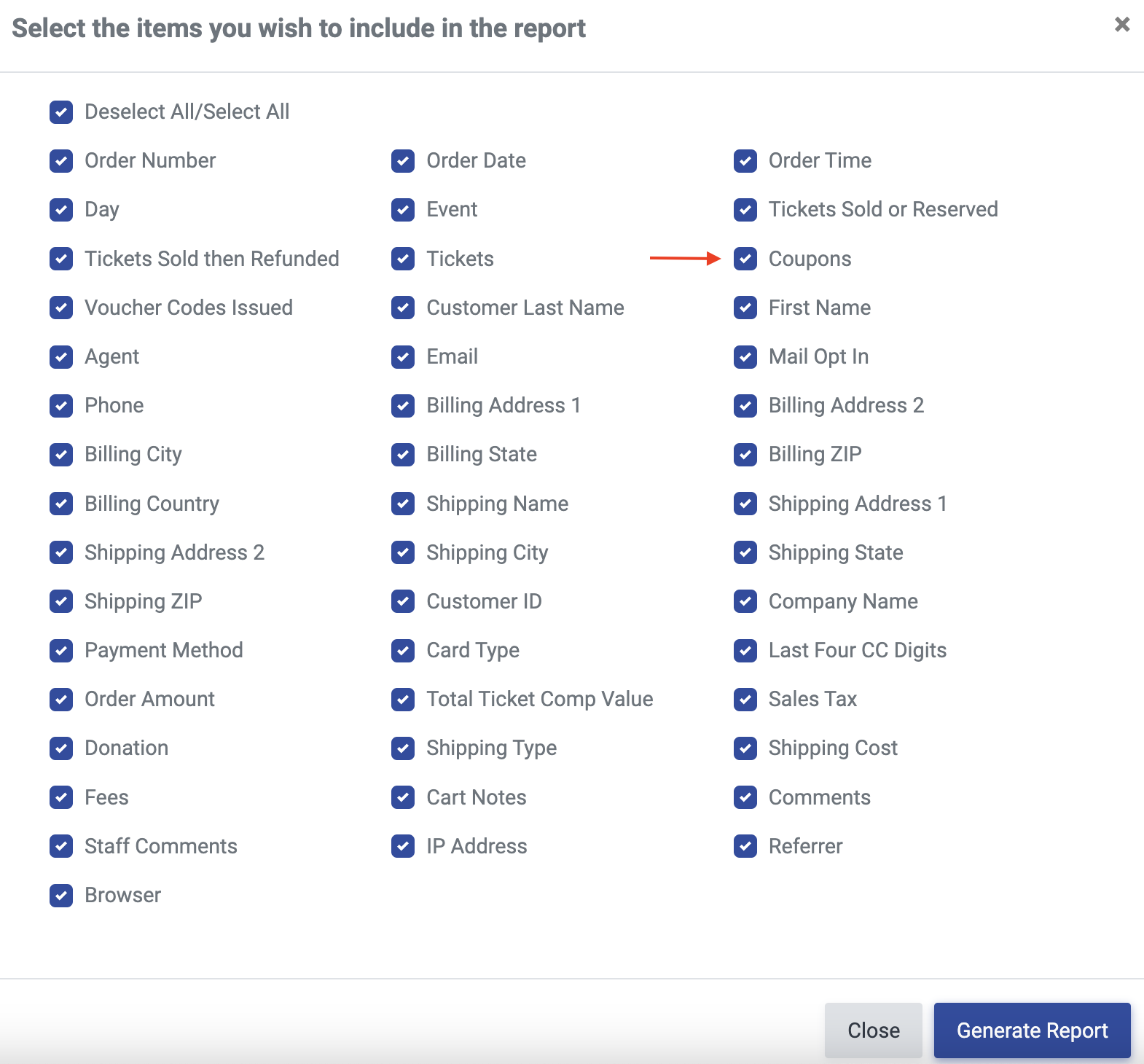
In this test example, Order 39122492 was comped using "COMP" and Order 39122520 was comped using a "COUPON" (for 100% off per order). In the export, we now have the "Coupons" column, which shows the specific coupon(s) used to comp the order. So, while they both say "comp" in the Payment Method column, we now can quickly and easily see that Order 39122520 was comped using the coupon "testcoupon", as seen in the Coupons column: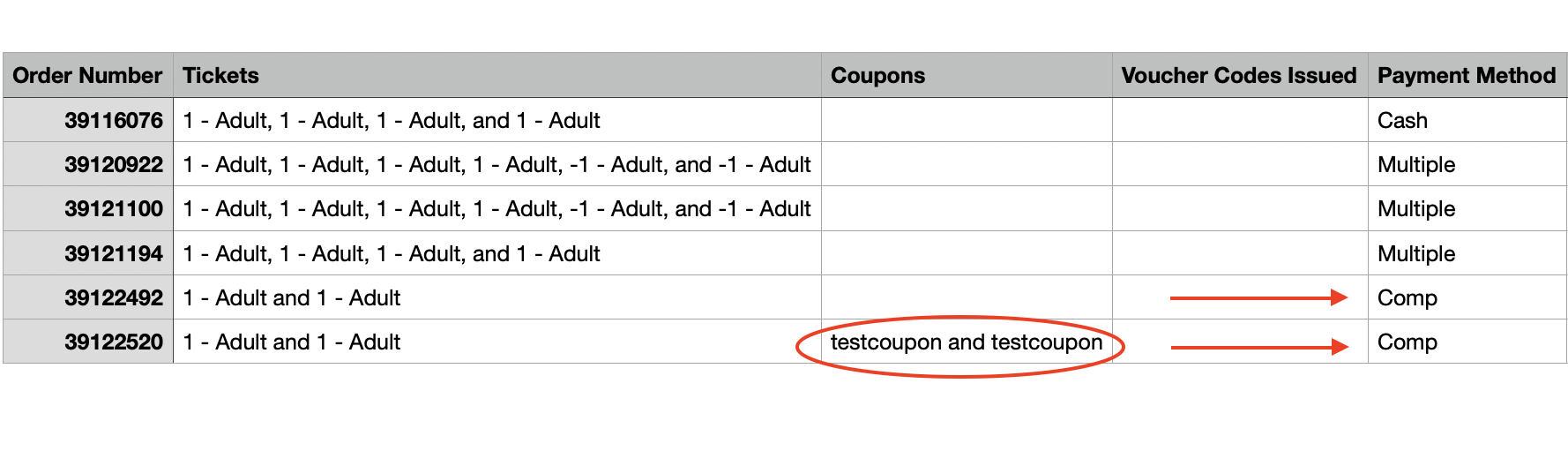


View our video tutorials
How do I delete an Order?
Why are orders missing from the Orders tab?
What happens to sales tax on an exchange?
How do I comp a ticket or comp an order (make a ticket complimentary)?
How can I waive fees for some orders?
How can we charge a small fee to our patrons for a ticket exchange?
Our show was canceled -- how do we process refunds?
