
Support Forum
How can I take an unapplied credit and apply it on a new order? - Tue - Sep 17, 2024 - 12:30pm
-
 When you process an exchange and have an order for one amount, and it is exchanged to another event for a lower amount, this second order will have an "Unapplied credit" for the difference between those two orders.
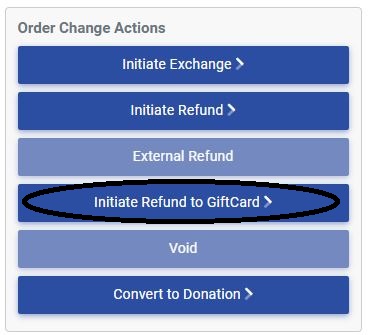
To utilize the unapplied credit, you can convert the unapplied credit to a gift card and then use the gift card for the new transaction.- To convert the unapplied credit to a gift card, head into the order and select 'Initiate Refund to GiftCard' from the Order Change Actions Menu.
You will be redirected to the following screen: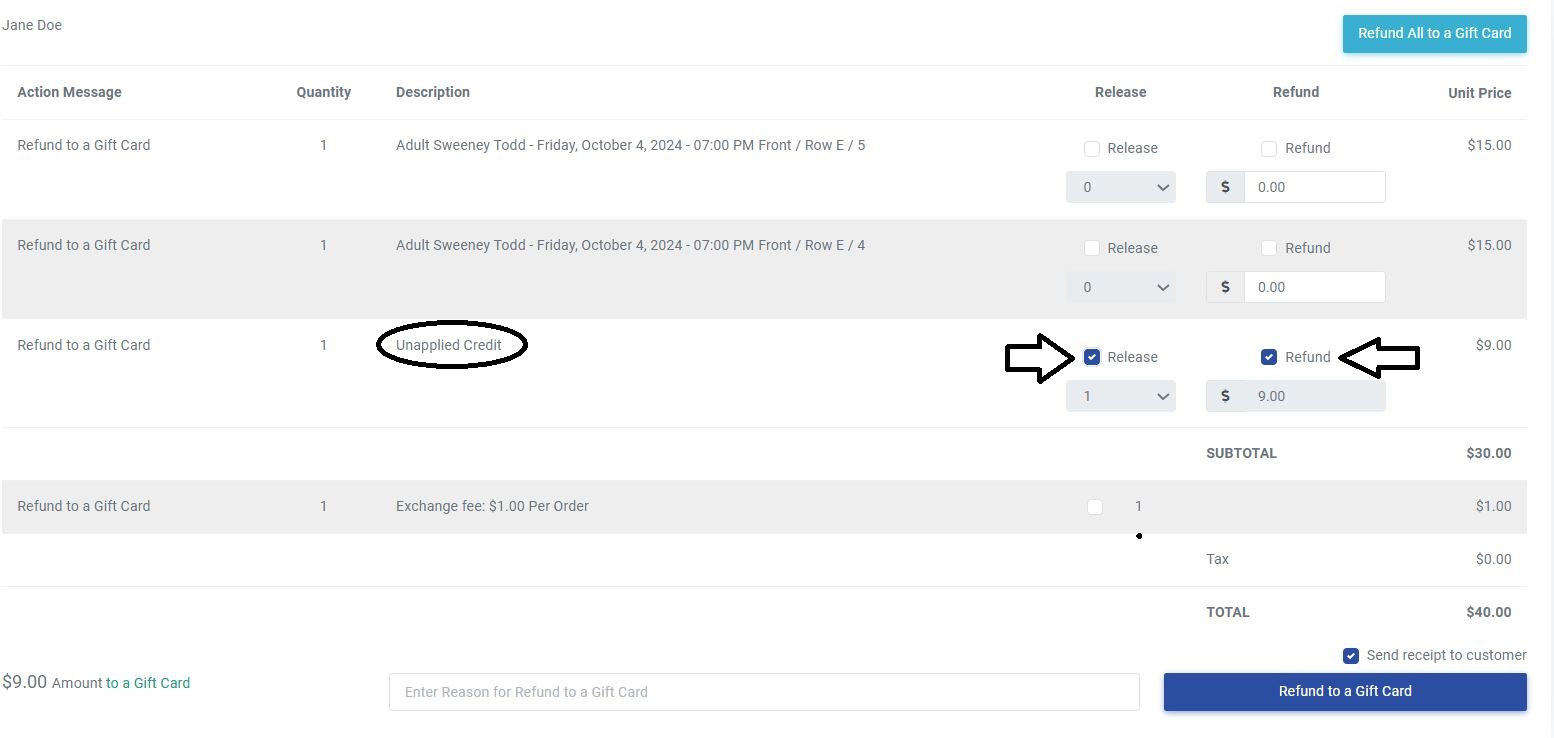
- Make sure to check both the Release and Refund checkboxes to refund the unapplied credit to the Gift Card. Finally, just click the Refund to a Gift Card button at the bottom to complete the transaction.
- You will now have a gift card code for the patron to use on a future transaction.
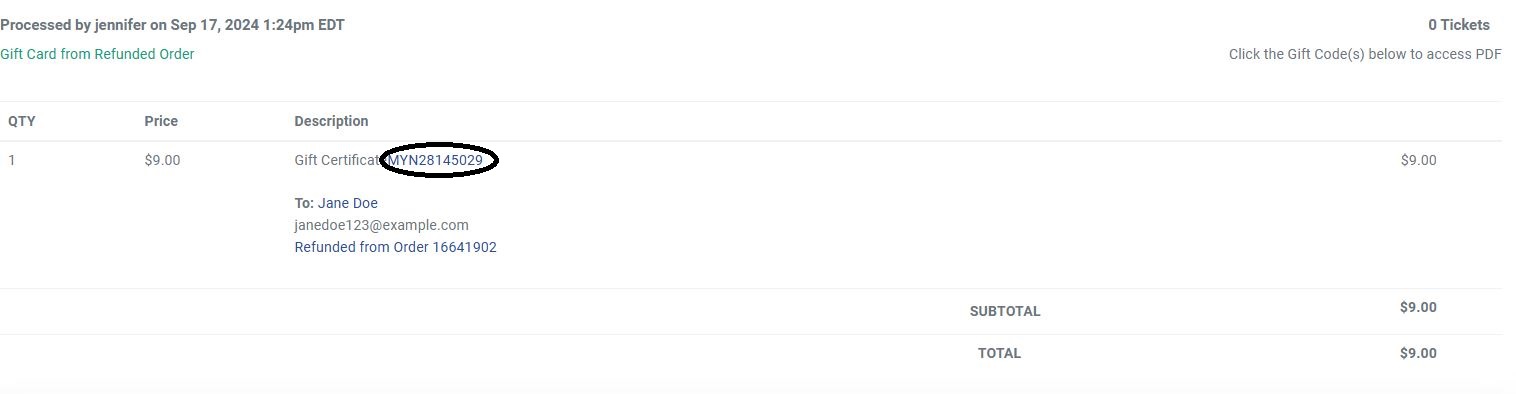
- Whenever they are ready to use the credit and an order is processed, simply enter in the code from the gift card where you would enter coupon or flex pass codes.

- To convert the unapplied credit to a gift card, head into the order and select 'Initiate Refund to GiftCard' from the Order Change Actions Menu.
View our video tutorials
How do I delete an Order?
Why are orders missing from the Orders tab?
What happens to sales tax on an exchange?
How do I comp a ticket or comp an order (make a ticket complimentary)?
How can I waive fees for some orders?
How can we charge a small fee to our patrons for a ticket exchange?
Our show was canceled -- how do we process refunds?
