
Support Forum
How can I display fees on my reserved seating events? - Tue - Jan 28, 2025 - 3:56pm
-
 If you would like to display the fees per ticket on your reserved seating events, please follow the steps below:
- Navigate to the Seating Charts tab on the lefthand menu.
- Click 'Edit' on the seating chart for which you would like the fees to be displayed.
- At the bottom of the page, there will be a section titled 'SHOW TICKET FEES'. Toggle this to 'Yes' if you want to display fees or 'No' if you do not wish to display fees.

- Finally, click update to save your changes.
This is an example of what the fees will look like: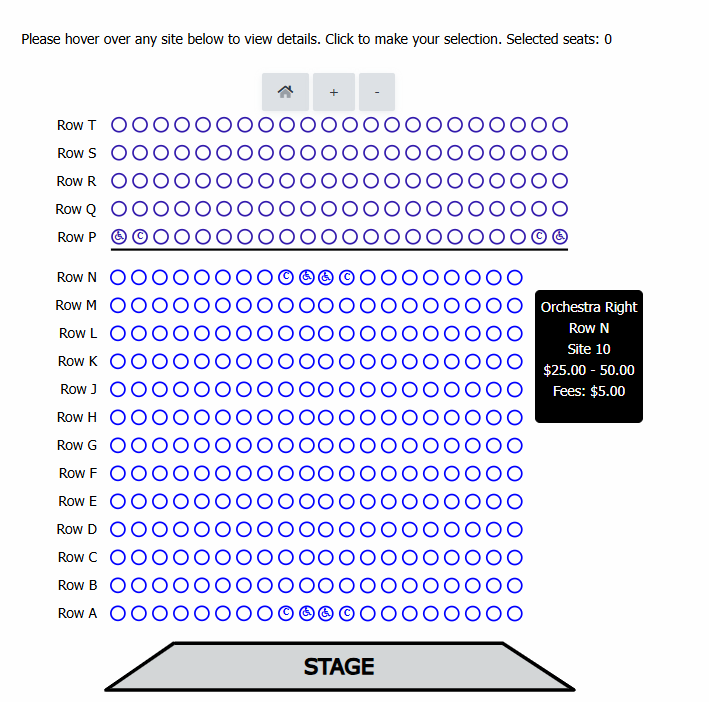
If you have a have a percentage per ticket with multiple ticket types, we will display a range of fees, as seen below: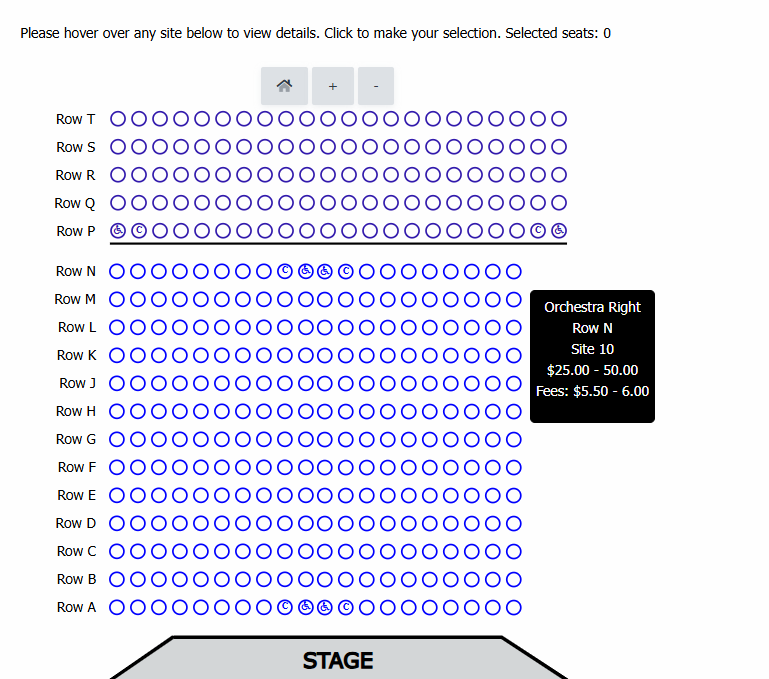
For General Admission events, we will always show fees.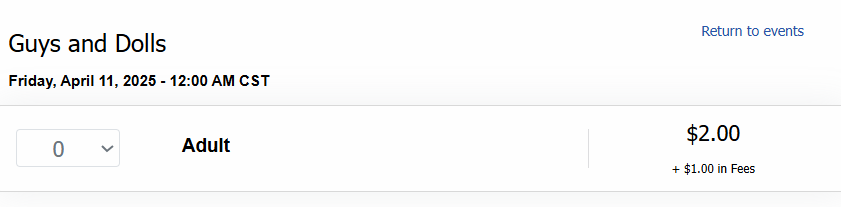
If you would like to hide fees on General Admission events use this CSS: <display:none>
View our video tutorials
How do I delete an Order?
Why are orders missing from the Orders tab?
What happens to sales tax on an exchange?
How do I comp a ticket or comp an order (make a ticket complimentary)?
How can I waive fees for some orders?
How can we charge a small fee to our patrons for a ticket exchange?
Our show was canceled -- how do we process refunds?
