
Support Forum
Am I Able to Remove the Barcodes from eTickets? - Mon - Oct 6, 2025 - 10:11am
-
 There isn’t currently a way to remove the barcode from the eTicket itself, as barcodes are used to validate entry and prevent duplicate use. However, if you prefer that guests not receive a downloadable or printable ticket, there is a simple workaround.From your Event page, go to the Ticket Delivery tab. Under Email Order Confirmation, you’ll see an option labeled “Electronic Ticket.” You can uncheck the box to exclude the ticket from the order confirmation email.
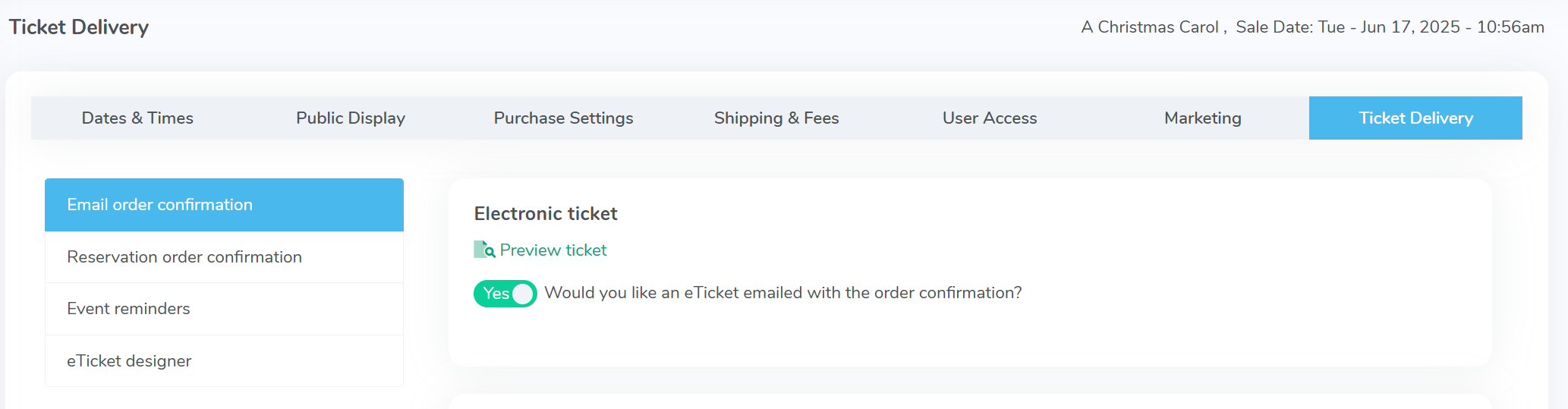 When this option is turned off, guests will still receive an order confirmation email showing the event details and proof of purchase, but no ticket (and therefore no barcode) will be attached. Their names will still appear on your guest list for check-in, allowing your staff to manage entry without relying on a physical or digital ticket.This setup can be especially useful for venues that:
- Use a guest list or will-call check-in process instead of scanning.
- Want to control entry tightly (e.g., for private events or member-only performances).
- Prefer to avoid barcodes for branding or security reasons.
For other information about eTicket customization, check out this discussion: How to customize the eTicket sent as a PDF ticket with each email - Use a guest list or will-call check-in process instead of scanning.

View our video tutorials
Will the scanners identify the ticket type and display the name at the time the ticket is scanned?
How do I scan barcoded tickets for an event?
Are there available USB scanners that once they're in the cradle the scan light stays lit?
Barcode Scanning: How To Guide
Barcodes: Using the Order Lookup Tool
How can I do some test scans to prepare for my event?
Can we set the computers to make an audible tone when scanning tickets?
