
Support Forum
How do I print a receipt for my customers? - Thu - Nov 20, 2025 - 9:23am
-
 How do I print a receipt for my customers?
First, go to any order: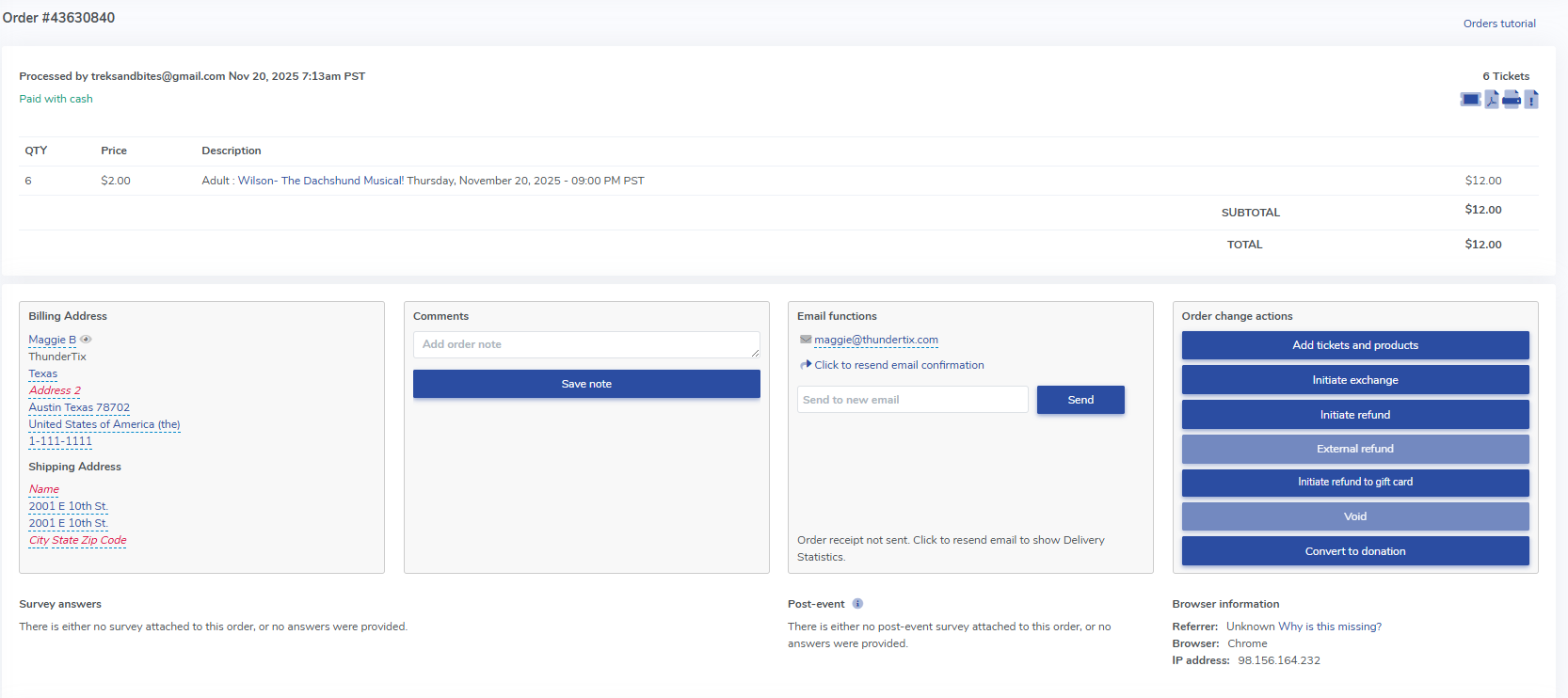
Then, simply click "File" > Print on for your browser. Upon doing so, a printable receipt will populate. We pull the logo shown at the top of the printable receipt from the logo uploaded for your email confirmation receipt. Head to Templates > Confirmation email to upload your logo if you've not yet done so.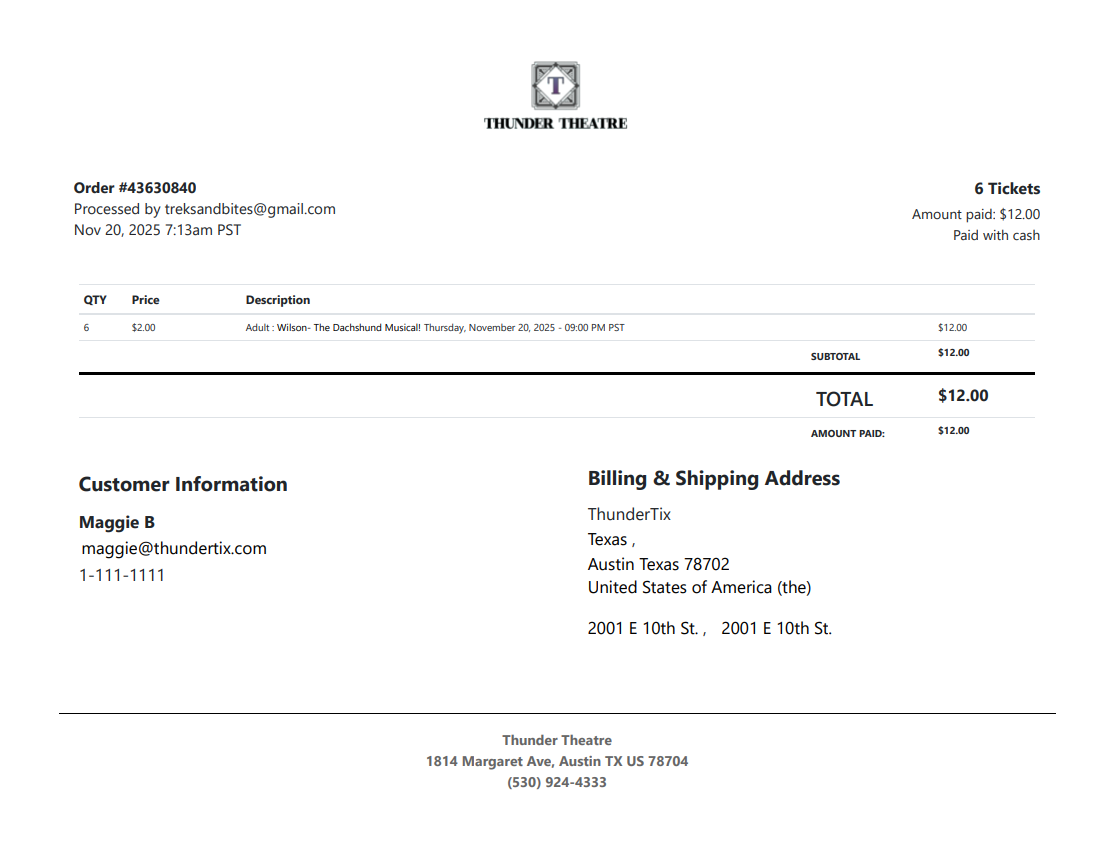
View our video tutorials
Why can't all users see the patron database?
Is there a way to quickly recall a customer's info in case we need to call them?
Which customers get entered into the Customer Database?
How can I obtain customer data for those who have opted into our mailing list?
Is it possible to sort the guest list by the zip code from each order?
Customer Comments:
How do I disable the Auto-Fill feature on my account?
