
Support Forum
How do I exchange tickets for my customer? - Mon - Nov 24, 2025 - 12:18pm
-

Here are the steps on how to do an exchange:
1. Go to the order you are looking to perform an exchange on:
2. Click on "Initiate Exchange" in the Order change actions box towards the bottom right of your screen.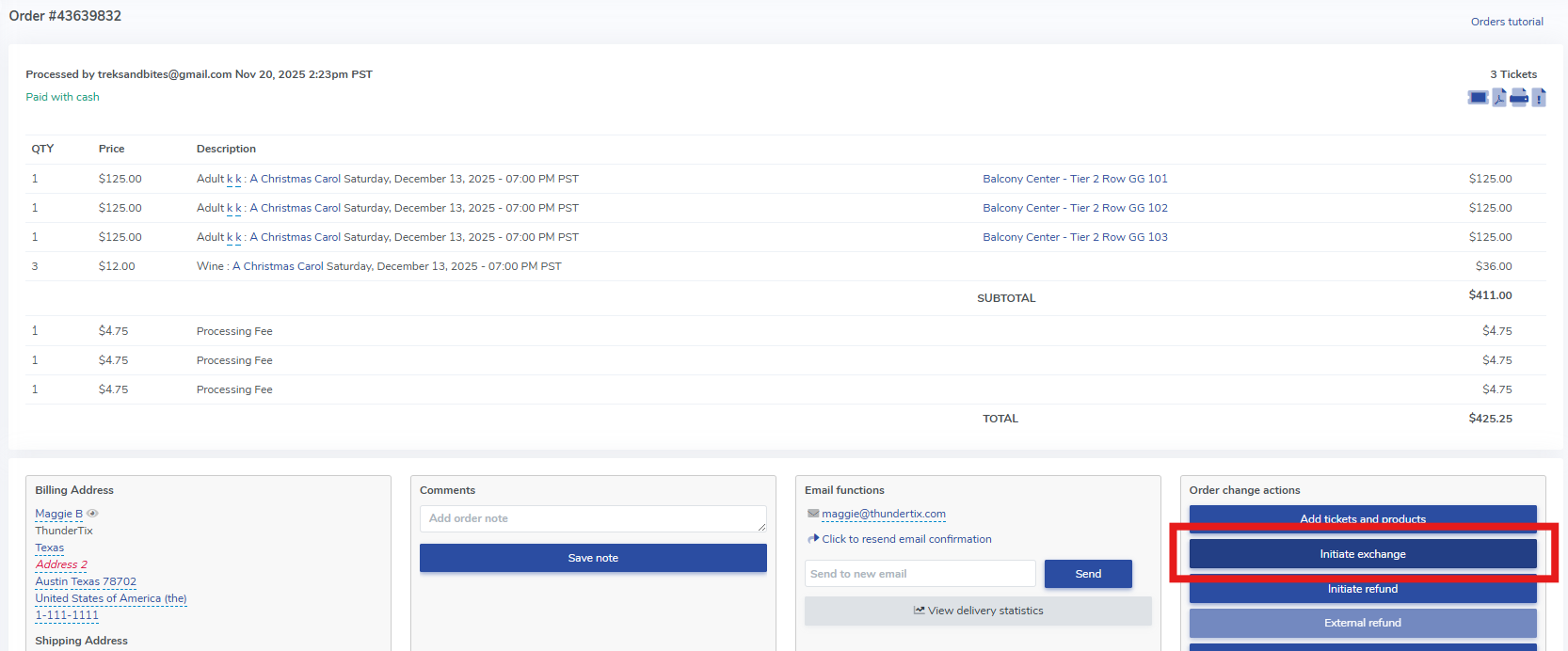
3. This will bring you into a page where you can select which tickets and products you would like to exchange to a new order. You have the option to "Select All", which will automatically select every ticket and product in the order if you are wanting to exchange everything. Keep in mind that you can't exchange ticket fees, but you can waive them in the next order if desired.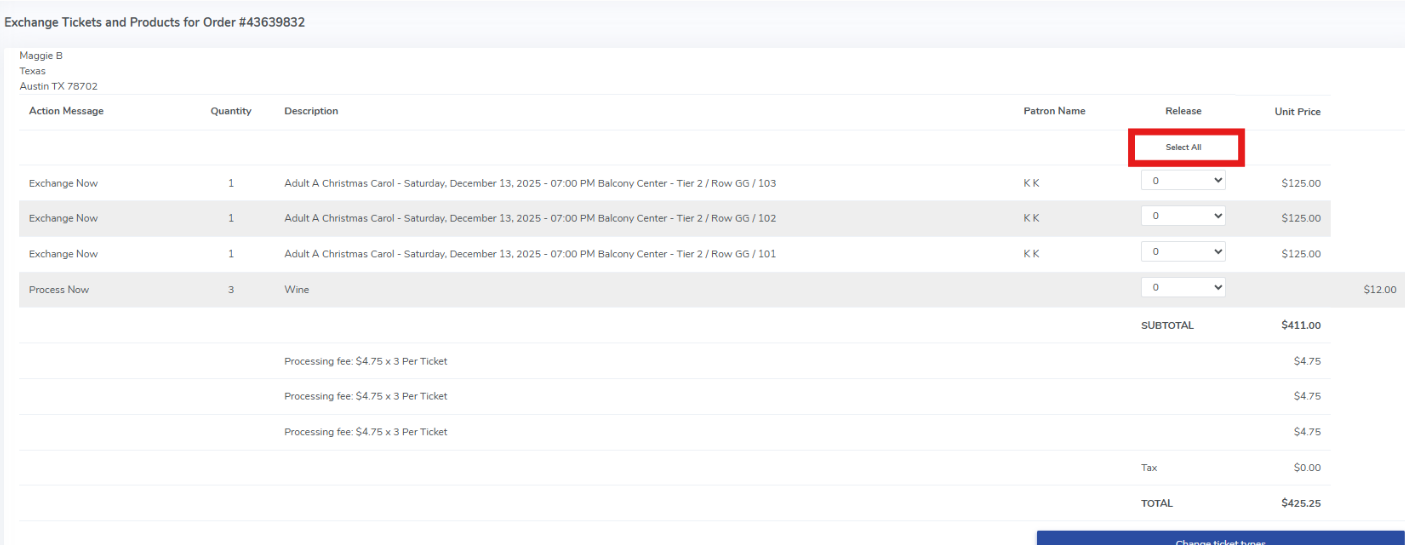
4. You then have four options for the exchange: changing the ticket type, exchanging for the same date and time, exchanging for a different date and time, or exchanging to an entirely new event. Select the option that fits your needs best.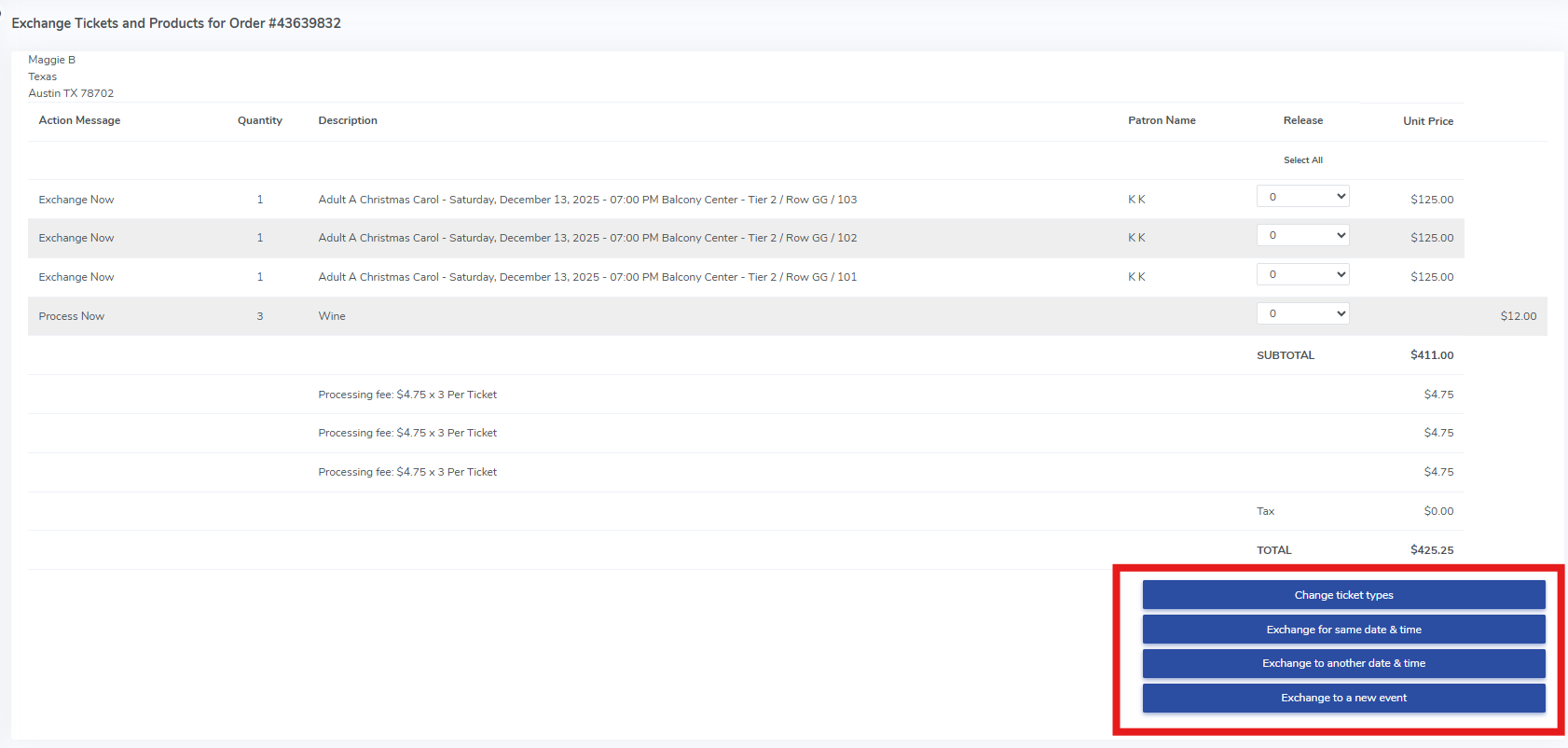
5. If the new order is less than the value of the exchanged order, you will end up with an unapplied credit on the order which represents the "extra" funds that were pulled over for the exchange, and you will have no balance due.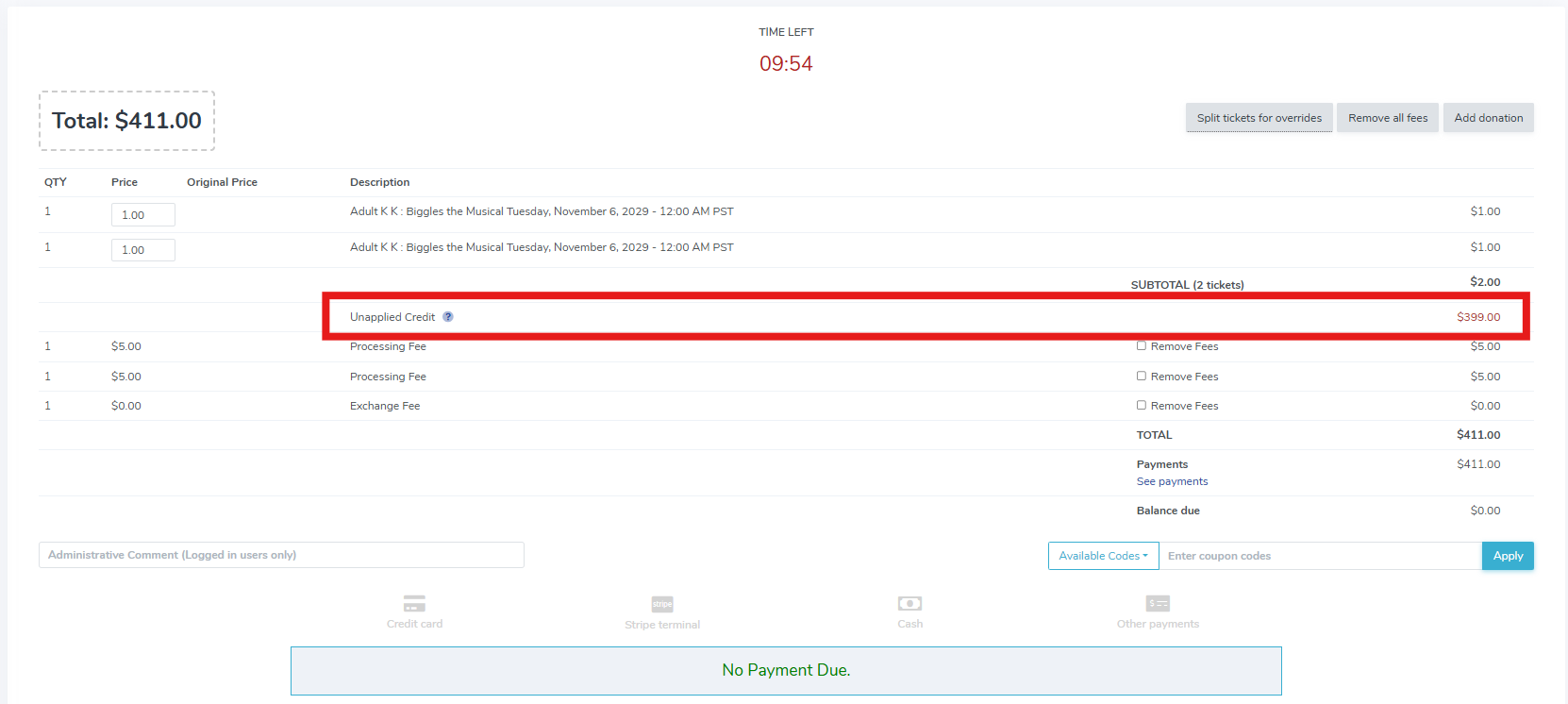
If the new order is more than the value of the exchanged order, you will see the balance due on the new order.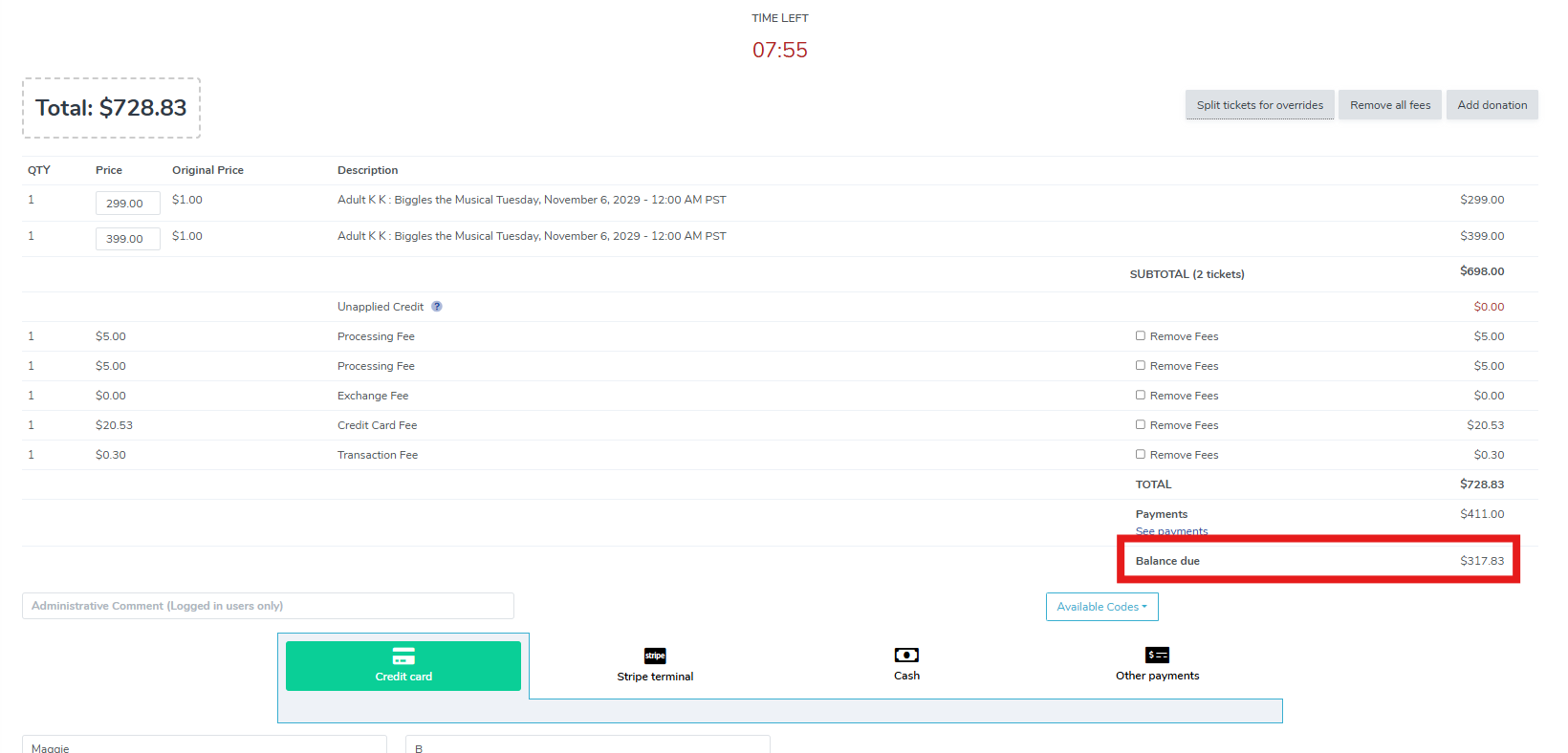
If the new order is the same value of the exchanged order, you will see there is no balance due because it is an even exchange. Your customer will receive an email with the new tickets.
You will have a new order with the new tickets, but you can always review the other order by clicking the "Exchanged from" order number.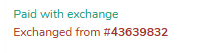


View our video tutorials
How do I delete an Order?
Why are orders missing from the Orders tab?
What happens to sales tax on an exchange?
How do I comp a ticket or comp an order (make a ticket complimentary)?
How can I waive fees for some orders?
How can we charge a small fee to our patrons for a ticket exchange?
Our show was canceled -- how do we process refunds?
