
Support Forum
How do I edit an existing customer’s information or add new details to their profile? - Mon - Dec 1, 2025 - 10:55am
-
 You can easily make edits to a customer's personal information such as their address, name, phone number, and email address all from their patron profile!
1. First, go to your left side menu and click on Patron Database > CRM & Mass Mail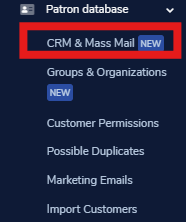
2. Once you are in your CRM, search for and select the client you are looking to edit. You can search for a customer using the criteria in the patron information criteria search tab.
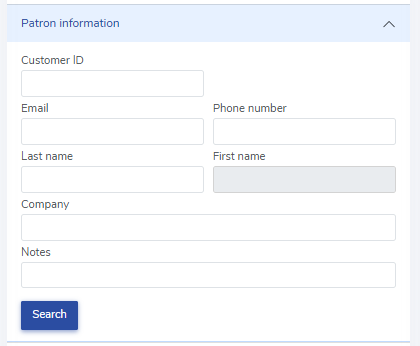
3. Click on the patron's ID number:
4. Once you are in your patron's profile, click "Edit" in the top right corner of the customer information box: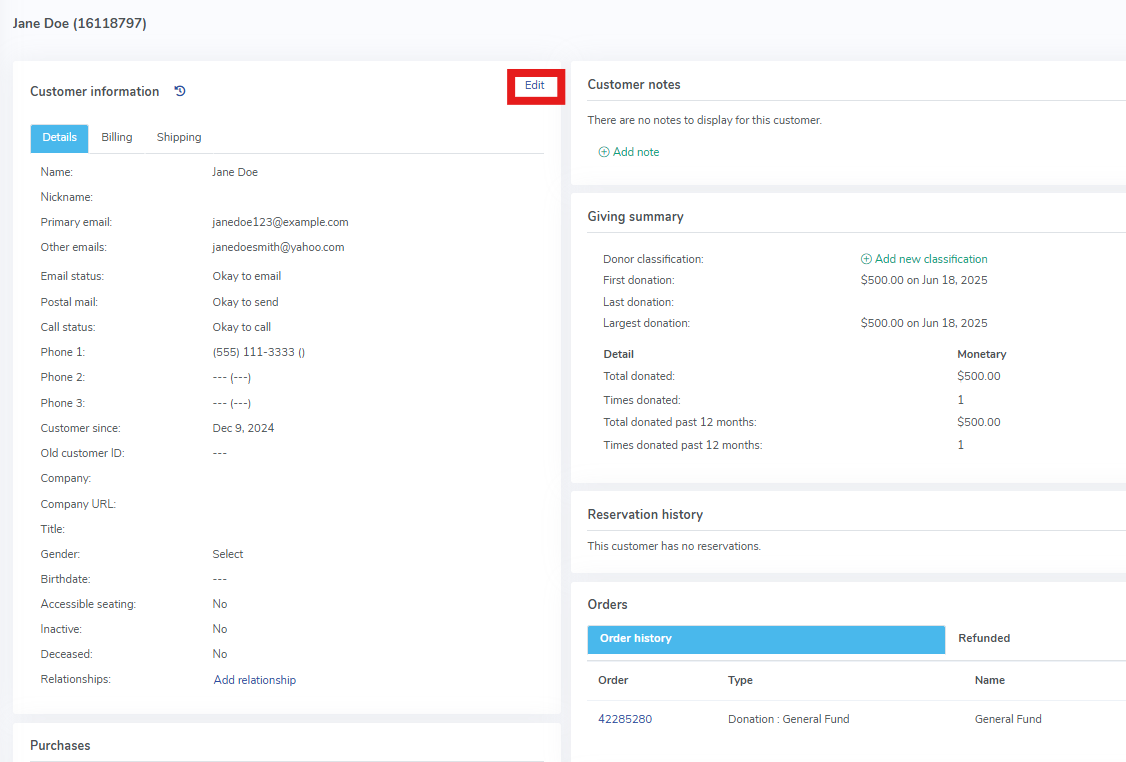
5. A box will pop up that will give you the option to edit the patron's name, email, phone number, company, title, gender, birthday, billing address and shipping address. You can also mark the user as someone who needs accessible seating, someone who is inactive, or deceased. Lastly, you can add additional emails or phone numbers if your patron has more than one.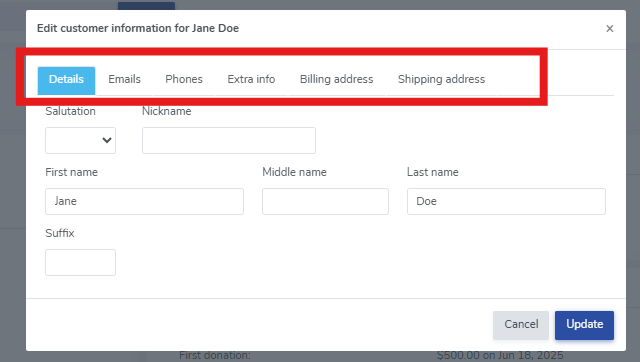


View our video tutorials
Why can't all users see the patron database?
Is there a way to quickly recall a customer's info in case we need to call them?
Which customers get entered into the Customer Database?
How can I obtain customer data for those who have opted into our mailing list?
Is it possible to sort the guest list by the zip code from each order?
Customer Comments:
How do I disable the Auto-Fill feature on my account?
