From the Orders tab, you can search all orders processed since the time you began allowing self-exchanges. Then, under Payment method, choose "Exchange". Click Search. Screenshot 2025-12-17 180531.png124.22 KBWhen you see the list of orders, it will include all orders that were exchanged. However, if you look in the "Agent" column, if you see "Customer" as the agent, that means that the customer performed the exchange on their own without the assistance of box office staff. Screenshot 2025-12-17 180936.png37.29 KB
You should also be able to choose "Customer" from the Agent drop-down to filter the list of orders to only those that were performed by customers.

 From the Orders tab, you can search all orders processed since the time you began allowing self-exchanges. Then, under Payment method, choose "Exchange". Click Search.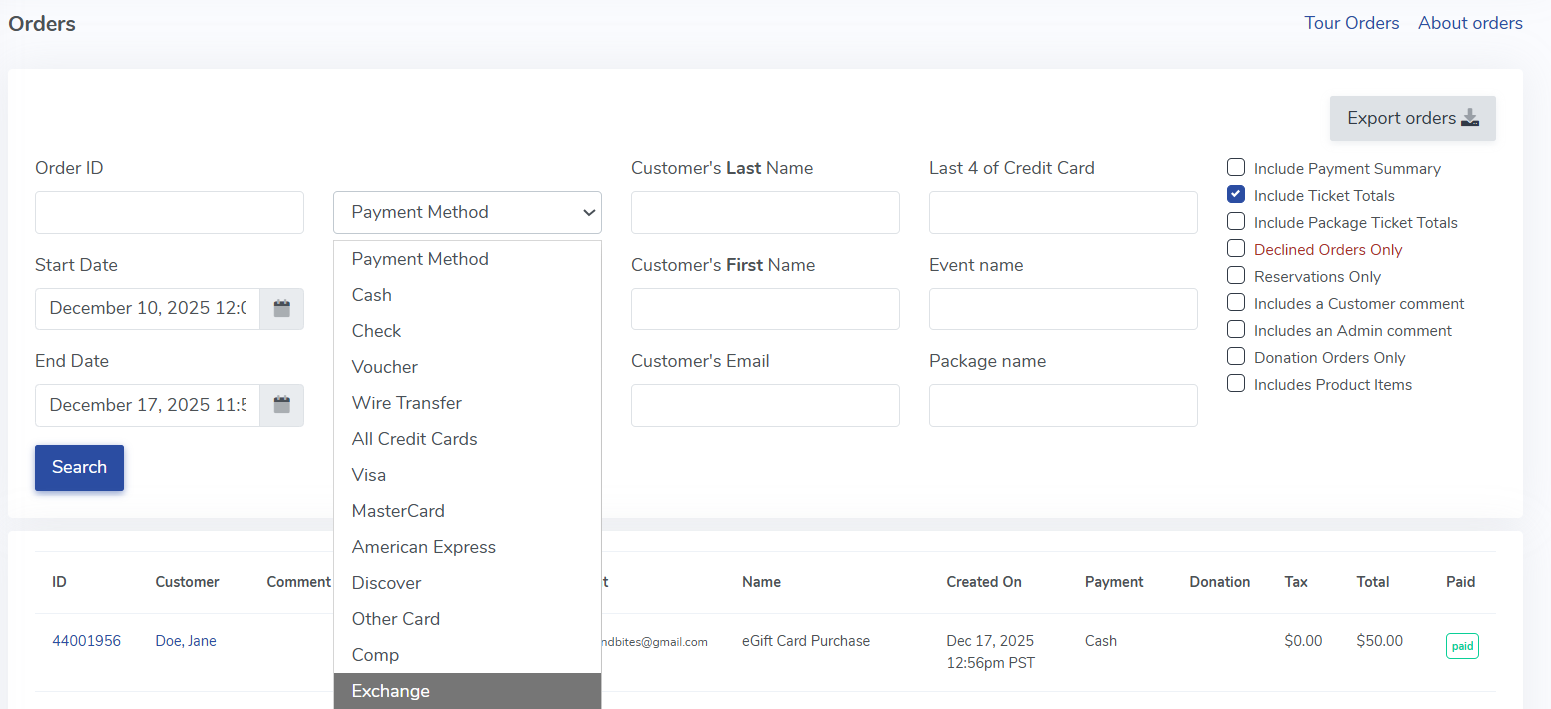
 You should also be able to choose "Customer" from the Agent drop-down to filter the list of orders to only those that were performed by customers.

