
Support Forum
How can I cancel my account? - Fri - Jan 9, 2026 - 12:09pm

To cancel your account please follow the steps below:
- Navigate to your Account Settings (Gear cog icon in the top right corner) > Billing and Usage.
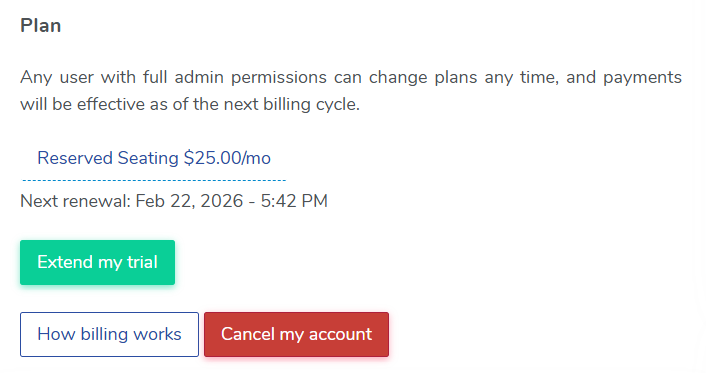
- On the 'Plan' section on the billing tab, you should see a red 'Cancel my account' button. Click the button to cancel your account.
- Select the reason for cancelling your account from the drop down menu. You will need to enter in additional feedback for why you are cancelling your account. You also have the option to contact the support team if you need any assistance before cancelling your account.
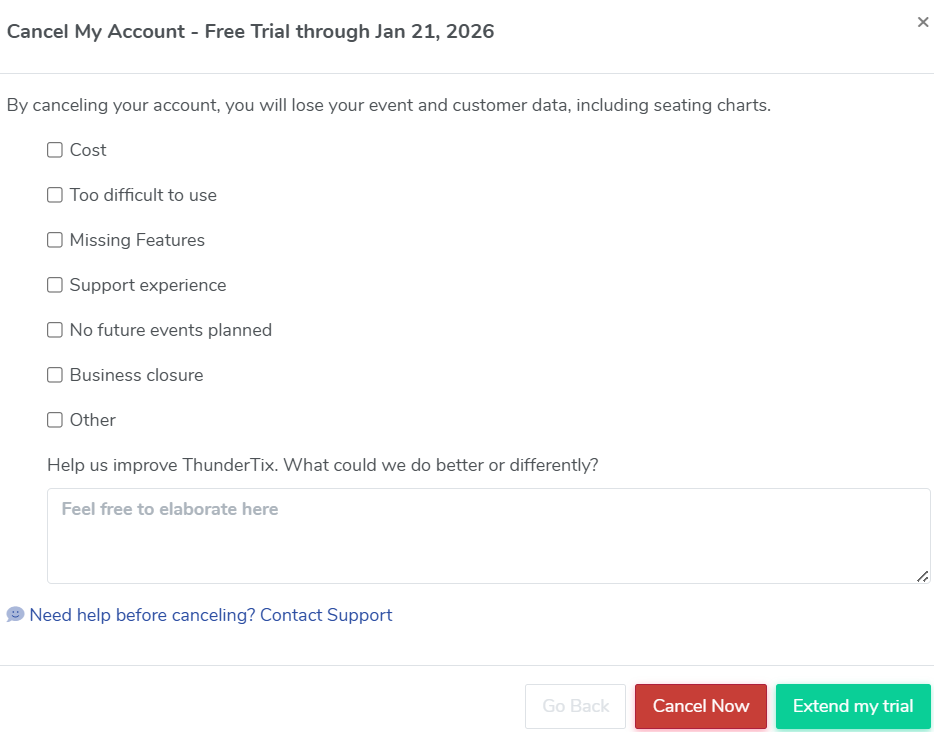
- Once you've selected your reason for cancelling your account and added feedback, click 'Cancel now' to cancel your account. The following pop up will appear:
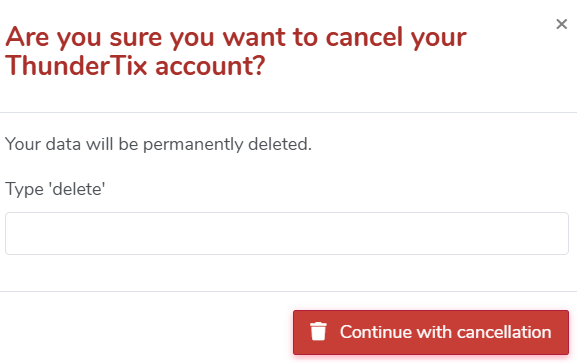
- Type 'delete' and click Continue with cancellation.


View our video tutorials
How do I change my payment method?
Am I charged for refunded orders when there is no payment attached (Ex. Comp or discounted)?
How can I see how many tickets I have sold for this billing cycle?
How do I change my monthly payment plan?
What does it mean to absorb fees on the Pass-Through billing plan?
How can I print past invoices?
Do comped tickets count towards my total of sold tickets?
