
Support Forum
How can I remove General Admission tickets from my reservation? - Thu - Jan 15, 2026 - 5:08pm
-
 To remove General Admission tickets on a reservation follow the steps below:
- Locate the reservation order you wish to remove tickets from
- Select 'Process or Change from the order change actions menu
- Click on the 'Ungroup tickets' button in the top right corner
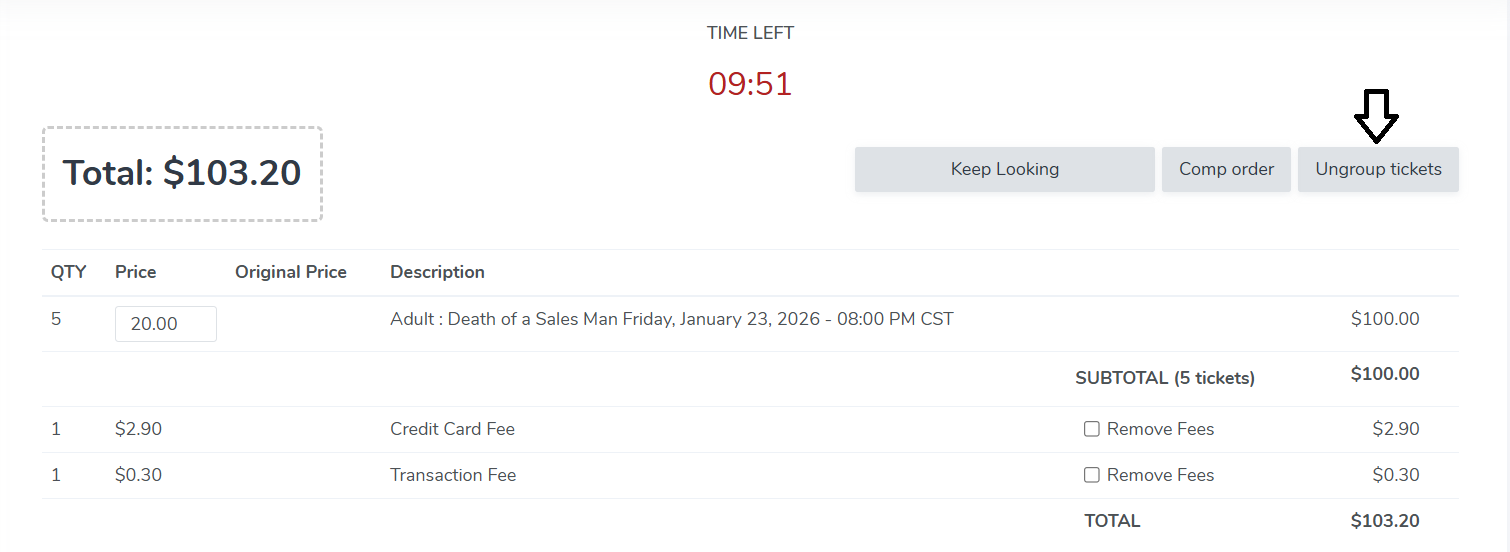
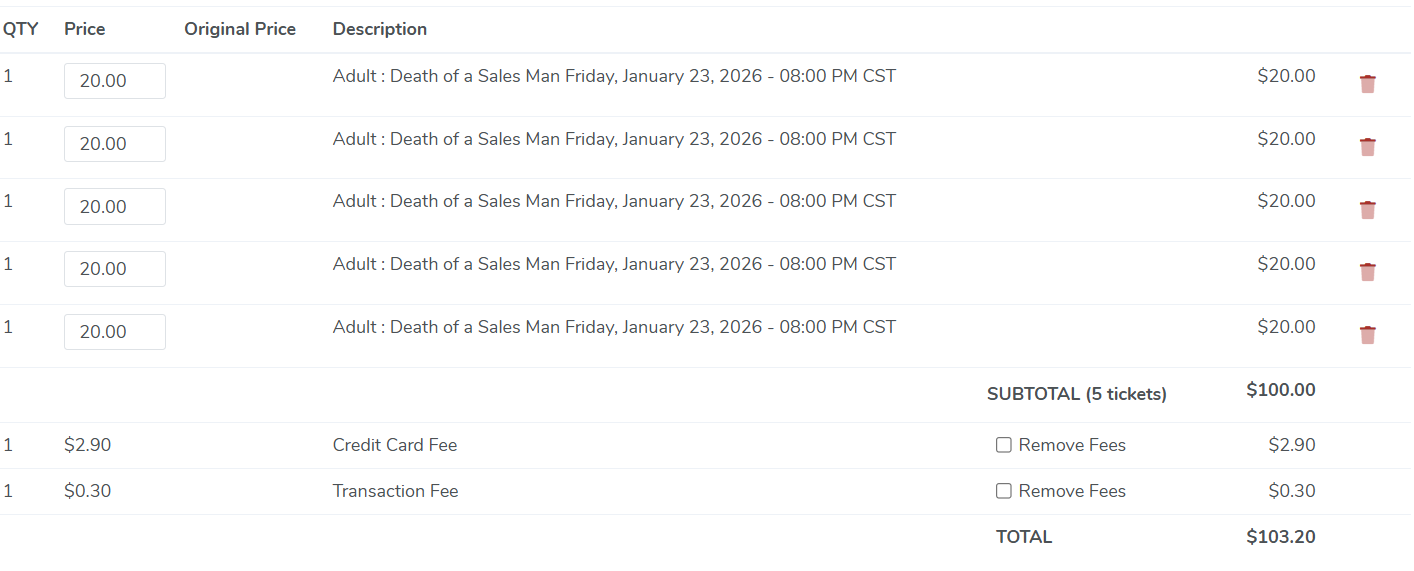
- This will make every ticket it's own line item. Simply click the trashcan icon to remove the tickets from the reservation
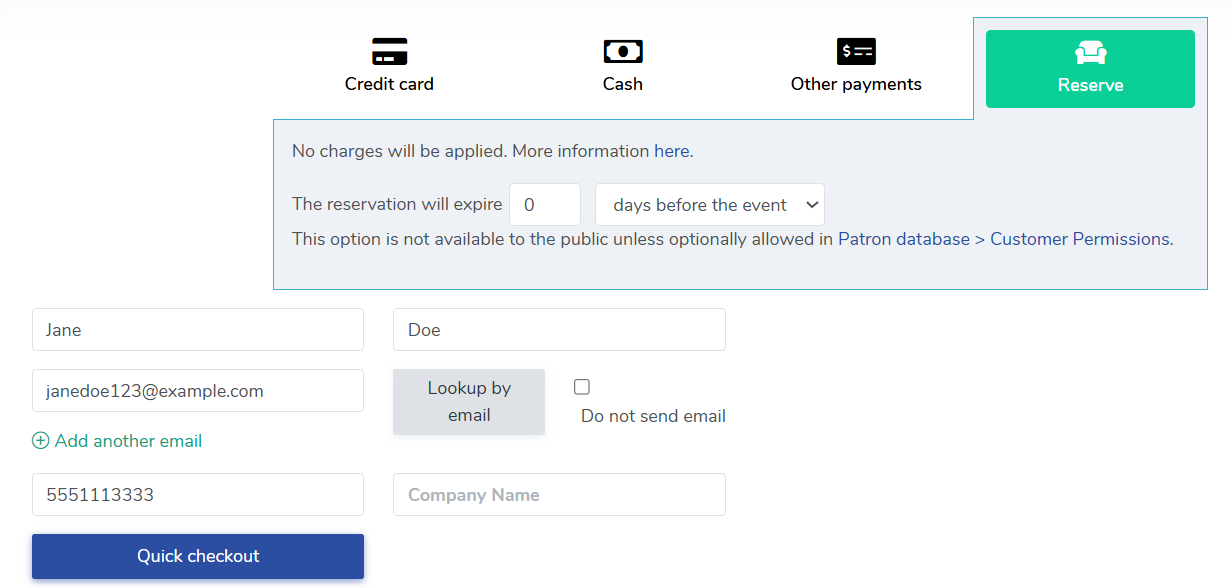
- Once you've removed the desired tickets, you can either process the reservation by clicking a payment method and Confirm Order or create a new reservation by clicking the 'Reserve' button.
View our video tutorials
How do I delete an Order?
Why are orders missing from the Orders tab?
What happens to sales tax on an exchange?
How do I comp a ticket or comp an order (make a ticket complimentary)?
How can I waive fees for some orders?
How can we charge a small fee to our patrons for a ticket exchange?
Our show was canceled -- how do we process refunds?


