Updated: Fri - Jan 16, 2026 - 12:54pm
⚬
0 Comments
Gift Certificates
You can now process a Gift Certificate directly from a customer’s profile, making Gift Certificate sales faster, easier, and less error-prone.
What’s changed?
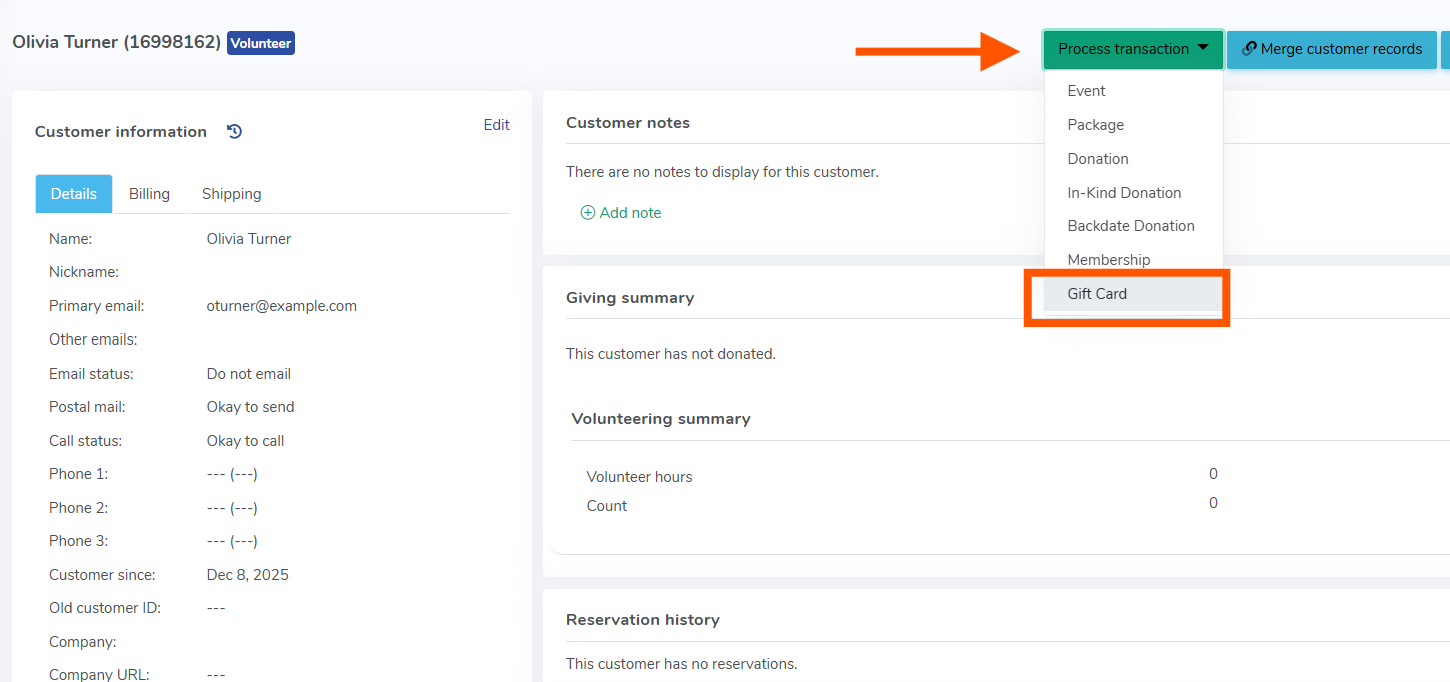
When viewing a customer’s profile, you’ll now see Gift Certificates available as an option under the Process Transaction dropdown—alongside Events, Packages, and Donations.
This allows you to issue a Gift Certificate without navigating away or manually re-entering customer details.
Processing Gift Certificates from the customer profile means:
The purchaser’s name and email are automatically filled in at checkout
Fewer manual steps when issuing Gift Certificates
Reduced errors during checkout
A smoother experience for staff processing Gift Certificates on behalf of patrons
Previously, if the purchaser’s name or email was left blank, a generic payment error could occur—even in cases where there was no immediate charge. This update helps prevent that situation by ensuring the customer information is already present.