
Support Forum
How can I select multiple seats on a seating chart? - Thu - Feb 12, 2026 - 11:10am
-
 To select multiple seats on a seating chart for your event please follow the steps below.
- Head to Events > Event Manager > Sell
- Click and drag your mouse/cursor over the seats you wish to select
- We will show the seats you selected as pictured below
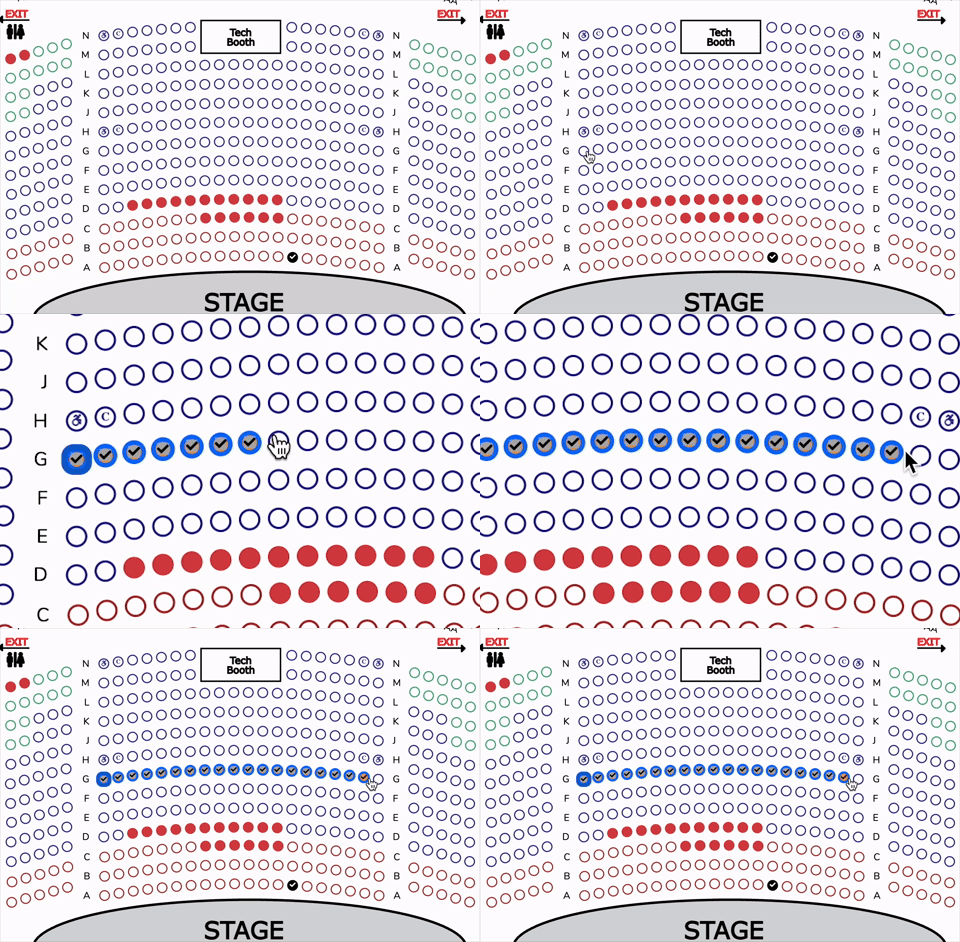
Select multiple seats
4. If you are satisfied with the seat selection, click continue to proceed to checkout
You can also uncheck any seats you wish to remove from the order.
View our video tutorials
How do I delete an Order?
Why are orders missing from the Orders tab?
What happens to sales tax on an exchange?
How do I comp a ticket or comp an order (make a ticket complimentary)?
How can I waive fees for some orders?
How can we charge a small fee to our patrons for a ticket exchange?
Our show was canceled -- how do we process refunds?
