We've made several improvements to how households work in ThunderTix, making it easier to manage relationships between patrons and get a clearer picture of giving across an entire household.
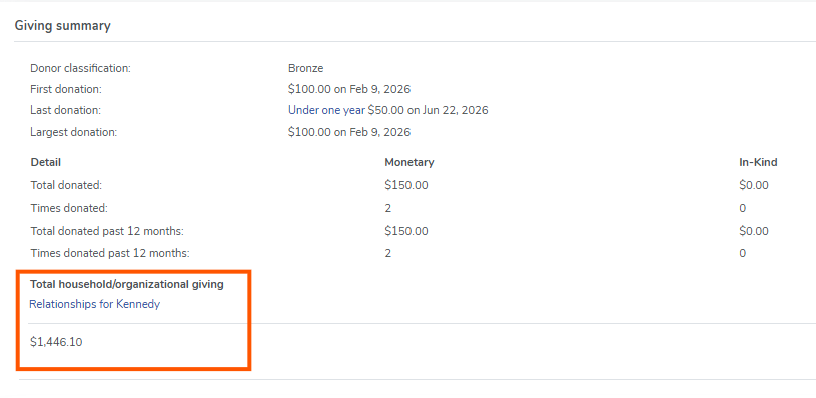
Smarter Donation Tracking Across Households Donation history now properly reflects household-level giving, giving you a more accurate view of each patron's involvement.
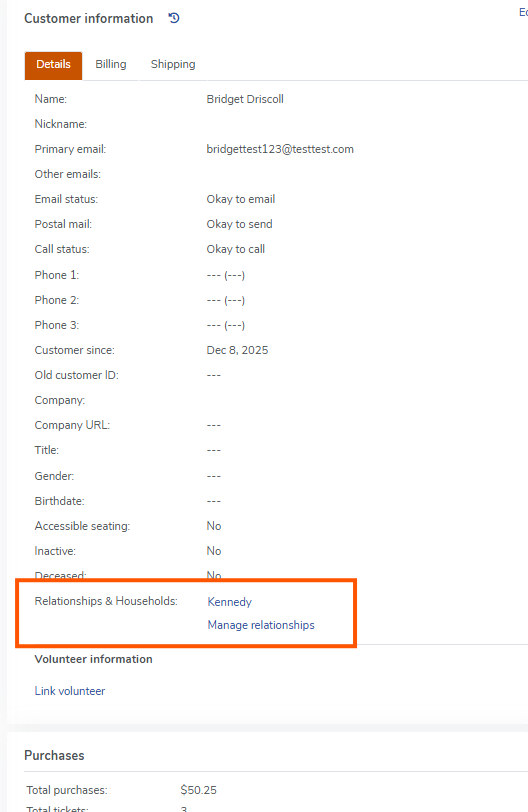
Easier Access to Household Details Household names (e.g., "Kennedy") are now clickable directly from a patron's profile. Clicking the name opens a modal showing all household members at a glance. We've also moved the household name into the top header of the relationships section so it's front and center — no more hunting for it. image.png44.42 KB
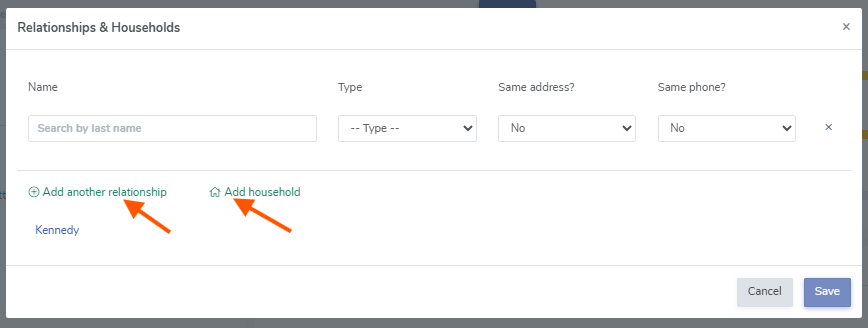
Add Patrons to a Household Right from the Profile You can now add a patron to an existing household directly from the relationships view. A "Search by last name" field appears below the current member list, letting you quickly find and add someone without navigating away from the page. image.png22.76 KB