
Support Forum
Merging and unmerging customer records - Fri - Jul 17, 2026 - 2:26pm

Merging duplicate customer records
Duplicate customer records happen naturally over time. A patron buys tickets with a work email one season and a personal email the next, or an imported list spells a name slightly differently. Merging combines those records into one, so all of a patron's orders, donations, tickets, and notes live in a single place.
Three ways to start a merge
1. From the Possible Duplicates report (best for cleanup)
Go to Patron Database > Possible Duplicates. This lists customers who share the same first and last name. Use the checkboxes to select the records that belong to the same person. A checkbox at the top of each grouping selects all records in that group. Click Merge. You can merge multiple sets of duplicates in a single pass.
If records are flagged that are actually different people (say, a parent and child with the same name), click Dismiss All instead. They'll be removed from the duplicates list and kept as separate accounts.
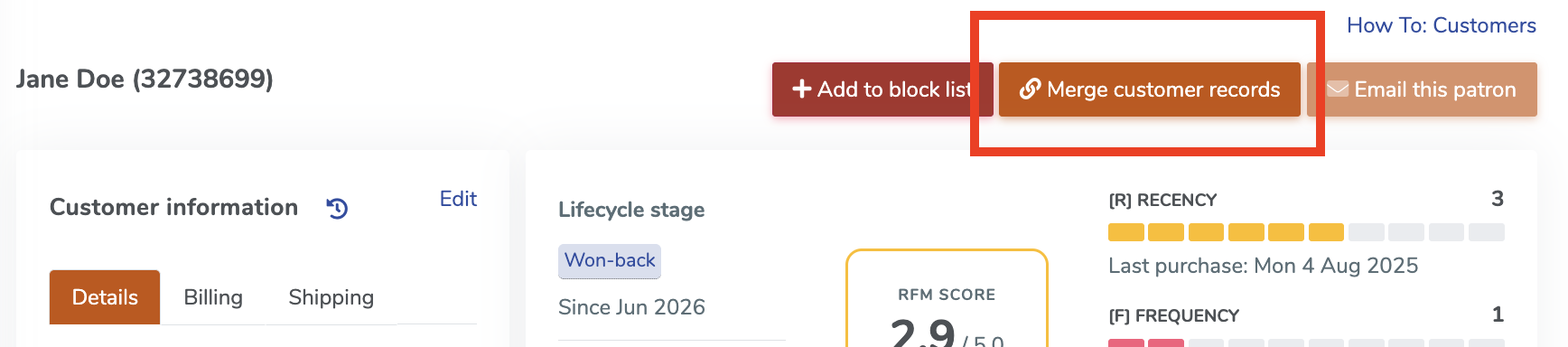
2. From a patron's record
Open the customer's record and use the Merge option at the top of the page.
3. From the checkout pop-up
When processing an order for a returning customer, a pop-up may appear letting you know one or more records share the same name. You can start a merge right from there.
Choose exactly what to keep
After you select the records to merge, you'll see them side by side so you can decide, field by field, what ends up on the merged record.
Fields with one value. For fields like Customer since, First name, and Company, pick which record's value to use. We pre-select sensible defaults, like the earliest Customer since date, so most merges only need a quick review.
Fields with one value. For fields like Customer since, First name, and Company, pick which record's value to use. We pre-select sensible defaults, like the earliest Customer since date, so most merges only need a quick review.
Contact info. Emails, phone numbers, and billing addresses can each have more than one value, so you have three choices for each:
- Primary makes it the main contact info on the merged record. This is the email we'll use for order confirmations and the address that appears on the record.
- Keep saves it as additional contact info, so nothing is lost.
- Drop leaves it off the merged record. Use this for outdated addresses or misspelled emails.
If one record is clearly the right one, click Use all from A (or B, or C) at the top of its column to apply it everywhere in one click, then adjust anything you'd like to keep from the others.
Order history is always combined. All orders, donations, tickets, products, and notes from every selected record are brought together on the merged record automatically. Nothing you choose on this screen affects purchase history.
Changed your mind? Unmerge.
Merging creates a new customer record. The original records are archived, and any links to them redirect to the new record. If a merge was made in error, open the merged record and click Unmerge customer records to restore the original

View our video tutorials
Why can't all users see the patron database?
Is there a way to quickly recall a customer's info in case we need to call them?
Which customers get entered into the Customer Database?
How can I obtain customer data for those who have opted into our mailing list?
Is it possible to sort the guest list by the zip code from each order?
Customer Comments:
How do I disable the Auto-Fill feature on my account?