Keep school groups, companies, clubs, families, and other buying parties in one place. One record holds the people, their orders, notes, giving, and optional ticket holds!
Create a group
Open CRM & mass mail, then Groups, Orgs, & Households.
Click Create Group or Organization.
On the Group or Organization tab, enter a name.
Choose Type: Group, Organization, or Household. Type is a label only, so your list stays easy to scan.
Add a phone and description if you have them. Leave Active checked.
Contact tab: add a contact person for the group. This person will become the liasion.
Optional Billing address and Shipping address tabs for the group or household as a whole.
Optional Notes tab for staff-only notes (patronsnever see these).
Click Create. The group appears in your list. Click the name to open the group page.
Add members
Build the roster
On the group page, open Members and click Add member. Search by name or email. If they are not in the database yet, use Create new patron.
Give each person a role
Suggested roles: Member, Contact, Liaison, President, or Co-president. You can also type a role your venue already uses.
Liaisons
Liaisons are the main points of contact. When you create a group hold, they automatically receive the purchasing link by email. You can send that link to all members too.
Share group contact details
Edit a member to use the same shipping, billing, or phone as the group. Badges on the Members list show who is sharing those details. Optionally to give every member the same mailing address at once, use the group’s Mailing address tab and check Apply to all members.
From a patron record
Open a patron and use Add to a group, or create a new group from that profile so they are already attached.
From an order
On a box office or existing order, assign it to a group or organization. Orders placed from a hold purchase link attach automatically.
On the group page
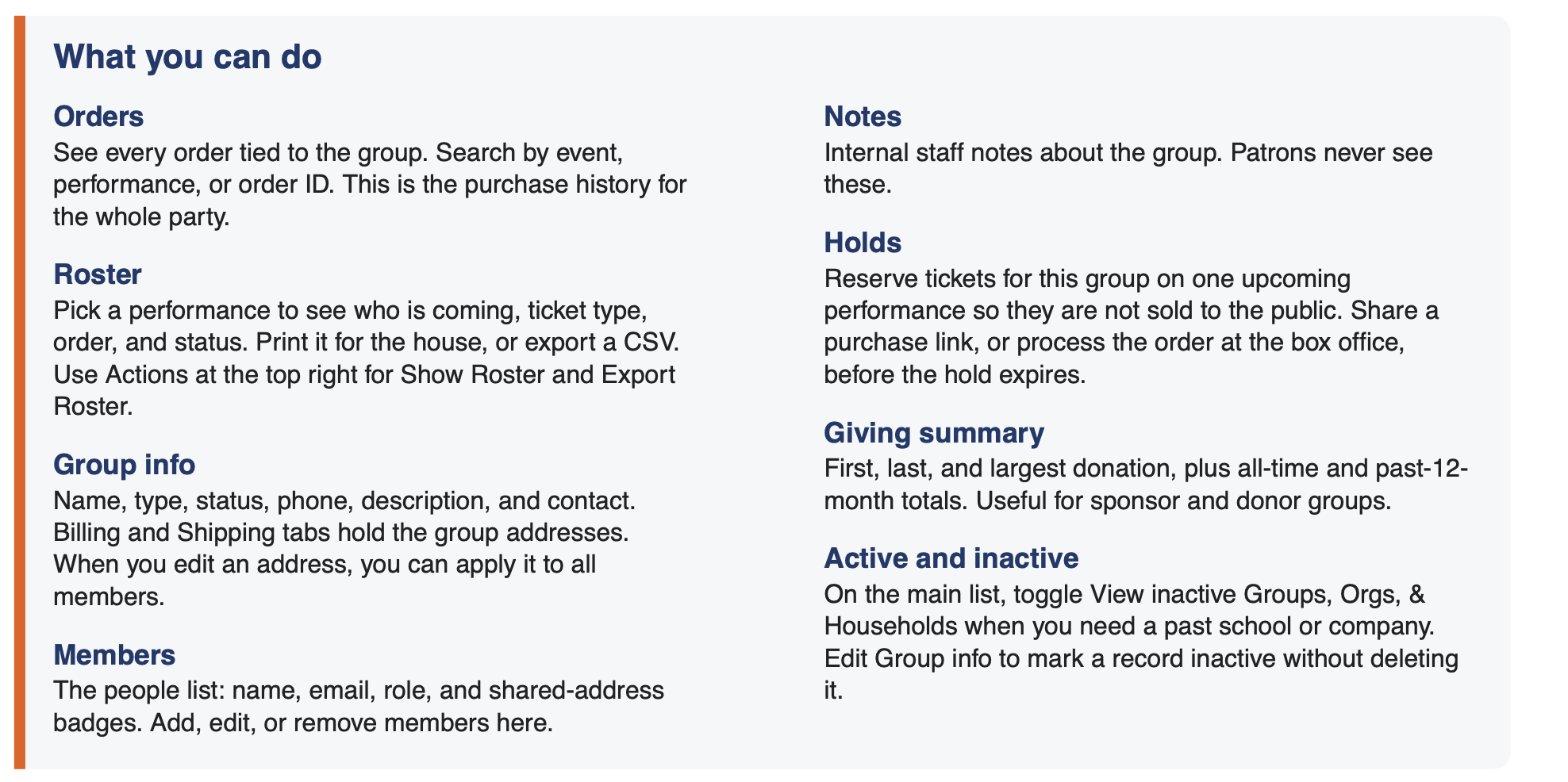
Open any group from the list. The tabs on the left are the full picture of that buying party.
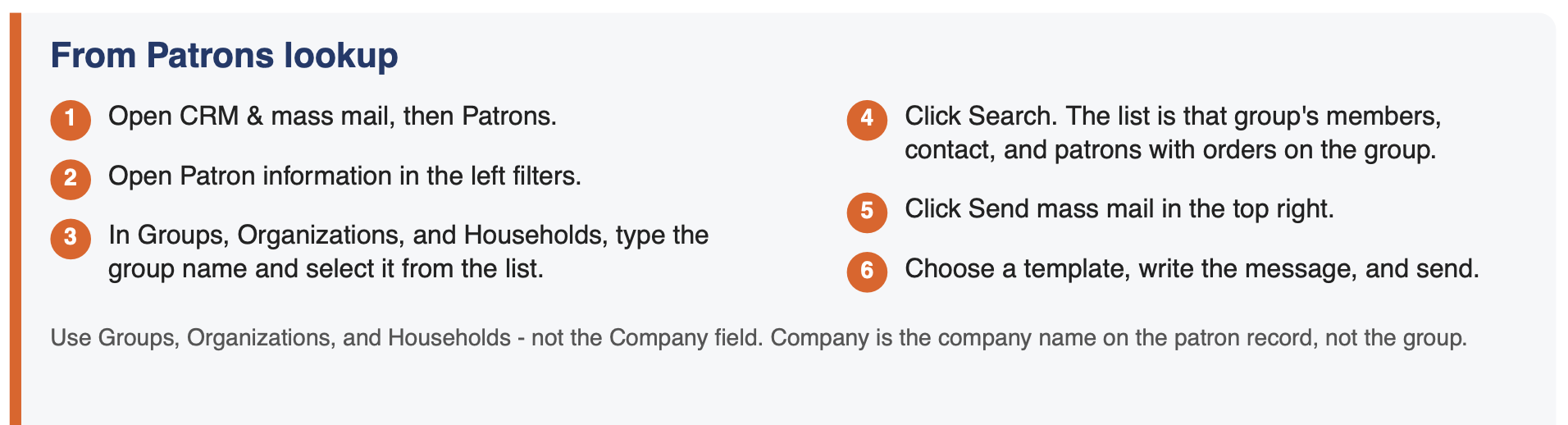
Use the CRM patron lookup to find the group, then send one mass mail to the results. You can also email a group straight from the group page: open the group, click Email group, and pick a template. You need Mass Email set up to send emails.Screenshot 2026-09-14 at 4.02.23 PM.png 144.54 KB