
Support Forum
Can I track non-monetary donations given by a patron? - Sat - Oct 1, 2022 - 7:51am
In-Kind or non-cash donations can be added and tracked from a patron record.
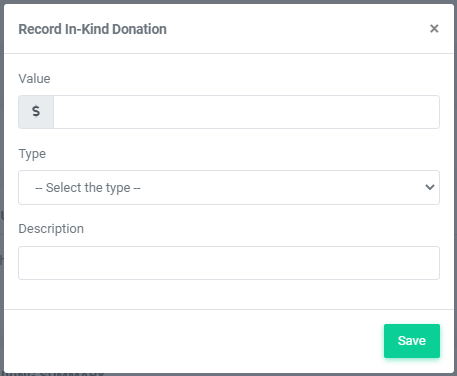
To track an In-Kind donation given by a customer, do the following:
- Head to your Patron Database > Search and Mass Mail
- Search for the patron from the Customer Data tab and click Search Customers.
- Click on their customer ID from the returned list
- From their patron record, select Process Transaction >> In-Kind Donation
- Enter the donation dollar amount and description.
- Select the type of In-Kind donation from the drop-down list. Options include:
- Direct Bill Payment
- Gift Cards
- Goods
- Equipment/Vehicles
- Services
- Other
- Click Save
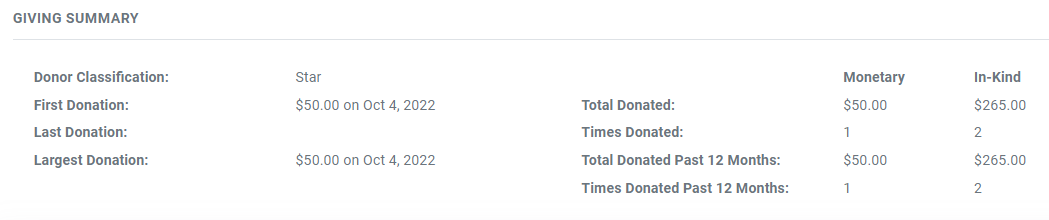
After entering the donation, you'll see the Giving Summary on the patron record update for the total value of In-Kind contributions over time.
View our video tutorials
Where can I see the total collected donations?
How do I make a donation request? Can I customize the donation wording?
Can my customers make a donation without buying a ticket?
How can I customize the email sent to customers who make a donation through an event?
Fundraising Campaigns and Donations now available on events
Targeted Donation Messaging and Recurring Donations
How do the round-up donations work?

