
Support Forum
Reassigning a donation to a different campaign after it has been made. - Fri - Nov 17, 2023 - 3:20pm

To reallocate a donation to a different fundraising campaign, you will first need to go into the donation order.
From there, you will click "(Click to change allocation)".

After you click that, a drop-down menu will pop up and you will select what campaign you would like to move the donation:
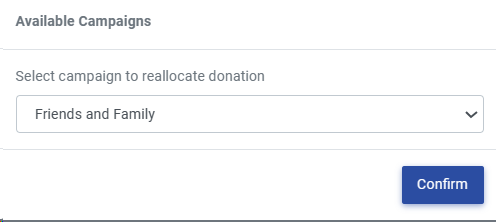
Finally, just click 'Confirm' to move your donation and you are all set!
From there, you will click "(Click to change allocation)".
After you click that, a drop-down menu will pop up and you will select what campaign you would like to move the donation:
Finally, just click 'Confirm' to move your donation and you are all set!
View our video tutorials
Where can I see the total collected donations?
How do I make a donation request? Can I customize the donation wording?
Can my customers make a donation without buying a ticket?
How can I customize the email sent to customers who make a donation through an event?
Fundraising Campaigns and Donations now available on events
Targeted Donation Messaging and Recurring Donations
How do the round-up donations work?
