You can add to a specific event to a campaign when a customer gets to the checkout page and accept donations on tickets by including one or more campaign options.
Follow these steps to add a campaign (or two!) to your event:
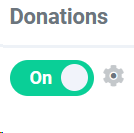
1. Head to Event Manager > Donations > then click the gear icon.
Make sure that donations are toggled to 'on' before you click the gear icon.
2. After you click the gear icon, this screen should pop up:
3. Select which campaigns you want to link to your event and click save. You can also customize your donation request message here.
This is what your checkout screen will look like:
image.png11.7 KB From here, customers can select from the dropdown menu which campaign they would like to donate to. Alternatively, they can leave their selection on 'Select a Campaign' to make a general donation to your organization.