
Support Forum
Can I remove tickets from a reservation? - Mon - Apr 7, 2025 - 12:18pm
-
 To remove tickets from a reservation follow the steps below:
- Navigate to the reservation order
- Select 'Process or Change' from the Order Change Actions Menu
- Click the trashcan icon next to the ticket(s) you'd like to remove from the order.

- That's it! The ticket will be removed from the order.
If a group discount is applied to a reservation, will it be retained if a ticket is removed from the order?
Yes, the group discount will be retained if a ticket is removed from the order. Please see below for how the group discount is maintained on Reserved Seating and General Admission Events.
Reservations for reserved seating events:- Click "Process or Change"
- Click the trash can next to any ticket
- You'll see a temporary message that says "Recalculating coupons"
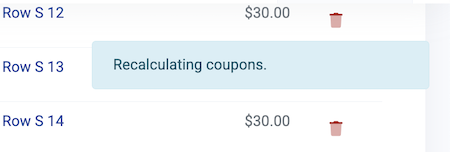
- The new order will be updated with the ticket removed, a single group coupon removed and the rest of the tickets and group discount maintained.
Reservations for general admission events:- Click "Process or Change"
- Click the button titled "Split Tickets for Overrides"
- You'll see tickets get separated into one line item per ticket
- Click the trash can next to any ticket
- You'll see a temporary message that says "Recalculating coupons"
- The new order will be updated with the ticket removed, a single group coupon removed and the rest of the tickets and group discount maintained.
Please see this discussion for more information about Reservations: How Reservations Work: Reserving tickets or seats for payment at a future date
View our video tutorials
How do I delete an Order?
Why are orders missing from the Orders tab?
What happens to sales tax on an exchange?
How do I comp a ticket or comp an order (make a ticket complimentary)?
How can I waive fees for some orders?
How can we charge a small fee to our patrons for a ticket exchange?
Our show was canceled -- how do we process refunds?
