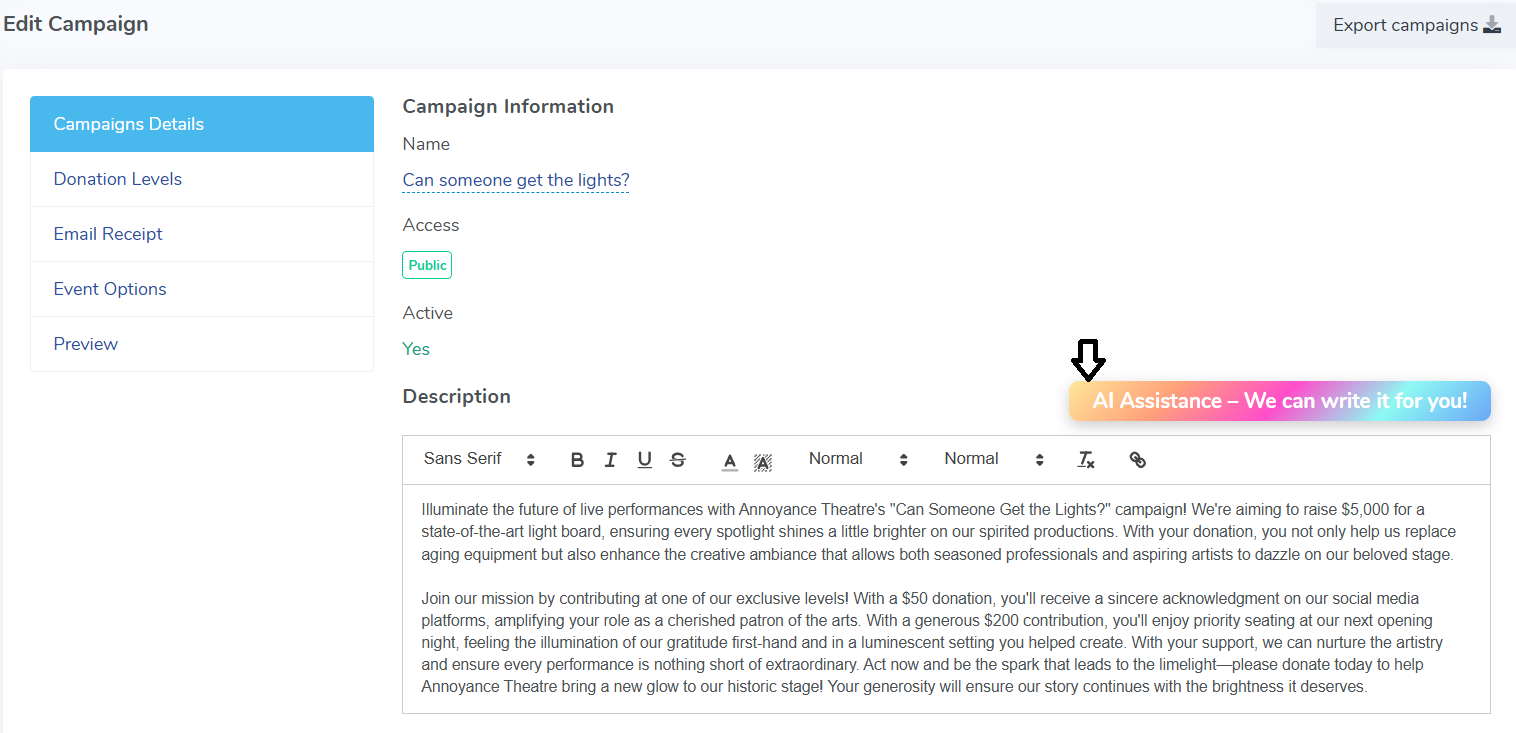
Absolutely! With AI Assistance, we can help you write your campaign description. This works for existing campaigns and new campaigns.
To use AI assistance on an existing campaign head to Giving > Fundraising Campaign > Edit. Click on the 'AI Assistance- We can write it for you!' button. Screenshot 2025-10-15 161928.png107.65 KB
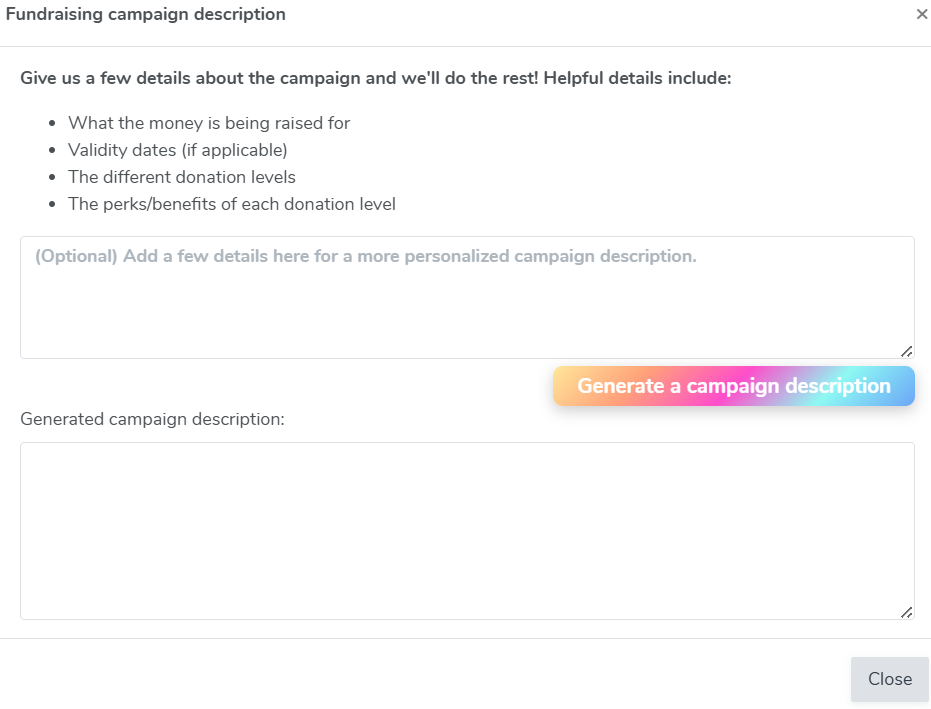
Enter in a few details about your campaign such as-
What the money is being raised for
Validity dates (if applicable)
The different donation levels
The perks/benefits of each donation level
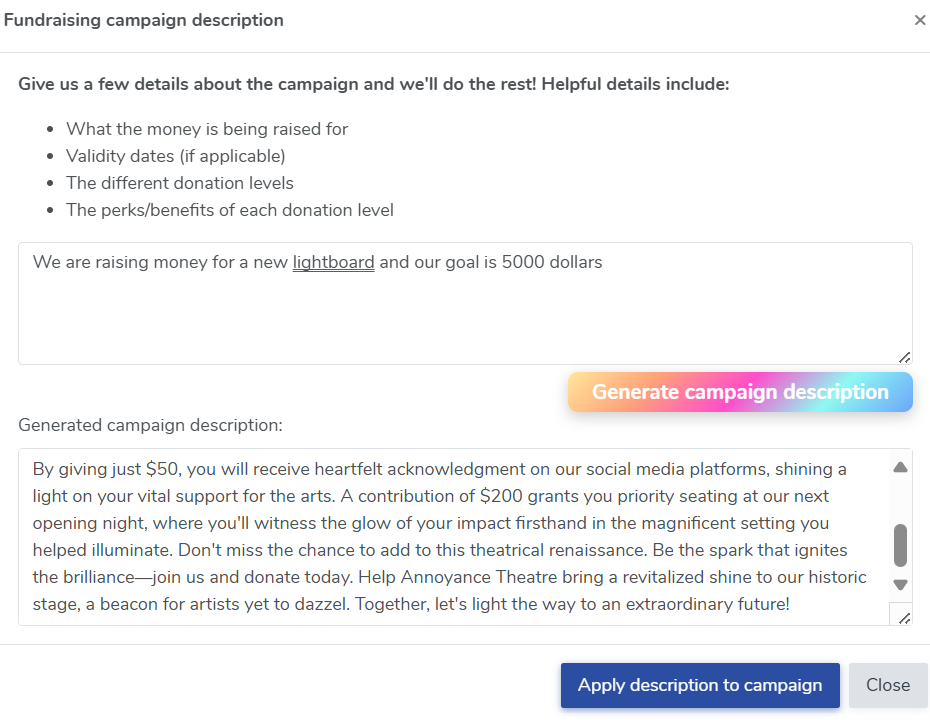
From there, click on the Generate a Campaign Description button and we will generate a description of your fundraising campaign. Screenshot 2025-10-15 162217.png72.49 KB Once your description is generated, you can click on 'Apply description to campaign' to apply the newly generated description to your campaign.
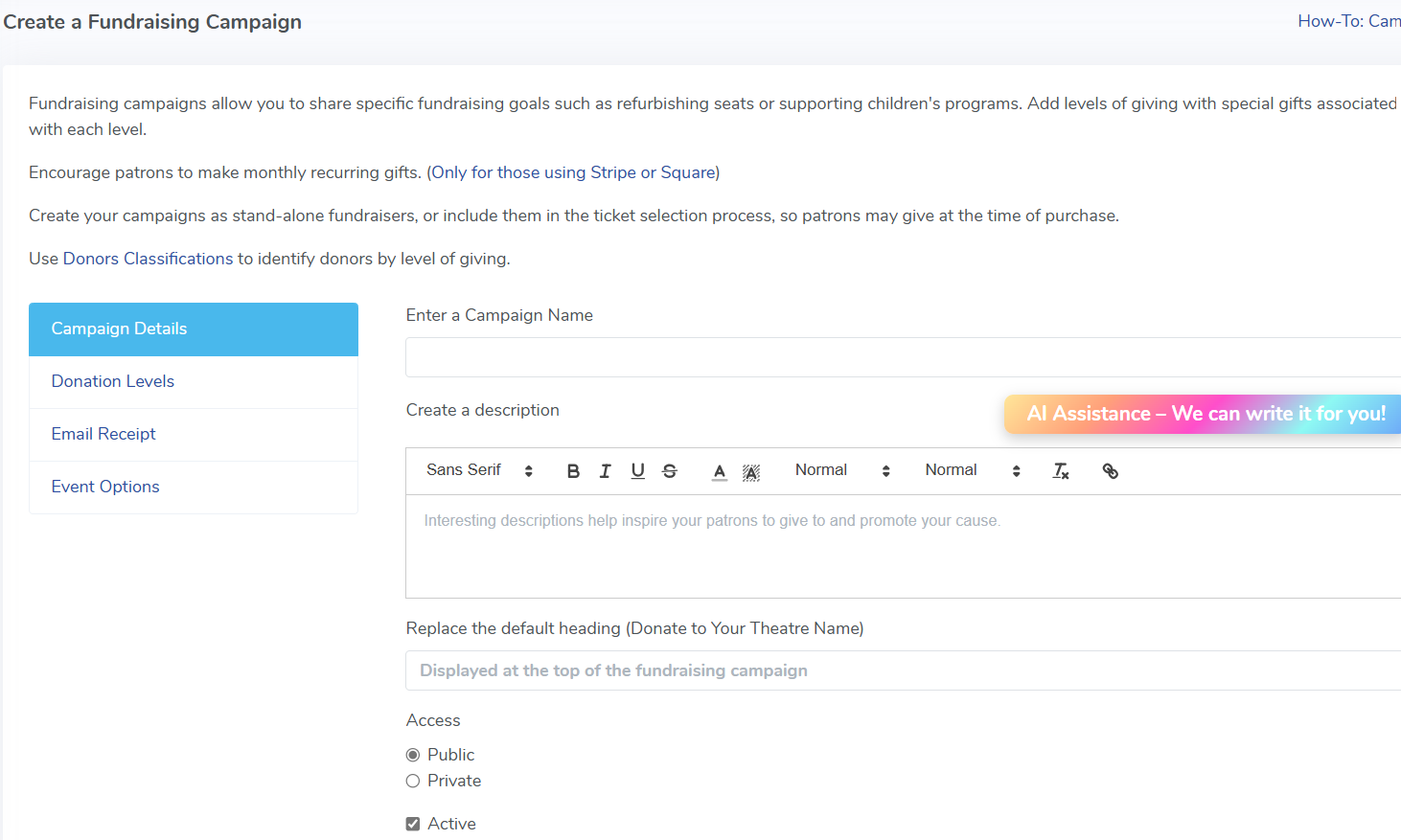
Screenshot 2025-10-15 162334.png126.45 KB To generate an AI description on a new fundraising campaign, all you have to do is go go Giving > Fundraising Campaigns and the option will be ready for your new campaign. The steps mentioned above for generating an AI description of your fundraising campaign are the same.