
Support Forum
Can I see reports for my General Donations and Orders converted to a donation? - Fri - Jan 23, 2026 - 3:30pm

To see reports for your General Donations and Orders converted to a donation follow the steps below:
- Head to Giving > Fundraising Campaigns
- Scroll down to General Donations or Conversion depending on what information you want to see
- Under Reports you should see the following options- Export all order data for this campaign by date range, Donor Report, and View Orders
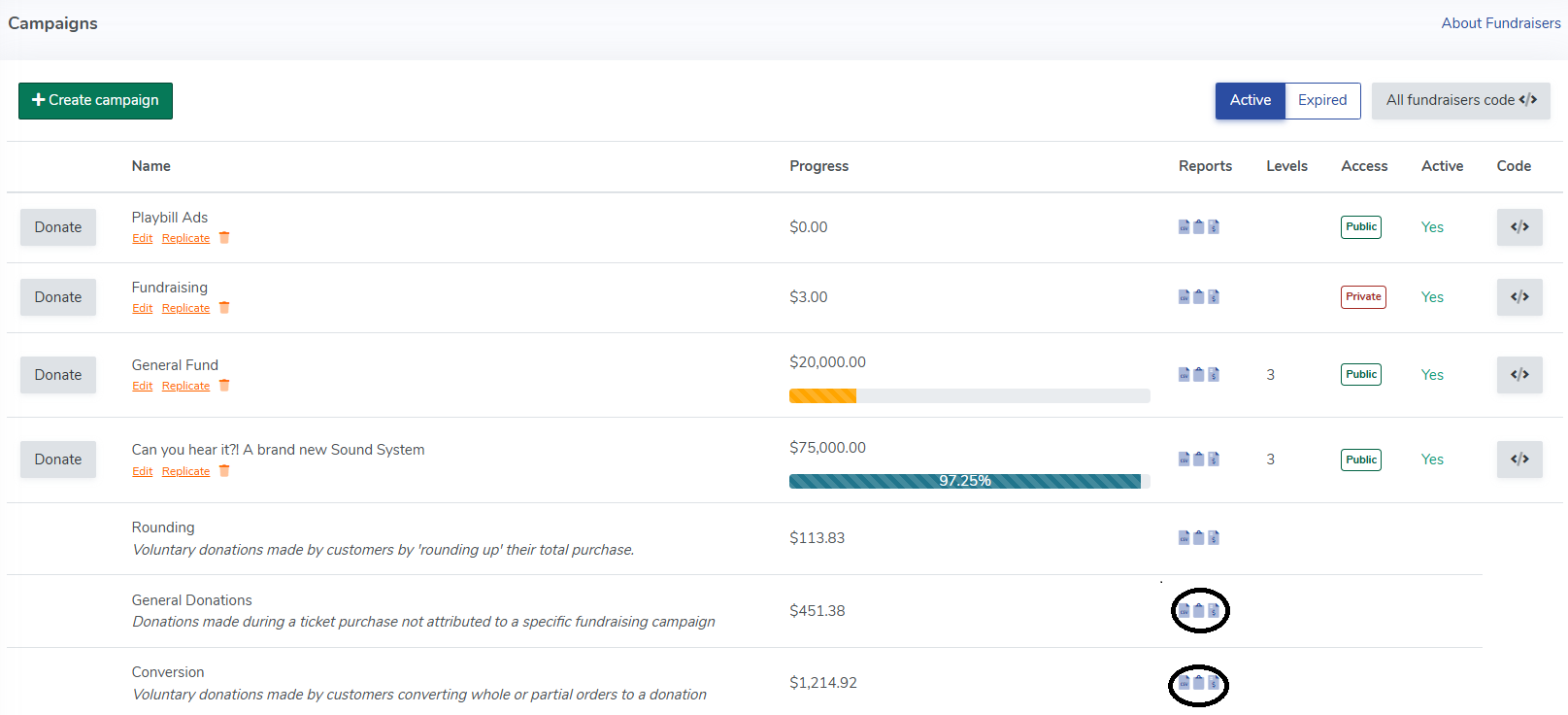
Exporting all order data for this campaign by date range will export all donations made during your specified time period.
The Donor Report will give a brief summary of orders and the total collected on the campaign for all time.
View Orders will take you to the Orders screen where you can see all orders for the campaign for all time. - Simply click on the icon for your desired report (they are listed in order of apperance above) and we'll take care of the rest!

View our video tutorials
Where can I see the total collected donations?
How do I make a donation request? Can I customize the donation wording?
Can my customers make a donation without buying a ticket?
How can I customize the email sent to customers who make a donation through an event?
Fundraising Campaigns and Donations now available on events
Targeted Donation Messaging and Recurring Donations
How do the round-up donations work?
