
Support Forum
Can I save my searches in the Patron Database for future mailings? - Thu - Jan 29, 2026 - 3:03pm
-
 To save any searches in your patron database, follow the steps below:
- Head to Patron Database > CRM and Mass Mail
- Perform your desired search
- Click the 'Save as segment' button

- Enter in a name for your Segment and an optional description
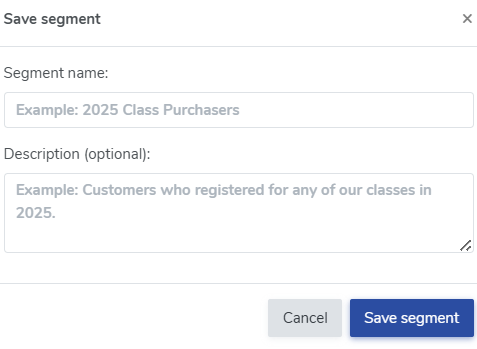
- Click Save segment to save your search
- Your saved segmens will appear in your Patron database here:

- You can come back to your saved segments at anytime. Simply click on the drop down menu and select your preferred segment. From there, you can send a mass email to everyone on your list
You may also remove a search at anytime by going to Saved segments and clicking the red trashcan icon to delete the segment.


View our video tutorials
How can I change the name shown for the mailing list?
How do Surveys work?
How do I use Google Analytics to track my ThunderTix website traffic?
How do I set up a Goal in my Google Analytics account to track sales?
How do I track sales for online advertising?
How can I connect my Mailchimp account to ThunderTix?
Constant Contact Integration
