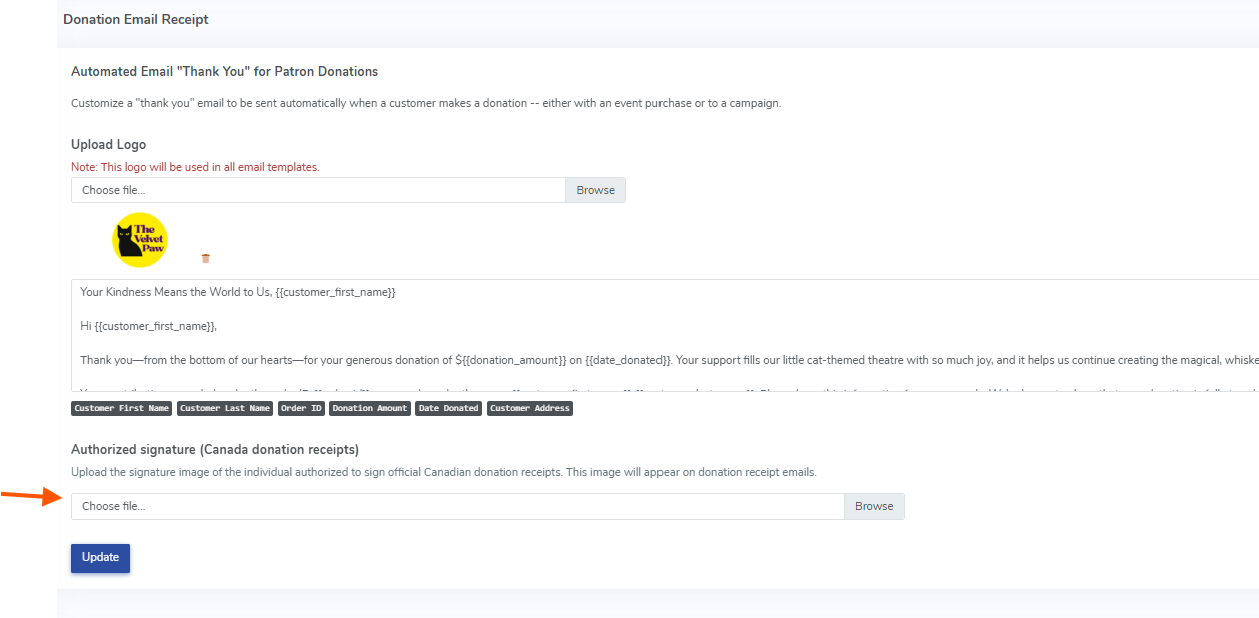
Here, you will be able to upload a signature image of the individual authorized to sign official Canadian donation receipts.
To print a receipt after the donation, simply click into the order and click the printer icon on the right side of the page. Select "Print Donation receipt":
This will bring you into a landing page where you can click file>print on your computer for the receipt: image.png51.48 KB
This update is designed to support Canadian receipting requirements by including:
Your organization’s legal name and address
Charity registration number (if applicable)
Donor name and mailing address
Receipt number (Order ID)
Donation date
Eligible donation amount (full donation value)
Optional logo at the top (if configured)
Authorized signature image at the bottom (if configured)
A few important notes:
This feature is only available for Canadian accounts (accounts whose organization country is set to Canada).
If your account is not set to Canada, the signature image will not appear on the printed donation receipt.
The signature appears on the donation receipt only, not on the general order receipt.
If you’re a Canadian client and would like help uploading your signature image or confirming your account is set to Canada, please contact our support team and we’ll be happy to walk you through it.