
Support Forum
Can I activate inactive ticket types? - Sun - Oct 24, 2021 - 12:28pm
-
 Once a ticket is inactive, it cannot be reactivated. Instead, simply create a new ticket type using the same name, description, and pricing as needed. Click the diskette to save.
You can create as many tickets as you need, and once created is set to Active by default. If you later decide to remove a ticket, we do not delete the ticket but rather inactivate the ticket. This is to ensure we retain the ticket pricing history, so if you want to review an order, we show the details of those once active tickets.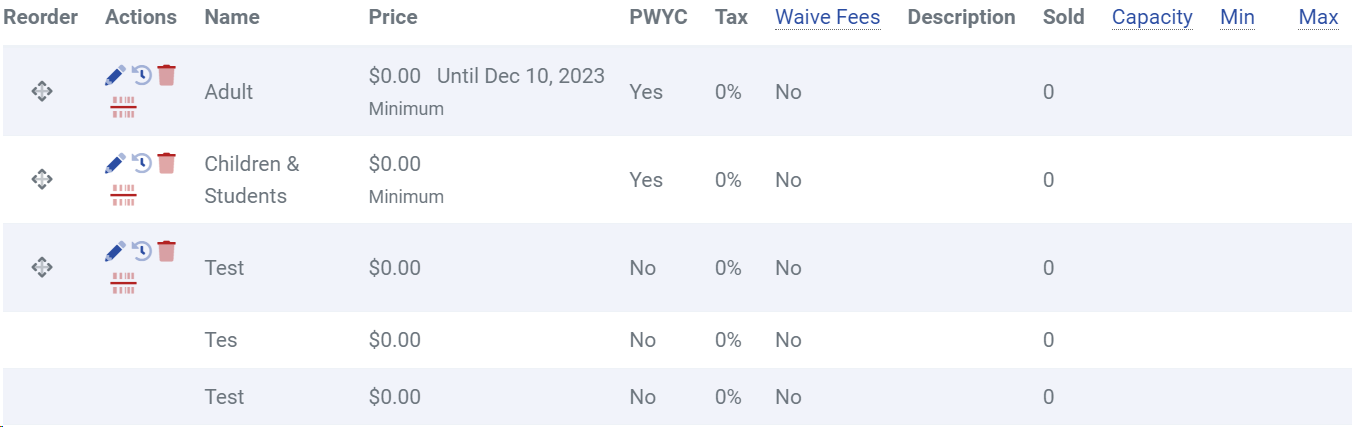

View our video tutorials
Can we collect extra information on an order?
How can I customize a tour date message for the public without making tickets available?
Is it possible to set the maximum number of seats but not change the current defaults?
Can I still sell tickets at the door using ThunderTix after I take my event offline or after it has expired?
Why is one of my event's dates showing as 'Sold Out'?
Is there a way you could show the PDF image we have uploaded just like the Event Image?
How can I make tickets available at box office only 1 hour before show time?
