
Support Forum
How do I find donors within a specified date range? - Fri - Jan 26, 2024 - 1:27pm

From the Patrons page, you can export a spreadsheet of donors and their donation totals within a specified date range. To get a list of donors and their donation totals, navigate to the following:
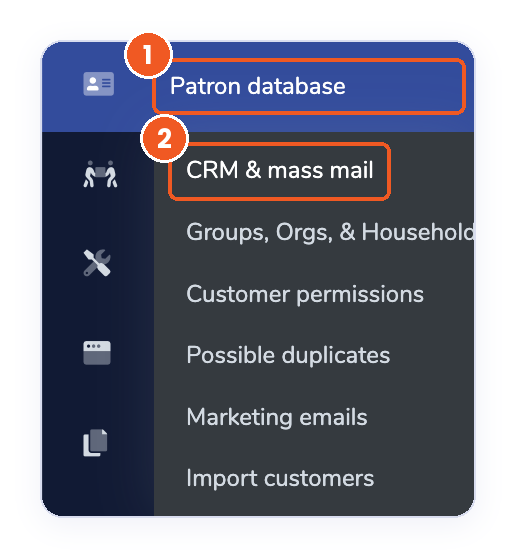
- Head to your Patron Database >> CRM & Mass Mail.
- Open the Donations section.
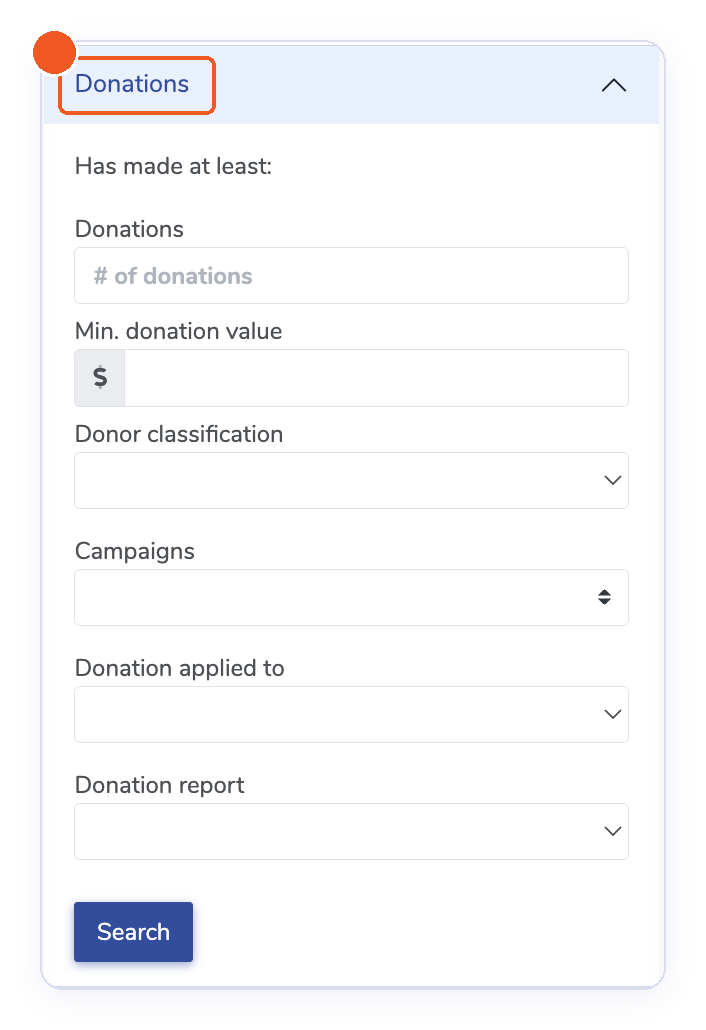
- Enter the minimum number of donations or the minimum donation value.
- (Optional) Choose a Campaign, Donation applied to, or Donation report to narrow your results.
- Open the Date range section and select your dates under Purchased / donated between.
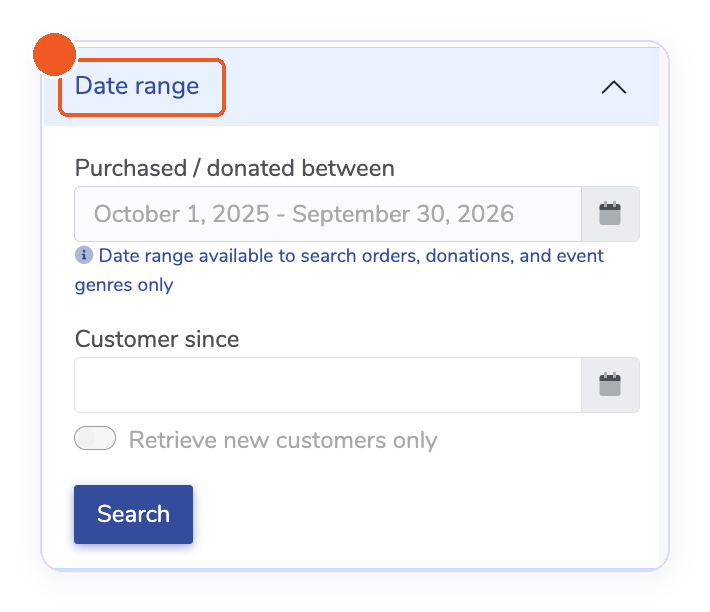
- Click Search.
- Click Export results at the top of the page and choose one of the following options: Aggregated donations include one line per customer with the total donations. Individual donations show one line for each donation given. Patrons exports the customer list without donation details.
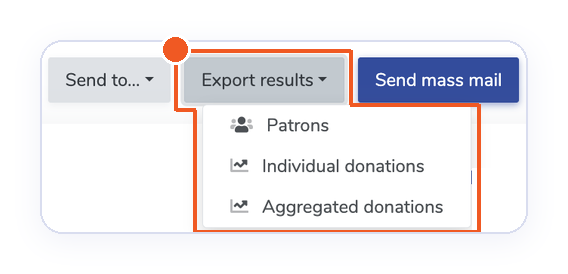
*Please note that the Donation Amount will be in Column A.
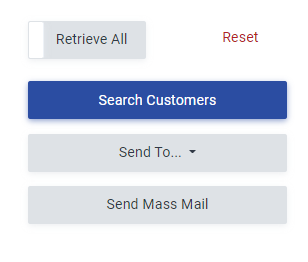
Additionally, if you would like to reach out to these donors, click Send Mass Mail to utilize our in-house mass emailing too (with an authenticated domain)l. Or, click “Send To” to subscribe each of those donors to a donor list pre-created in your Mailchimp or Constant Contact account.
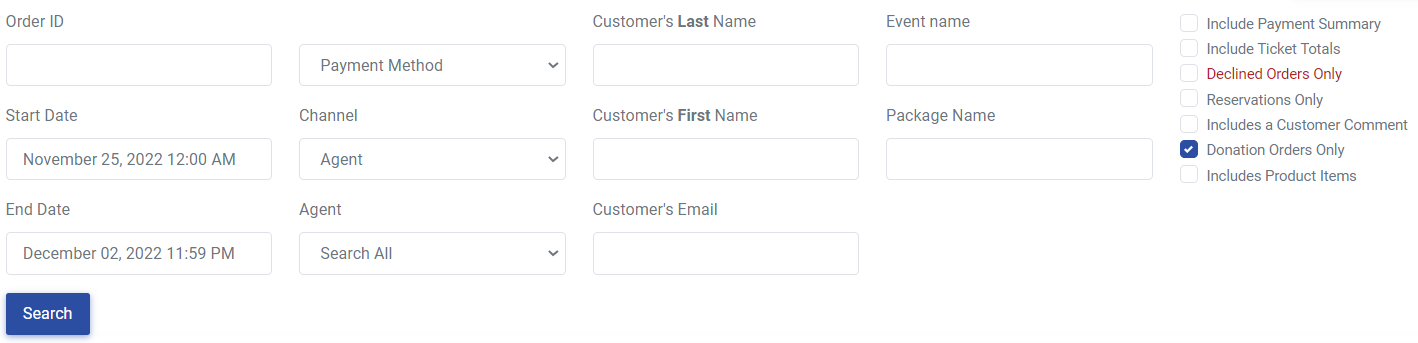
The Orders tab allows you to search for donors and their single donation amounts made within a specified date range. To get a list of donors and their single donation amounts, navigate to:
1. Head to your Orders tab
2. Check "Donation Orders Only" (and uncheck other boxes)
3. Choose desired date range
4. Click "Search"
5. Click "Export" at the top right-hand corner of the page
View our video tutorials
Where can I see the total collected donations?
How do I make a donation request? Can I customize the donation wording?
Can my customers make a donation without buying a ticket?
How can I customize the email sent to customers who make a donation through an event?
Fundraising Campaigns and Donations now available on events
Targeted Donation Messaging and Recurring Donations
How do the round-up donations work?
