
Support Forum
Visualize Confirmation Email for Packages - Thu - Aug 28, 2025 - 12:18pm

Visualize your Confirmation Emails for Packages:
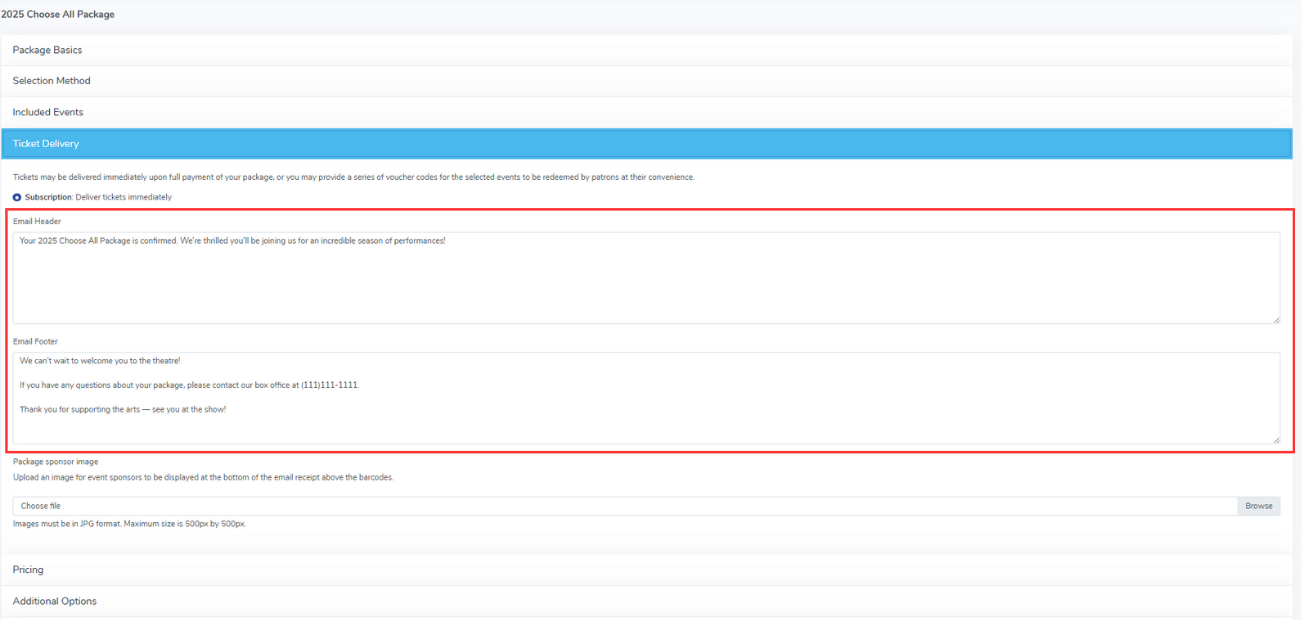
When you are creating or editing a package, there is a "Ticket Delivery" section that will allow you to add text to the email header and footer of the confirmation email when a customer has purchased or reserved the package. See below:

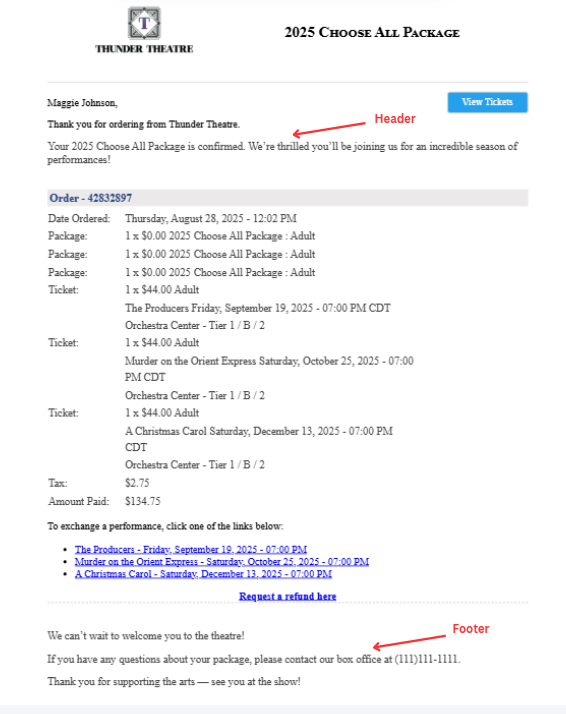
The two emails below represent confirmation emails so you can visualize where the header and footer go on the emails. There is always a message that says "Thank you for ordering from X venue", so you don't need to add that into your header.

Below is an example of a reservation email confirmation in which the patron reserved the package and tickets, but has not paid for them.
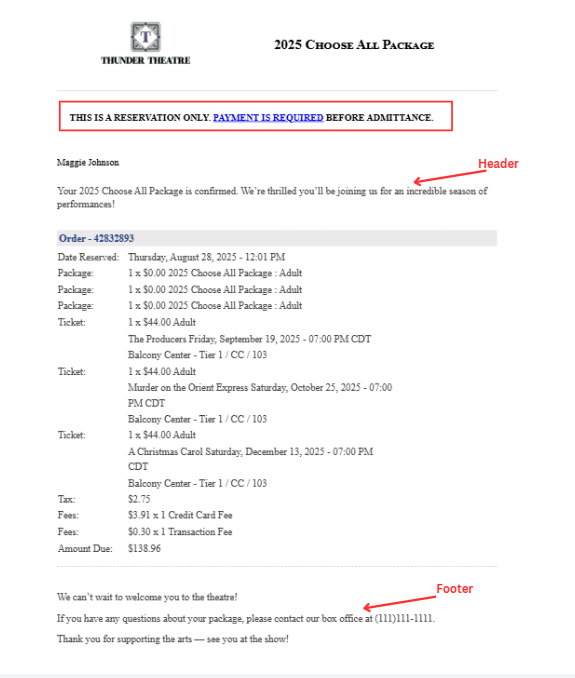

These confirmation emails are sent to your patrons upon purchase or reservation.
View our video tutorials
What is the difference between Packages and Flex Passes?
Can I create a section in the seating chart that is available only to season ticket holders?
Does a subscriber get a ticket to each show?
Is it possible to do a report that shows the number of season ticket packages that were sold?
Can I create a Ticket package that includes both tickets and products?
Processing Subscription Renewals
How does a "Build Your Own" Package work?