
Support Forum
How can I show the event venue on my main events site? - Fri - Feb 20, 2026 - 11:46am
-
 To display the location of your event, please follow the steps below:
- Head to Events > Event Manager > Click on the name of your event > Public Display > Event address
- Make sure the following toggle is on:
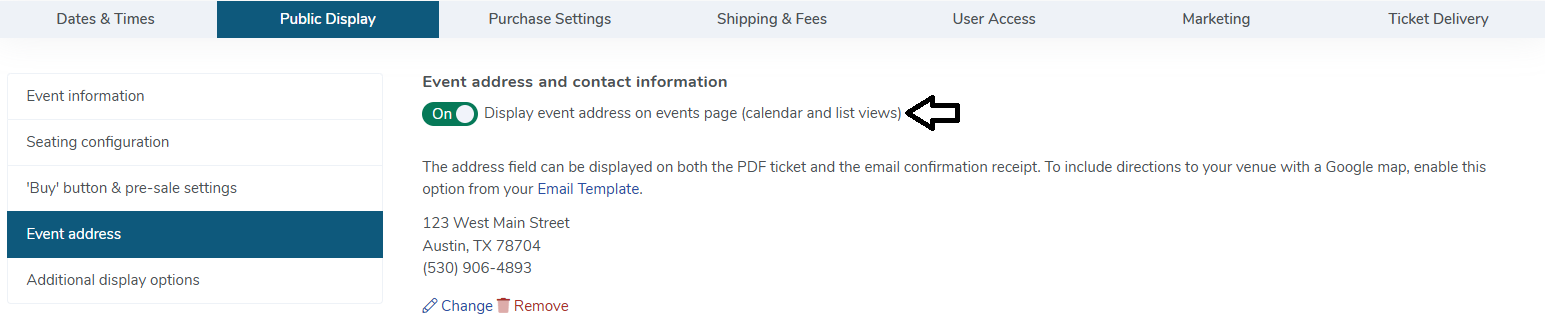
- The address will appear on your main event listing below the date/time of the event so customers know what venue and address to go to before selecting the event.
Please note that the setting will be set to 'Off' by default.
View our video tutorials
Is it possible to set a time to stop ticket sales for each individual performance before the show?
Why are my shows not listed in chronological order?
Can I change the display of the event's date to my buyers?
How can I change an event date or time after I've created it?
Is there a way to delete the ticket type on a recurring event just for one day's tour?
Where do I change my address in ThunderTix?
What if my event expired too early? How can I get it back online for customers?
