
Support Forum
How do my customers check their flex pass redemptions? - Tue - Mar 3, 2026 - 4:45pm
-
 Your customers can now check their flex pass redemptions on your website. Here is how it works:1. Customer View: “Check flex pass redemptions”
Where customers find it
Public access points:- On the public Packages page, customers will see a link labeled “Check redemption balance”.
- The same link can also appear in the footer of public pages for accounts that have created at least one flex pass package type.

This ensures any customer with a flex pass can easily discover where to check their remaining usage.
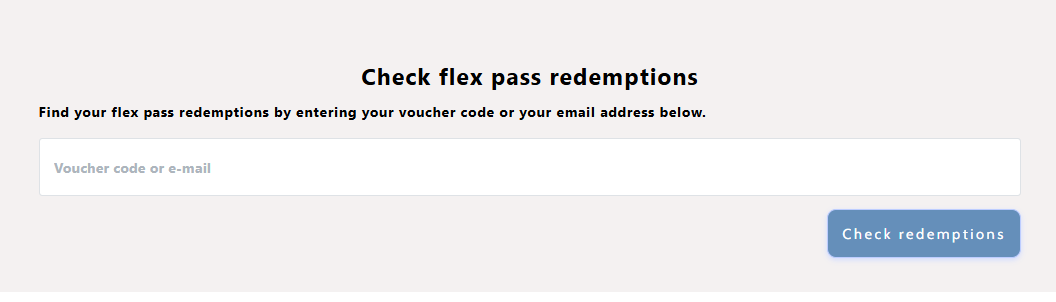
The redemption check pageCustomers can:- Enter a voucher code, or
- Enter the email address used at the time of purchase.
This flexibility covers both customers who have their voucher code handy and those who only remember the email they used.
2. What Happens After Clicking “Check redemptions”Customers can view their flex passes, how many redemptions they have, and where the codes have been used.
They can also click "Send Email" to view more details regarding their flex pass usage.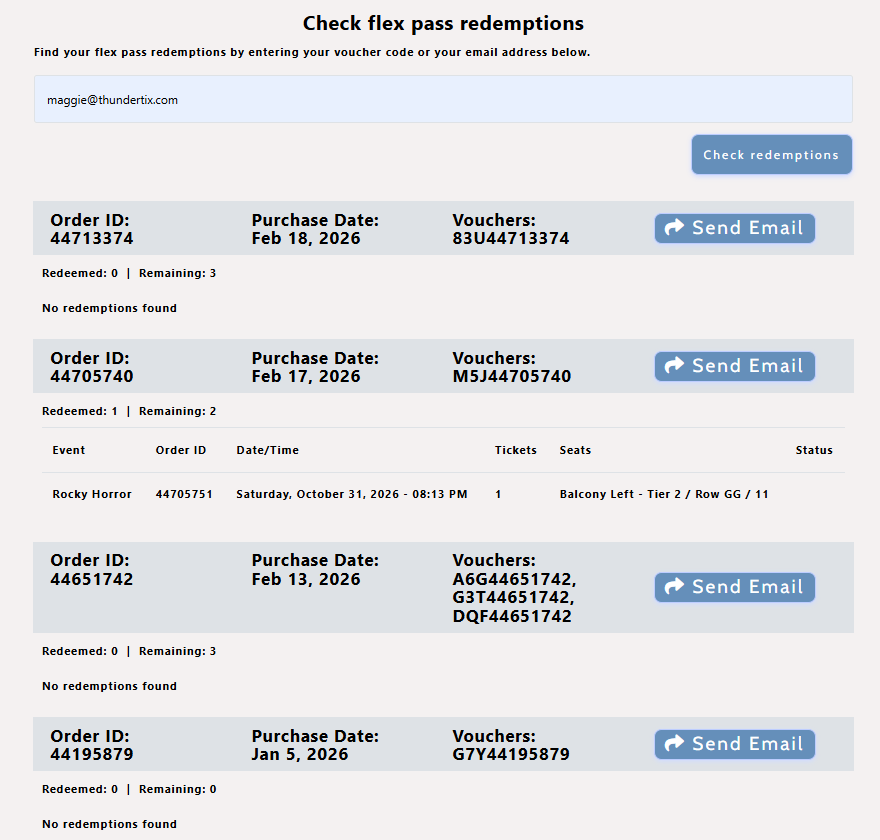
3. The Redemption Usage Email
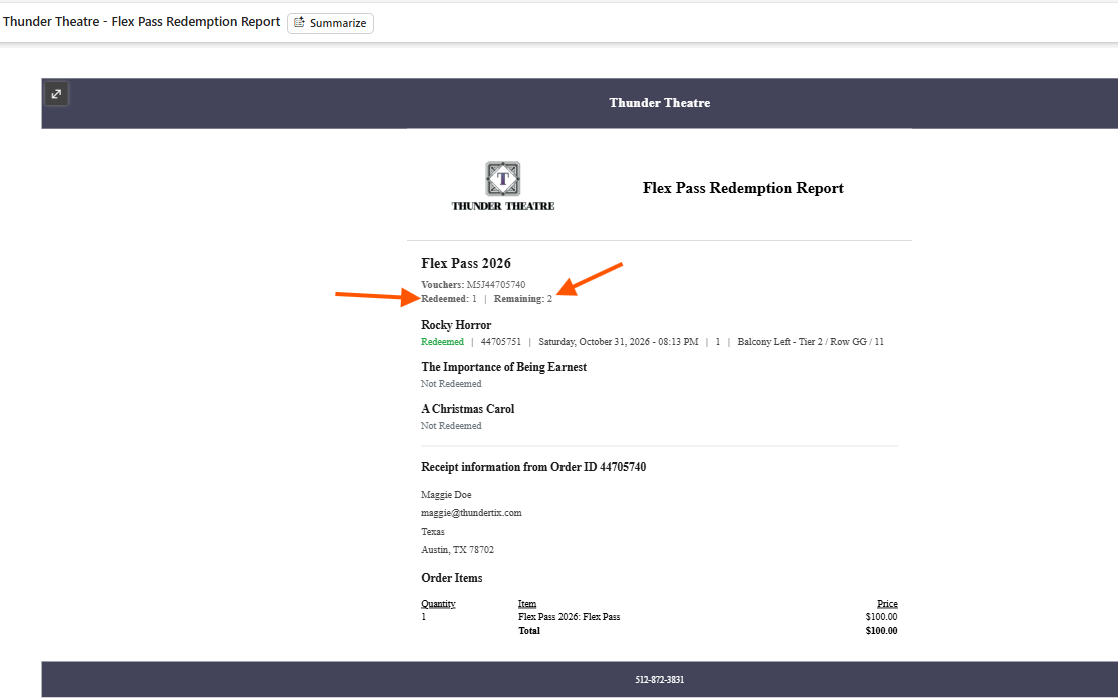
Upon clicking "Send Email", your customer will receive a redemption usage email detailing the flex pass usage.
Header & voucher list
At the top, the email shows:- Package Name (e.g., “Season Flex Pass 2025”)
- Vouchers: A list of all voucher codes in that order, for example:
Vouchers: 123brf, 456cbe
This makes it obvious which flex pass the report is for and which exact vouchers are tied to it.For orders that are exchanged or refunded, the display includes those states (e.g., after the seat numbers) so customers can understand why certain tickets no longer appear as active redemptions. This helps eliminate confusion when a ticket has technically been redeemed once but is no longer in its original form.
Overall, this answers the two main questions customers have:- What did I already use my flex pass on?
- What events or vouchers are still available or not redeemed?
Original receipt details
To provide a complete reference, the email also includes receipt information from the original flex pass order:- Receipt information from Order ID
- Customer Name
- Customer Email Address
- Customer Billing Address
- Customer Billing City, State, Zip Code
Order Items section:- Includes all original order items as they appeared in the initial flex pass confirmation email (e.g., pass name, quantity, pricing).
- This makes the redemption email a combined usage report + order receipt, reducing the need for multiple emails or logins to piece together the full picture.
View our video tutorials
What is the difference between Packages and Flex Passes?
Can I create a section in the seating chart that is available only to season ticket holders?
Does a subscriber get a ticket to each show?
Is it possible to do a report that shows the number of season ticket packages that were sold?
Can I create a Ticket package that includes both tickets and products?
Processing Subscription Renewals
How does a "Build Your Own" Package work?
