
Support Forum
Flexible Ticket Upgrade (CFAR) - Wed - May 27, 2026 - 11:09am
-

Flexible Tickets (CFAR)
Flexible tickets allow patrons to pay a 10% Flexible Ticket Upgrade fee at checkout in exchange for the ability to cancel for any reason before a deadline you set.If they cancel within the allowed window, they receive gift card credit equal to the ticket face value plus applicable sales tax, rather than a cash refund.The Flexible Ticket Upgrade fee is non-refundable, and service fees and other order fees are also excluded from any credit.Before You StartYou must have:- Permission to add/edit events to configure CFAR
- A standard ticketed event (not package/season-pass-only checkout)
Notes:- ThunderTix automatically generates a CFAR gift certificate template when credit is issued.
- Patrons must have a valid first name, last name, and email on the order for gift credit to issue successfully.
Configure Flexible Ticket Upgrade on an EventCFAR is enabled per event under Purchase settings.
Step 1 — Open Purchase Settings- Go to Events and open the event
- Select Purchase settings
- Click Flexible ticket upgrade
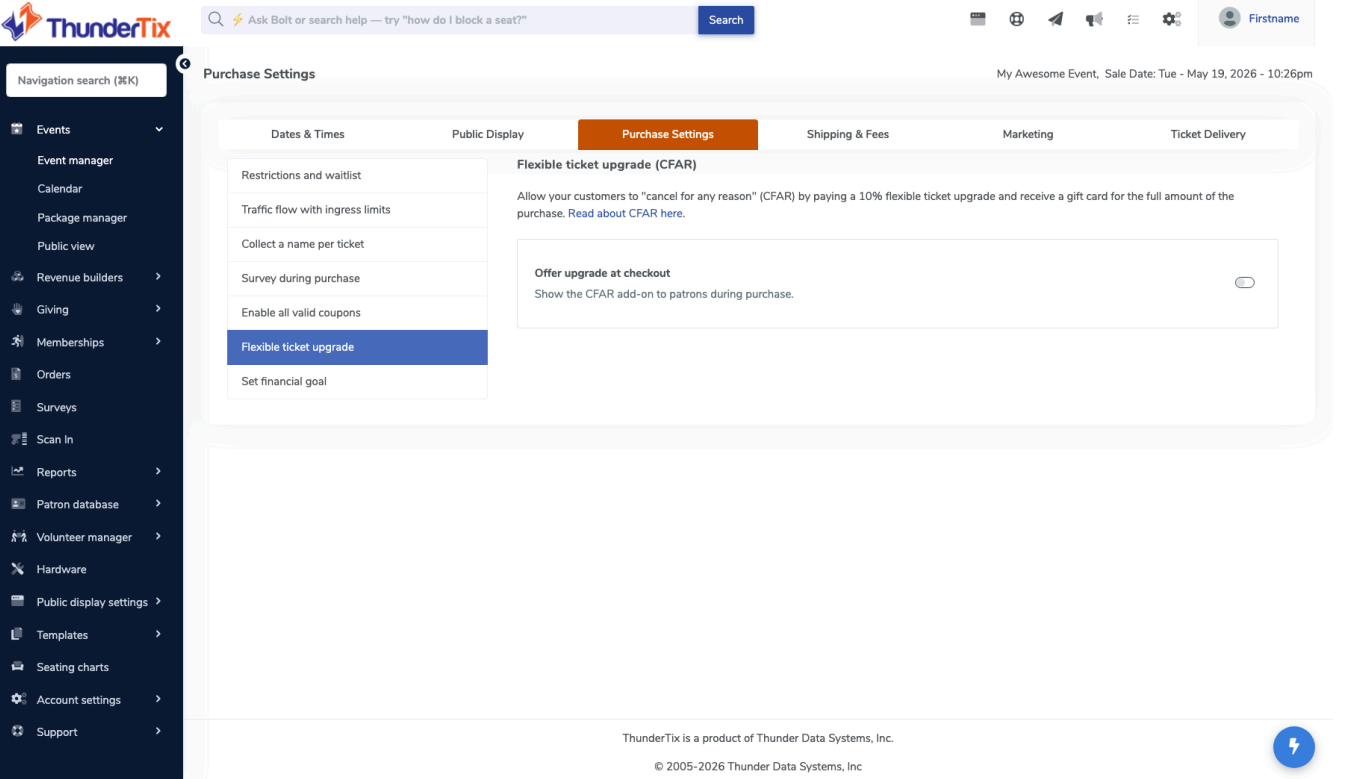
Step 2 — Enable Upgrade at Checkout- Turn on Offer upgrade at checkout
- This allows patrons to choose Standard vs Flexible
- Settings save automatically
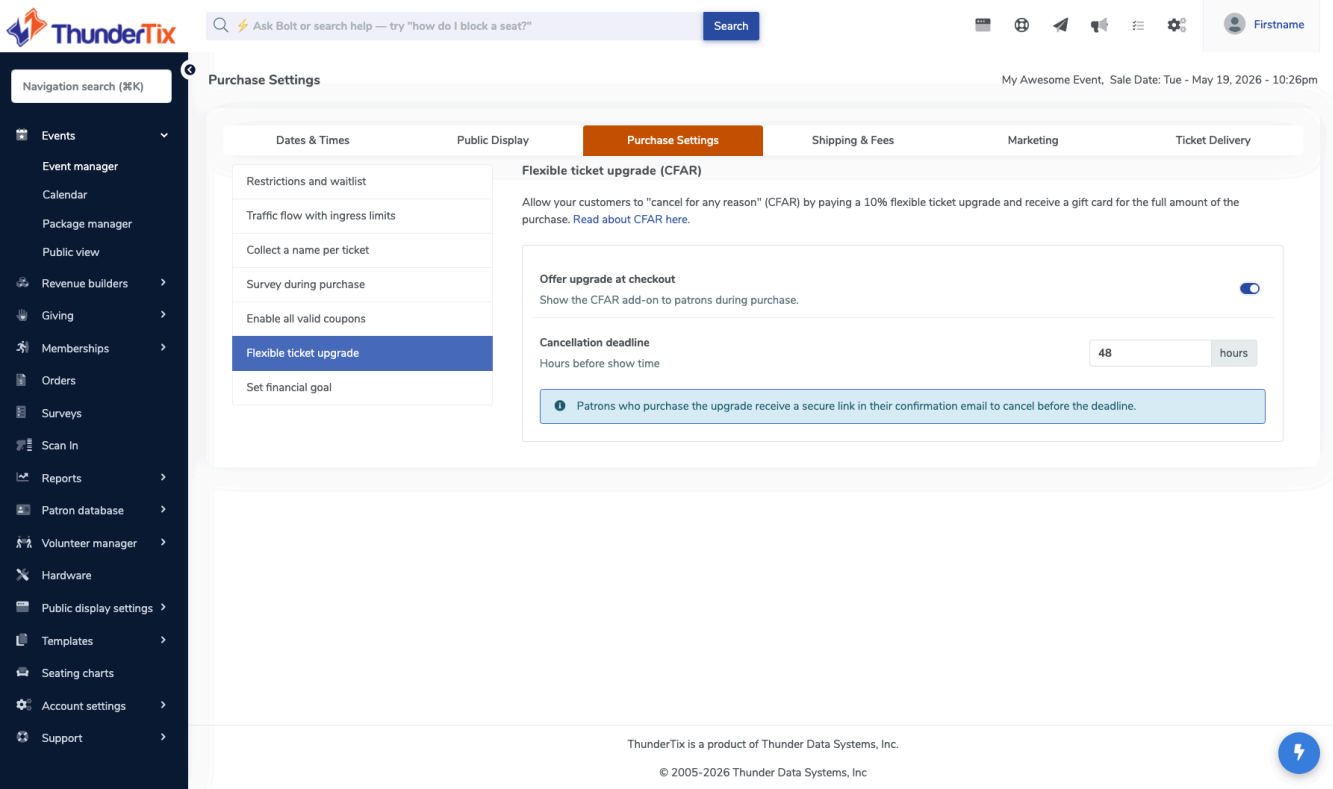
Step 3 — Set Cancellation Deadline- Enter cancellation cutoff in hours before showtime (default often 24 hours)
- Patrons can cancel until this cutoff time
- Confirmation email includes a secure cancellation link
Important rules:- You may lower the deadline after sales begin
- You cannot increase the deadline once flexible tickets have been sold
Purchase Flow (Reserved Seating)
Step 1 — Open Event & Start CheckoutThe patron selects an event and begins checkout.
Step 2 — Select Seats & Ticket TypeThe patron selects their seats from the seating chart, then assigns a ticket type to each seat and continues to checkout.They then choose between:- Standard Ticket
- No CFAR coverage
- Valid only for the selected performance
- Flexible Ticket
- Includes a 10% Flexible Ticket Upgrade fee
- Allows cancellation for any reason before the deadline
- Eligible for gift card credit if canceled in time
- Coupons cannot be applied to the order
For multi-performance carts, each performance has its own Standard vs Flexible selection.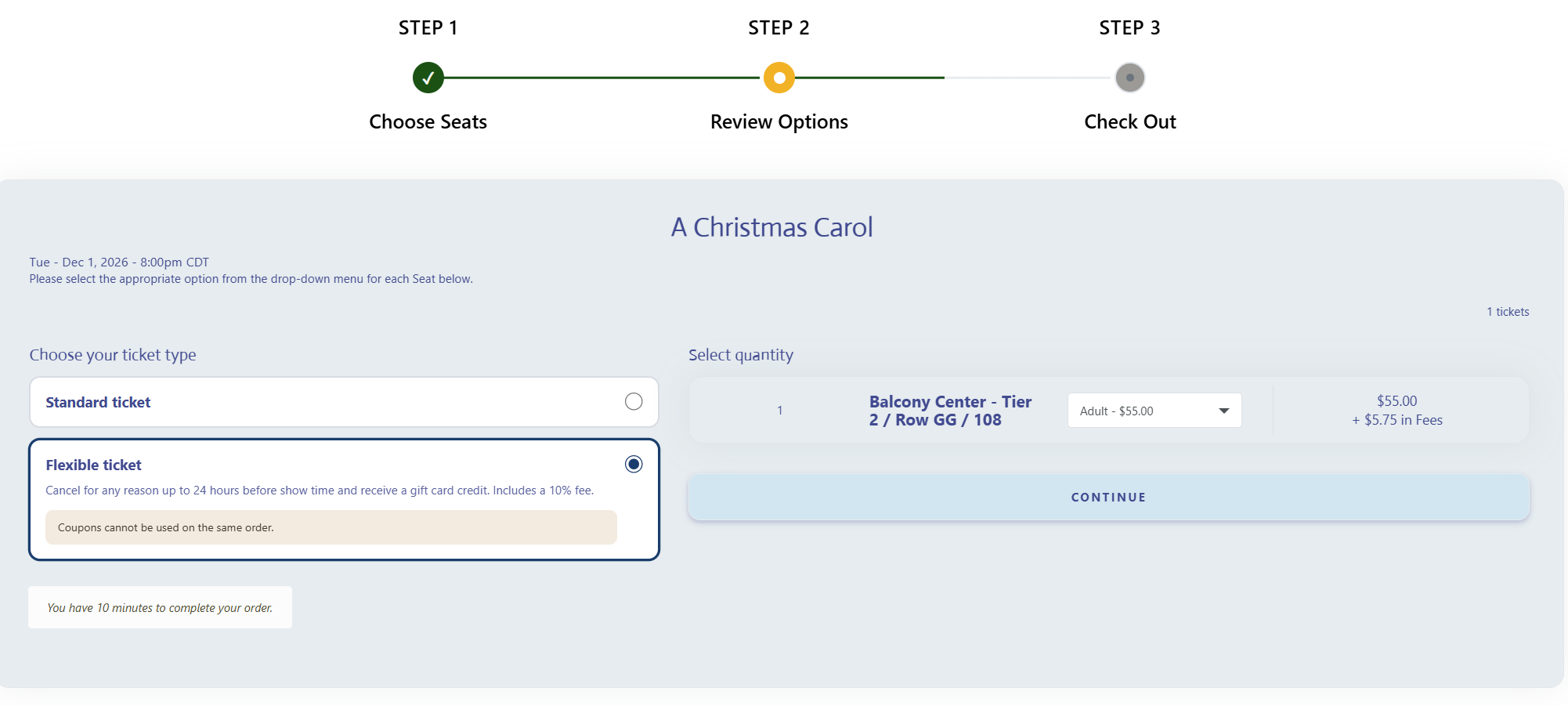
Step 3 — Complete PurchaseThe patron reviews seat assignments and ticket types, then completes checkout and payment.
How Patrons Access Cancellation- Email link: “Can’t make it? Cancel here.”
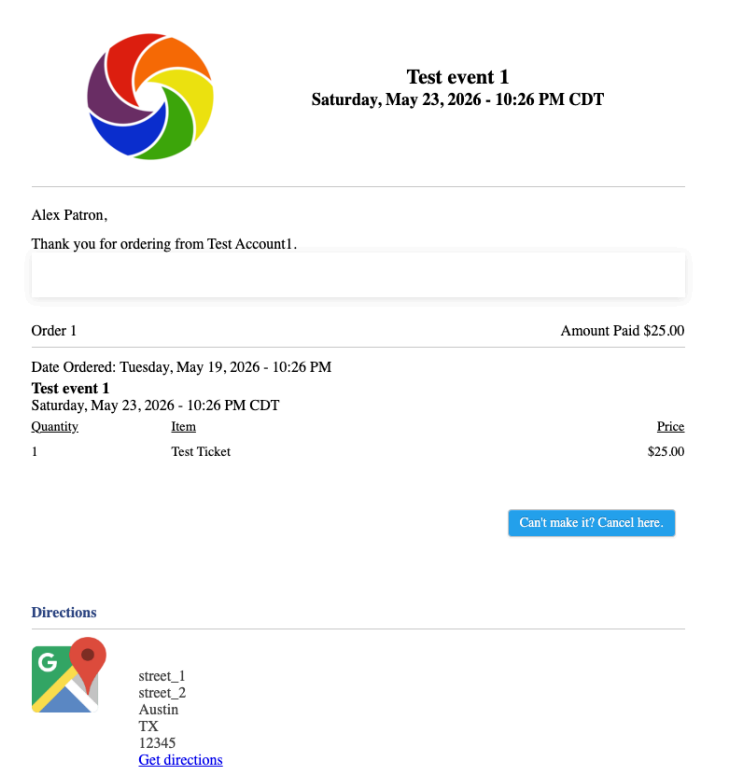
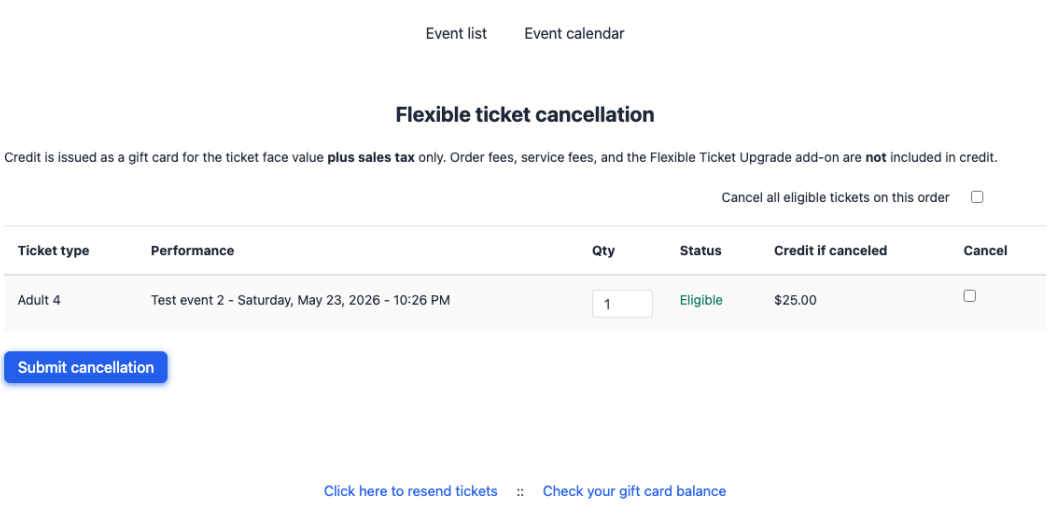
Step 1 — Open Cancellation PagePatron opens cancellation link and sees:- Eligible tickets list
- Credit preview
Step 2 — Select Tickets- Reserved seating: check boxes per seat
- General admission: adjust quantity per ticket type or cancel all eligible tickets
Step 3 — Submit Cancellation- Click Submit cancellation
- Confirmation displayed
- Gift card details sent via email
What Patrons Receive- Gift card credit (not original payment refund)
- Credit = ticket price + sales tax
- CFAR fee is not refunded
- Service fees and order fees are not included
Minimum Credit Rule- If credit is under $0.99, no gift card is issued
Flexible Ticket Upgrade Fee Split• The Flexible Ticket Upgrade fee is 10% of the ticket price
• ThunderTix retains 35% of the 10% upgrade fee
• The venue receives 65% of the 10% upgrade fee
View our video tutorials
Is it possible to set a time to stop ticket sales for each individual performance before the show?
Why are my shows not listed in chronological order?
Can I change the display of the event's date to my buyers?
How can I change an event date or time after I've created it?
Is there a way to delete the ticket type on a recurring event just for one day's tour?
Where do I change my address in ThunderTix?
What if my event expired too early? How can I get it back online for customers?
