
Support Forum
How to include add-on events with packages - Mon - Jul 6, 2026 - 4:13pm

We're excited to introduce Add-On Events — a new option within your season packages that lets you offer additional performances to your subscribers during checkout. Add-on events are not included in the package price; they're optional, full-price tickets your patrons can conveniently add to the same order.
How It Works:
Add-on events are promoted during the package checkout flow as optional extras. They are full-price (not discounted) and use your existing package fees. This is a great up-sell opportunity for your package sales.
Setting Up Add-On Events
Note: This feature is only supported for fixed packages with predefined event dates.
Step 1: Open Your Package
Navigate to Events > Package Manager and click on your season pass package to edit an existing package
or
When you click "Create Package", you can add it to a new package build.
Navigate to Events > Package Manager and click on your season pass package to edit an existing package
or
When you click "Create Package", you can add it to a new package build.
Step 2: Locate the Add-On Events Accordion
Scroll down past your package events (and donations, if included). You'll see a new accordion section titled "Add-On Events" with the following description:
Step 3: Select Your Add-On Events
Expand the accordion and choose which events you'd like to offer as add-ons. A few things to note:
- Only events that are not already part of your package will appear as options.
- Semi-private events are eligible for add-on selection.
- You have full control over which events are available — select only the ones you want to promote.
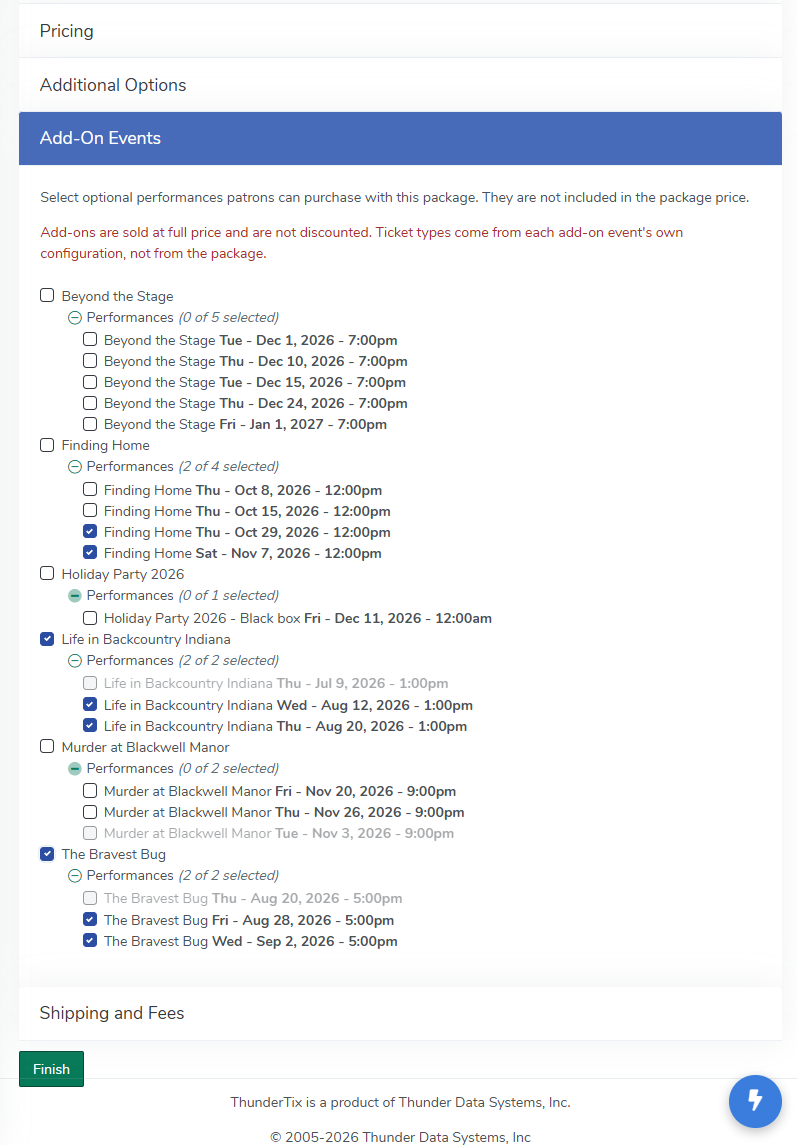
Step 4: Save Your Package
Once you've made your selections, save the package. Your add-on events are now part of the checkout experience.
What Your Patrons Will See
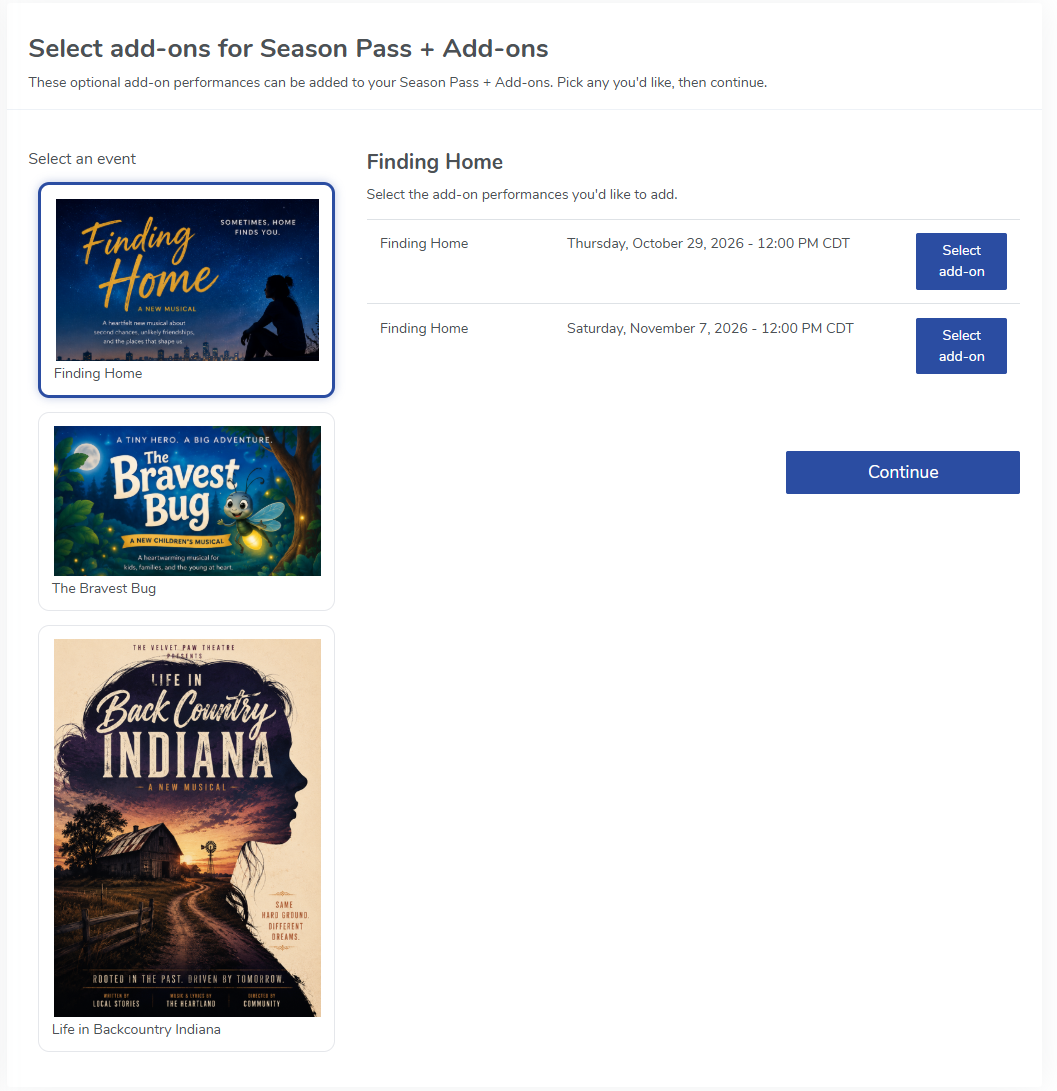
When a patron purchases your season package, they'll see an additional section during check out.
Patrons can select a quantity for any add-on event they're interested in. The tickets are added to the same order at full individual event price using the package's fee structure.
Why Use Add-On Events?
- Exclusive Access — Give your subscribers the chance to purchase tickets to special performances before the general public.
- Convenience — Patrons can add extra tickets right in the package checkout flow, no separate transaction needed.
- Preferred Seating — Subscribers purchasing add-on events can secure their preferred seats early.
- Your Control — You decide exactly which events are offered as add-ons.
View our video tutorials
What is the difference between Packages and Flex Passes?
Can I create a section in the seating chart that is available only to season ticket holders?
Does a subscriber get a ticket to each show?
Is it possible to do a report that shows the number of season ticket packages that were sold?
Can I create a Ticket package that includes both tickets and products?
Processing Subscription Renewals
How does a "Build Your Own" Package work?