
Support Forum
How do I create a role for my volunteers? - Mon - Jan 27, 2025 - 3:34pm

To create a role for your volunteers, follow the steps below:
- Head to the Volunteer Management tab on the left hand menu > Roles.
- Click the green + New Role button in the top right corner.

- Enter in the name of the role, a description, and the requirements for the role. For example, if someone is working concessions, they may need to know how to handle cash or process credit card transactions. You can also choose a label color for the role—this is helpful if your organization has multiple volunteer roles.
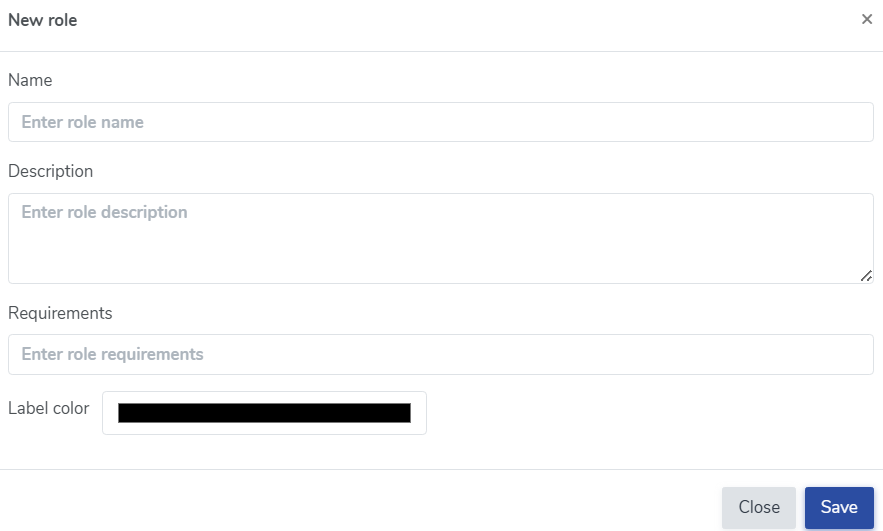
- Once you have entered in the needed information, click the save button to save your new role. Your new role will appear in the 'Roles' section of Volunteer Management.
- Now that you've created your role- you can assign it to your upcoming events! Please see this discussion on how to create/assign volunteer opportunities for your event- How do I create volunteer opportunities for my event?
- Your volunteer opportunity is ready to be assigned! Please see this discussion on how to assign roles to volunteers: How do I assign a volunteer to a role?
If you need to inactivate a role for any reason, click on the green text that says 'Active' underneath the status column.
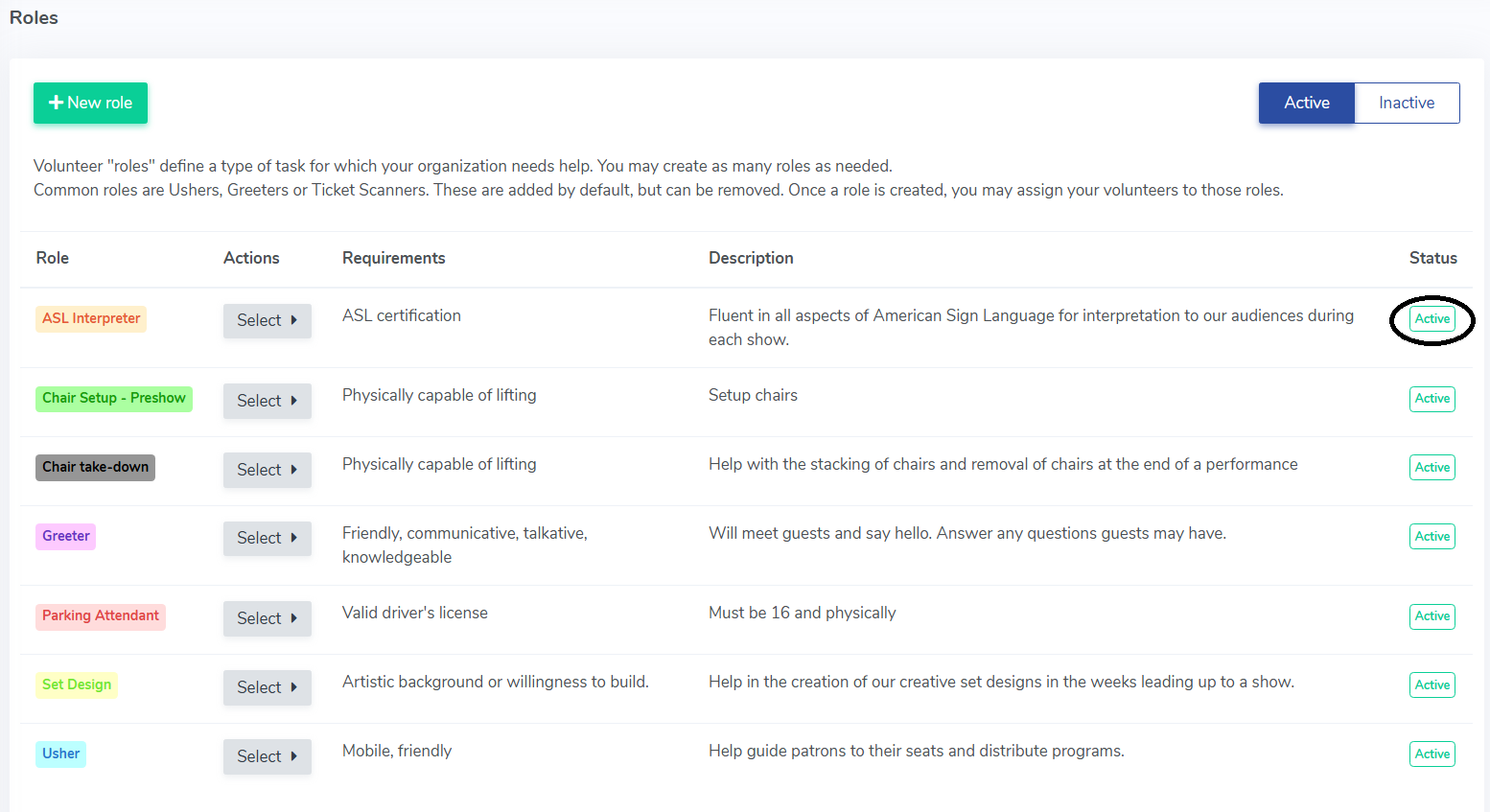
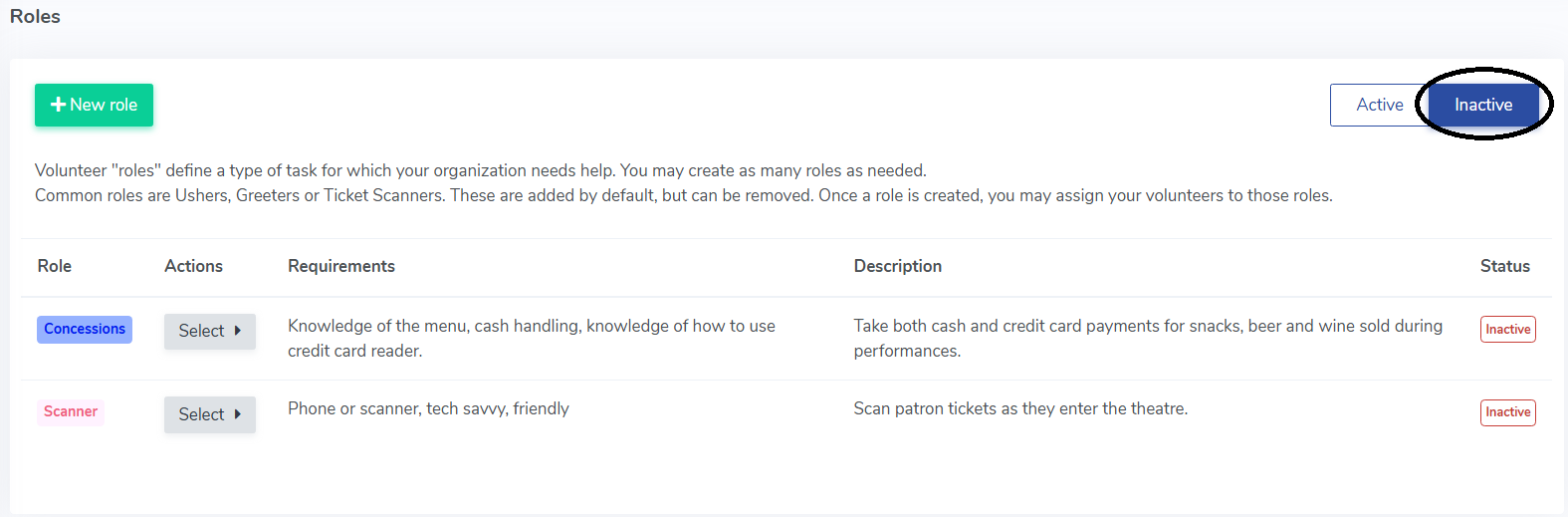
This will make the role Inactive. You can view inactive roles by clicking the the Inactive button in the top right corner.
To edit an existing volunteer role:
- Head to Volunteer manager > Roles.
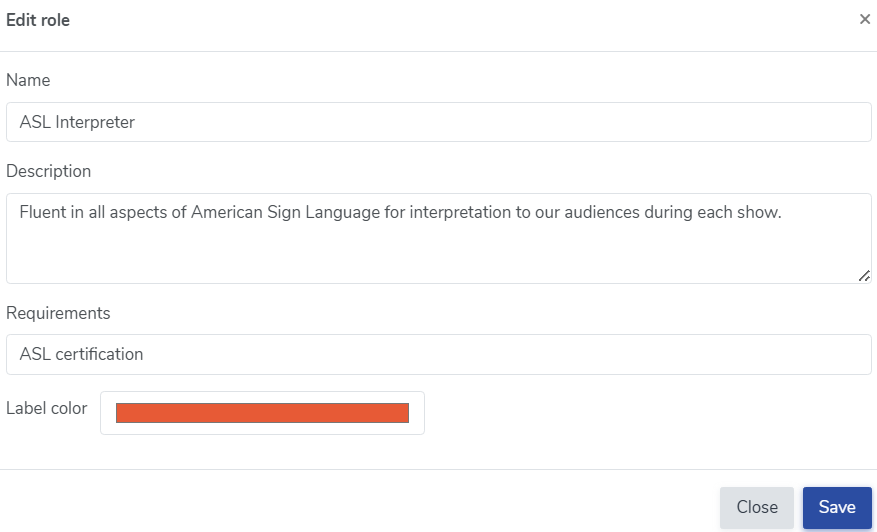
- Under the Actions colum click Select > Modify.

- When prompted, you can edit the name, description, requirements and label color. Simply click save to save your changes.
You also have the option to filter your volunteers by role or certifications. Head to Volunteer Manager > Volunteers to see this feature in action.

View our video tutorials
How can I make an existing user a Volunteer?
How do I assign a volunteer to a role?
How do I create or assign volunteer opportunities for my event?
Registration process for volunteers
How can my volunteers sign up for opportunities?
Where can I see total hours volunteers have worked?
How can I display a link on my public page for people to sign up to volunteer?

