
Support Forum
How do I create or assign volunteer opportunities for my event? - Fri - Jun 20, 2025 - 1:27pm

To create volunteer opportunities for your events follow the instructions below:
- Navigate to the Volunteer Management tab > Volunteer Assignments> click Manage on the event where you would like to add a volunteer opportunity. If no opportunities have been assigned to your event your screen will look like this:
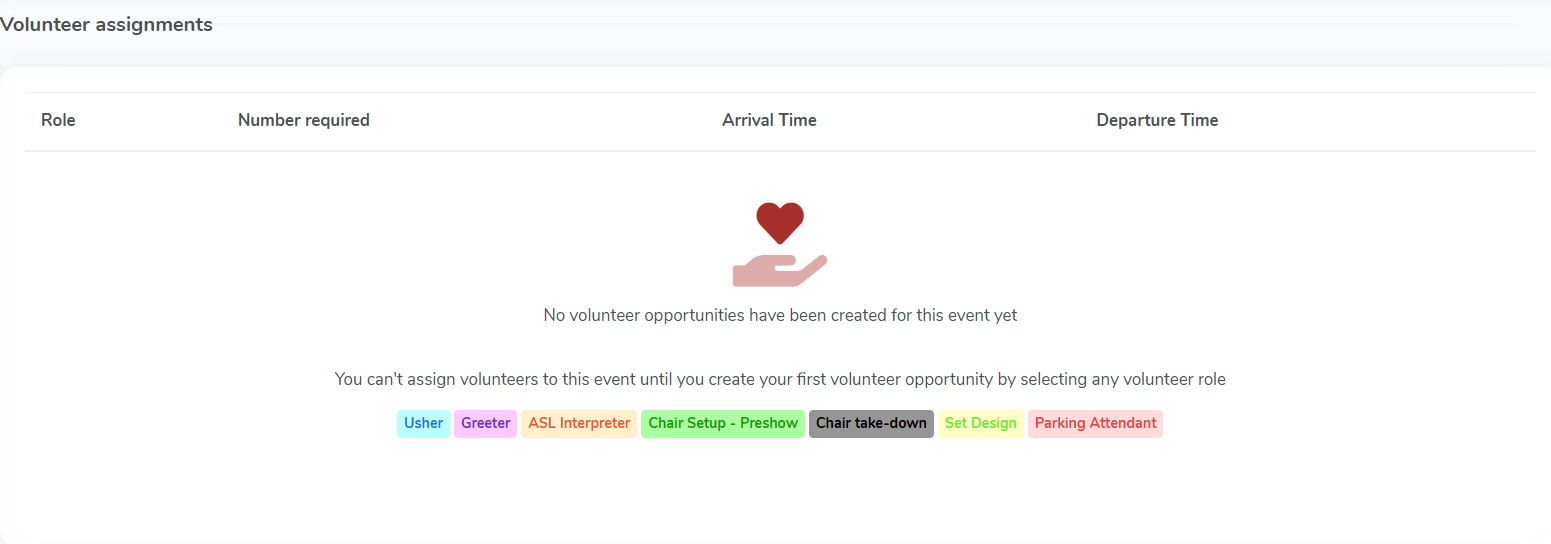
- If roles have already been created, you can click on one of the roles. If you need to create a role please see this discussion: How do I create a role for my volunteers?
- Once you've selected/created a role for your event you will need to enter in the arrival/depature time for the role as well as how many volunteers are needed for each role. For example, if you need two ushers for each performance you would enter 2 for the number required for each performance. This option also sets the maximum number of volunteers needed for this role. Once it is met, no other volunteers can sign up for the opportunity.
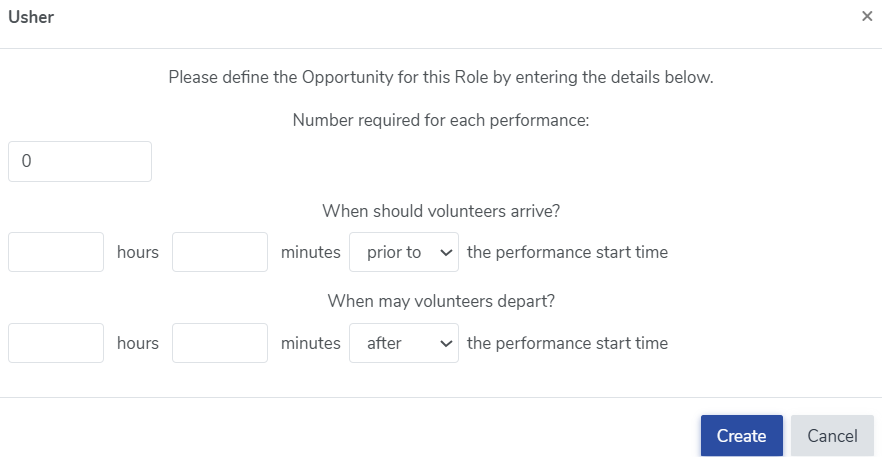
- Finally, click 'Create' to create the volunteer opportunity for your event.
View our video tutorials
How can I make an existing user a Volunteer?
How do I create a role for my volunteers?
How do I assign a volunteer to a role?
Registration process for volunteers
How can my volunteers sign up for opportunities?
Where can I see total hours volunteers have worked?
How can I display a link on my public page for people to sign up to volunteer?
