
Support Forum
How can I make an existing user a Volunteer? - Fri - Jan 24, 2025 - 5:35pm

- Head to Account Settings > Users page (from the cog icon in the upper right corner).
- Click on the user's email address to view their profile.
- Click "Edit permissions".
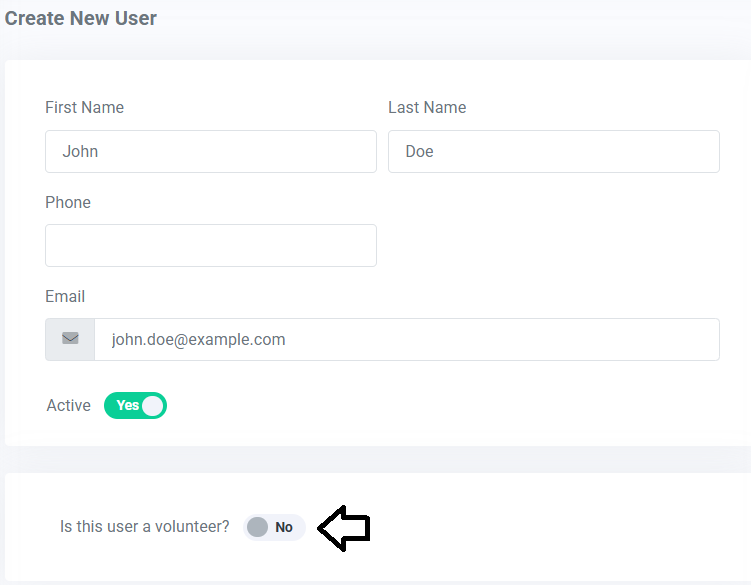
- In toggle titled 'Is this user a volunteer?', change the button to 'Yes'.
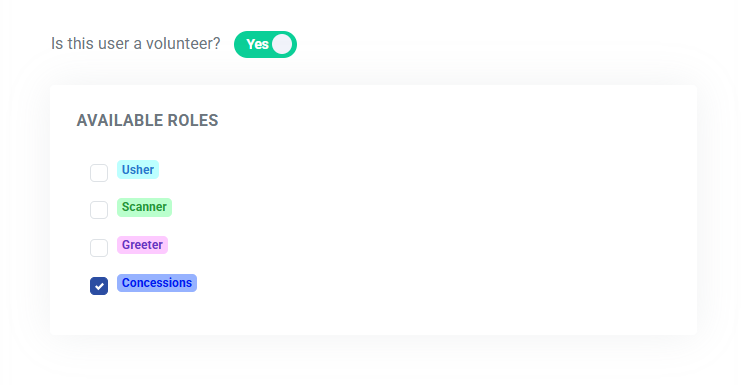
- After setting up Roles under the Volunteer Manager in the left menu, you may apply various roles for your volunteer by checking each of the checkboxes in the profile.
- Click on the 'Update' button to update the user.
View our video tutorials
How do I create a role for my volunteers?
How do I assign a volunteer to a role?
How do I create or assign volunteer opportunities for my event?
Registration process for volunteers
How can my volunteers sign up for opportunities?
Where can I see total hours volunteers have worked?
How can I display a link on my public page for people to sign up to volunteer?
