When someone signs up as a volunteer they will receive a confirmation email, an email informing them that they have been approved, and an email to set up their password. Once they have set up their account, they will be able to log into ThunderTix to see and sign up for upcoming volunteer opportunities.
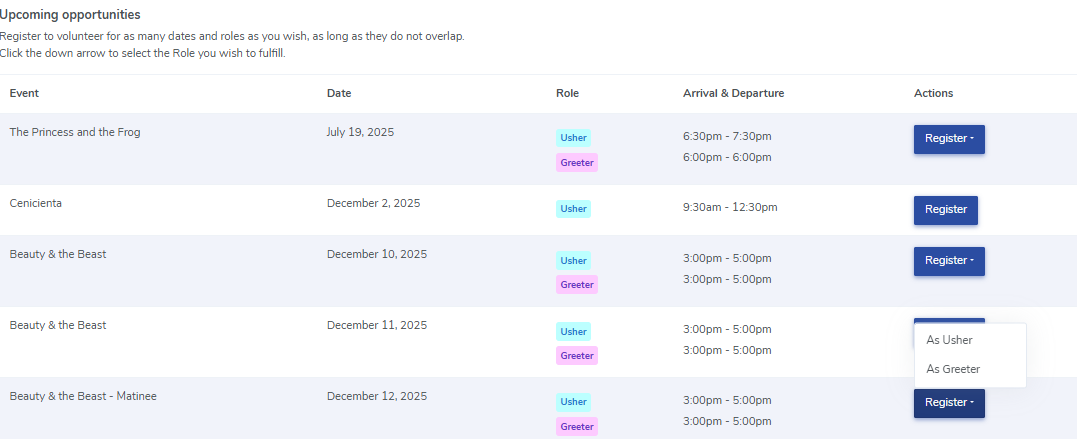
When they log in they will immediately be redirected to their volunteer profile. Under upcoming opportunities, they can click the 'Register' button to register for an upcoming opportunity. Please note that we will only show the roles that the volunteer indicated they are interested in or that a venue admin has assigned to them. They will have the option to register for their desired role.
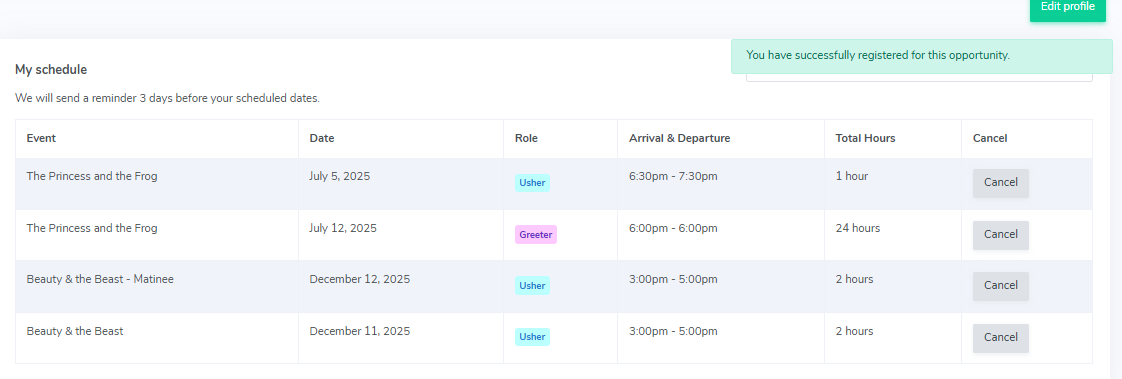
Once they have registered for the role, they will see a green message in the top right corner and the role will appear underneath their schedule.