
Support Forum
How do I assign a volunteer to a role? - Mon - Jan 27, 2025 - 5:34pm

To assign a volunteer to a role, please follow these steps:
- Head to Volunteer Management > Volunteer Assignments
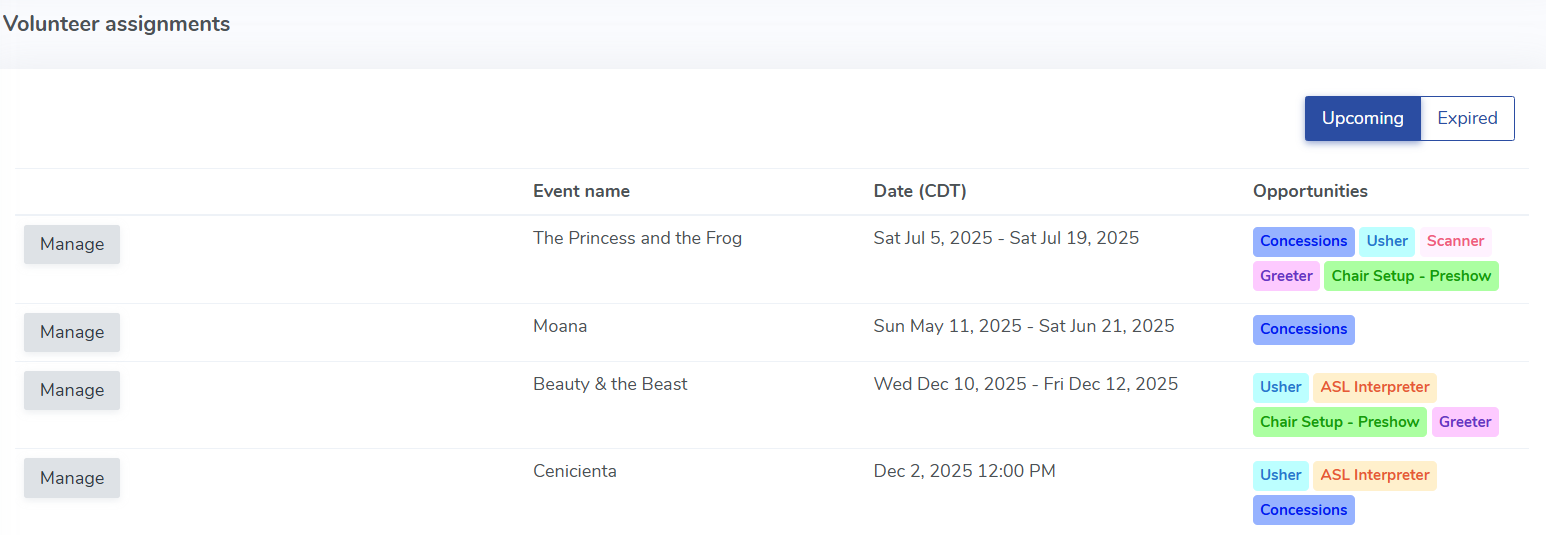
- Click the Manage Button to see all roles for the event.
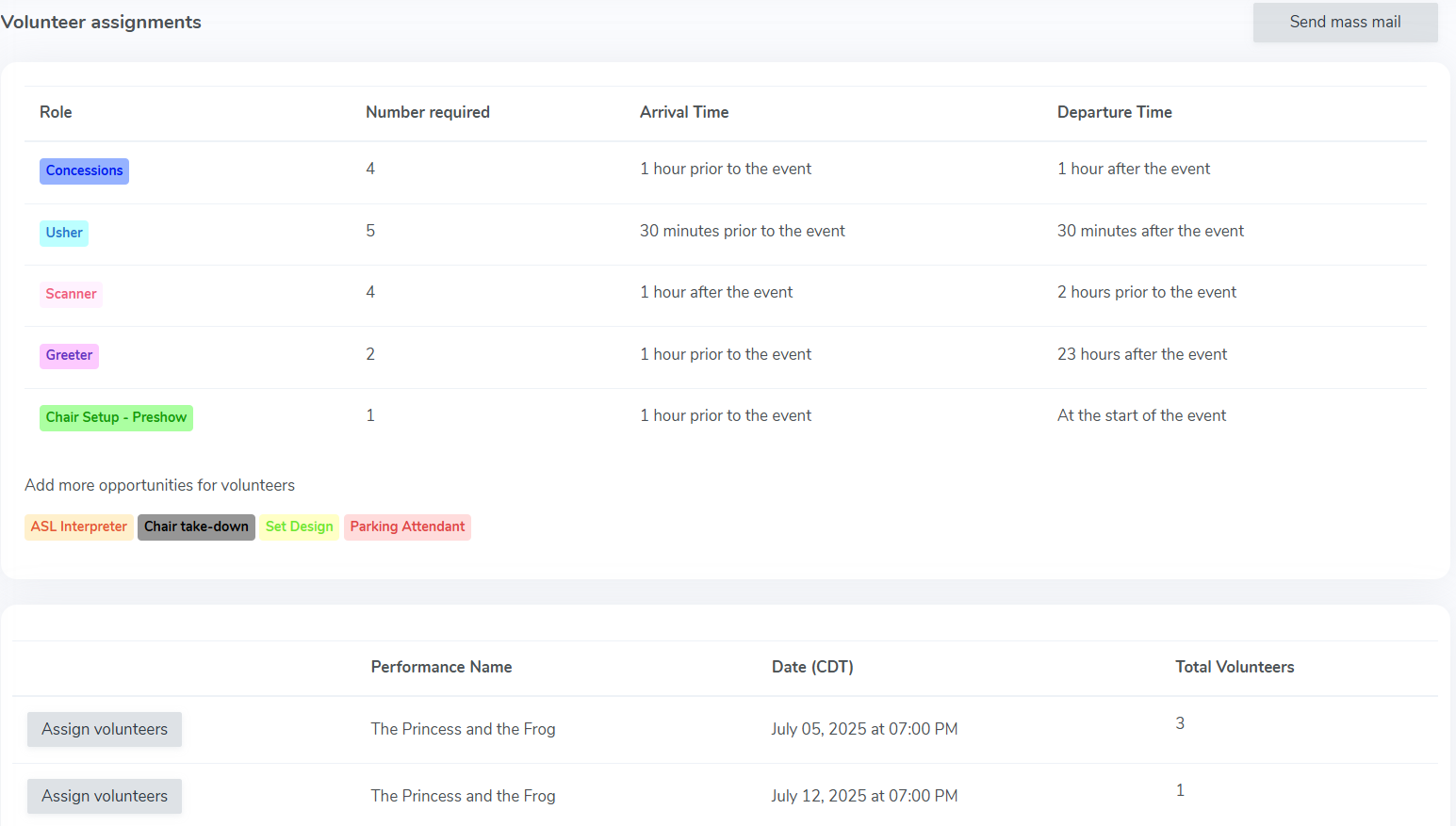
- Click on the 'Assign volunteers' button to assign volunteers to each performance.
- Click on the green +Assign Volunteer button.

- When prompted, search for the name of your volunteer.
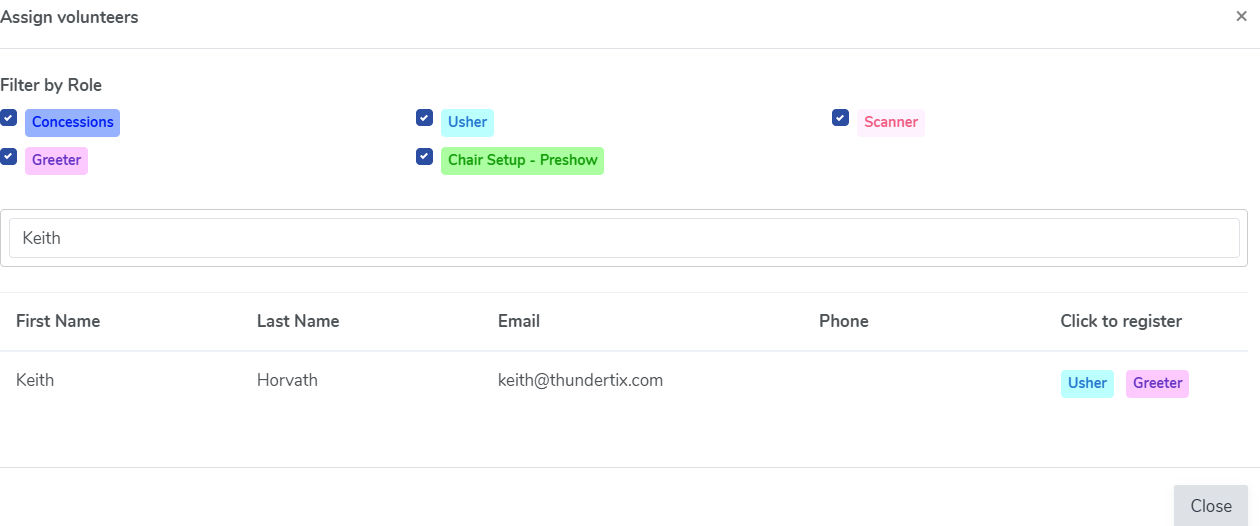
- Finally, click the role you'd like to assign the volunteer to. We will generate a list of all eligible roles for your volunteer.
Your volunteer is now assigned to a role for your event! Please note that you will need to do this for any performance for which the volunteer signs up.
View our video tutorials
How can I make an existing user a Volunteer?
How do I create a role for my volunteers?
How do I create or assign volunteer opportunities for my event?
Registration process for volunteers
How can my volunteers sign up for opportunities?
Where can I see total hours volunteers have worked?
How can I display a link on my public page for people to sign up to volunteer?
