Support Forum
What happens when an event sells out? Does it say Sold Out? Can we offer a Waiting List option? - Mon - Mar 31, 2025 - 2:29pm

Depending on how you have your event displayed on your website, when you hit the Event Capacity limit, the words SOLD OUT will appear in red text in the following formats:
If you are linking to the event description for an event with one performance date
Customers will be redirected to your public event listing with a notification that the event is sold out. Customers will have the opportunity to join the waitlist if it is enabled in the event settings.

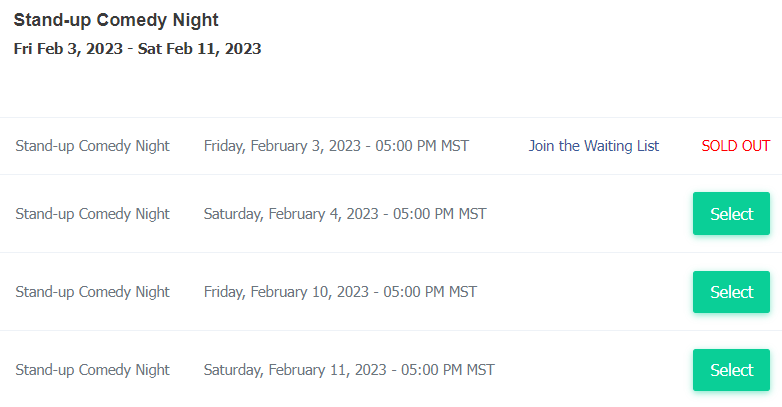
If you are linking to a list of performances
Customers will see the Sold out message next to any/all performances that are sold out.

If you use the calendar display, the pop-up for a sold out event will appear as follows:
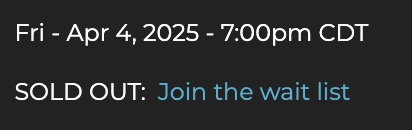
If you are linking directly to the ticket quantity selection page of one performance
Customers will see the Sold Out message right away.
To learn more about the waitlist, please see the following discussion:
How the waiting list works
To learn how to alter the Sold Out message, please see the following discussion:
Can I modify or hide the Sold Out notice?
For more information on the various ways to display your events, please see the following discussion:
Using Get Code Buttons
To get an email alert when your event sells out, please head to your Account Settings > Email Notifications. Add your email to the alert for "When an event sells out".
If you are linking to the event description for an event with one performance date
Customers will be redirected to your public event listing with a notification that the event is sold out. Customers will have the opportunity to join the waitlist if it is enabled in the event settings.
If you are linking to a list of performances
Customers will see the Sold out message next to any/all performances that are sold out.

If you use the calendar display, the pop-up for a sold out event will appear as follows:

If you are linking directly to the ticket quantity selection page of one performance
Customers will see the Sold Out message right away.
To learn more about the waitlist, please see the following discussion:
How the waiting list works
To learn how to alter the Sold Out message, please see the following discussion:
Can I modify or hide the Sold Out notice?
For more information on the various ways to display your events, please see the following discussion:
Using Get Code Buttons
To get an email alert when your event sells out, please head to your Account Settings > Email Notifications. Add your email to the alert for "When an event sells out".
View our video tutorials
Is it possible to set a time to stop ticket sales for each individual performance before the show?
Why are my shows not listed in chronological order?
Can I change the display of the event's date to my buyers?
How can I change an event date or time after I've created it?
Is there a way to delete the ticket type on a recurring event just for one day's tour?
Where do I change my address in ThunderTix?
What if my event expired too early? How can I get it back online for customers?