
Support Forum
How can I export a list of volunteers for my event? - Fri - Sep 5, 2025 - 1:04pm

To export a list of volunteers for your event follow the steps below:
- Head to Events > Event Manager
- Click on the name of your event
- Under the reports tab click on 'Export volunteer signups'
*Please note that if your event has multiple performances, you will need to select your date of preference.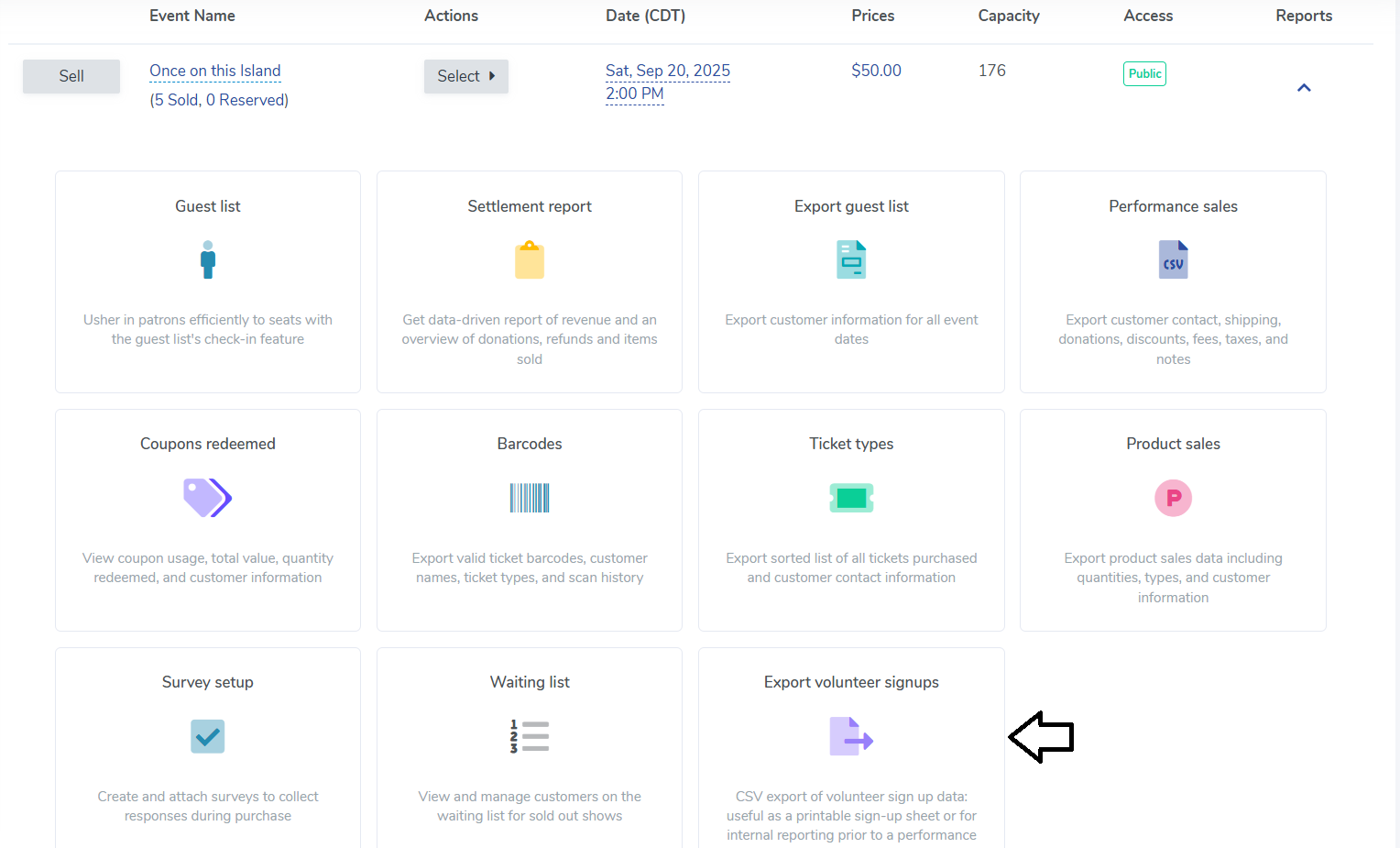
- We will export a list of all volunteers who signed up to volunteer for that performance. The file will include the Performance Name and Date, the role and description, the quantity needed, start and end tme for the volunteer, the volunteer's first and last name, and contact information for the volunteer.
View our video tutorials
How can I make an existing user a Volunteer?
How do I create a role for my volunteers?
How do I assign a volunteer to a role?
How do I create or assign volunteer opportunities for my event?
Registration process for volunteers
How can my volunteers sign up for opportunities?
Where can I see total hours volunteers have worked?
