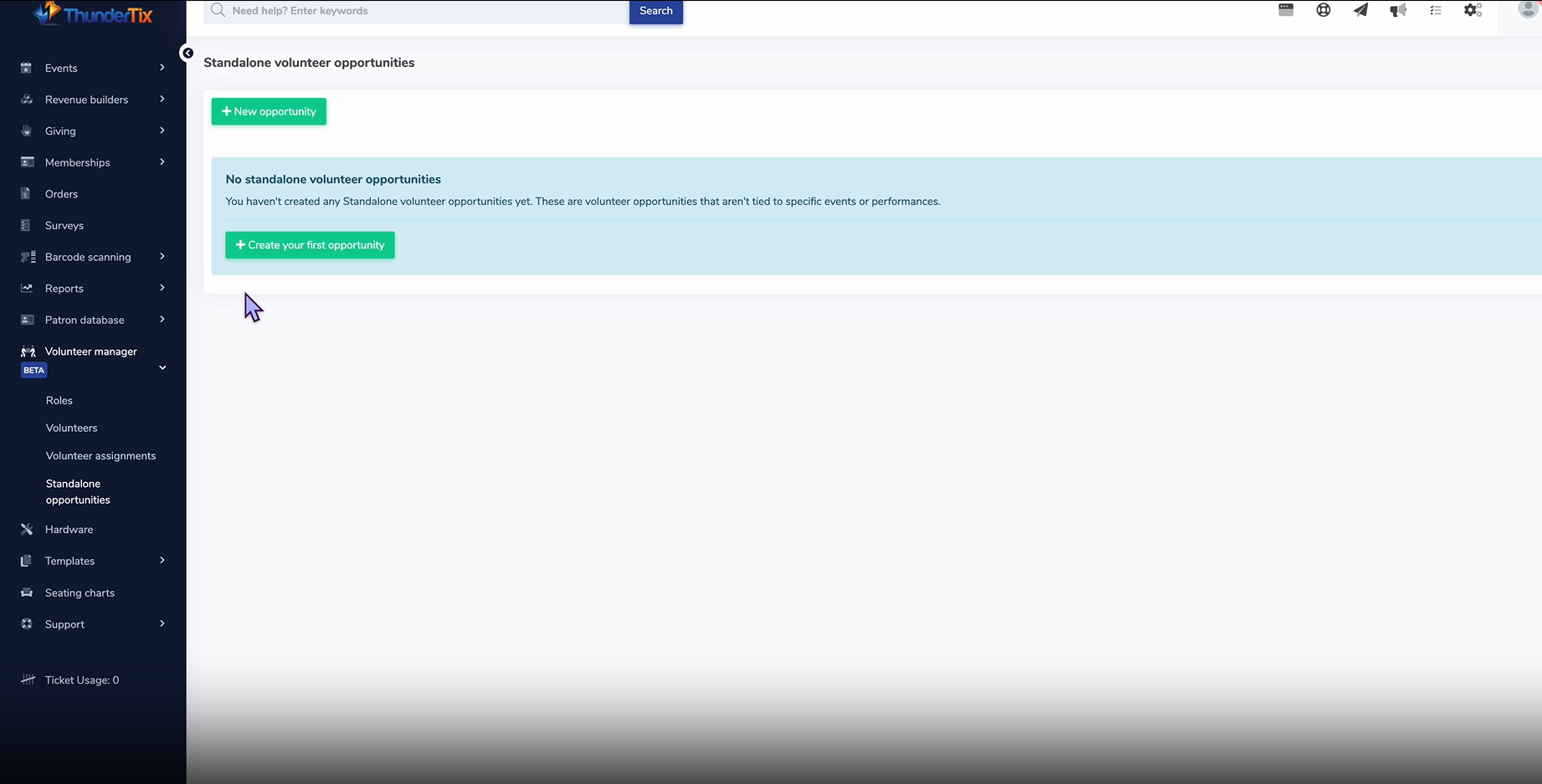
A standalone volunteer opportunity are volunteer opportunities that are not tied to a specific event or performance. Examples include ongoing office help, community projects, or recurring weekly roles.
To add a standalone volunteer opportunity follow these steps:
Head to Volunteer Manager > Standalone opportunities.
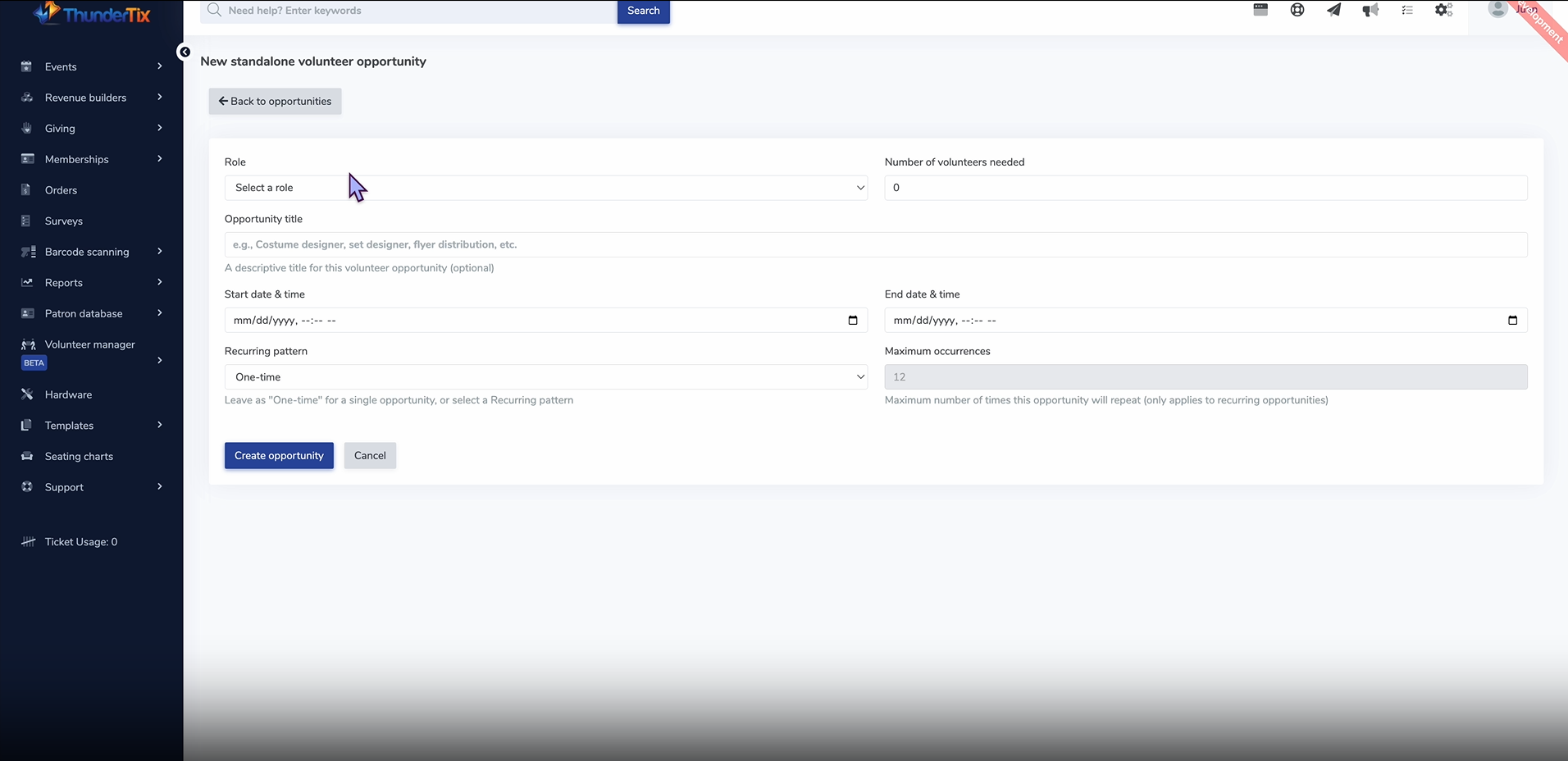
Select your role from the drop down menu and enter in the needed criteria- number of volunteers needed, opportunity title, start date and time, end date and time, reccurance, and maimim occurences. Screenshot 2025-09-29 160954.png 221.67 KB
Click 'Create opportunity' to create your standalone volunteer opportunity.
A Few things to note about standalone volunteer opportunities:
Recurring Opportunities: Roles can repeat on a regular schedule (weekly, monthly, etc.), with limits if needed.
Volunteer Scheduling: Volunteers can sign up for both event-based and standalone roles.
Tracking & Reporting: Volunteer hours will include both event and standalone activities. Reports and schedules will give a complete view of volunteer contributions.
Communication: Volunteers will receive reminders for all assignments, whether event-based or standalone.
Easy Management: Admins can create and manage standalone opportunities alongside event-based roles efficiently.